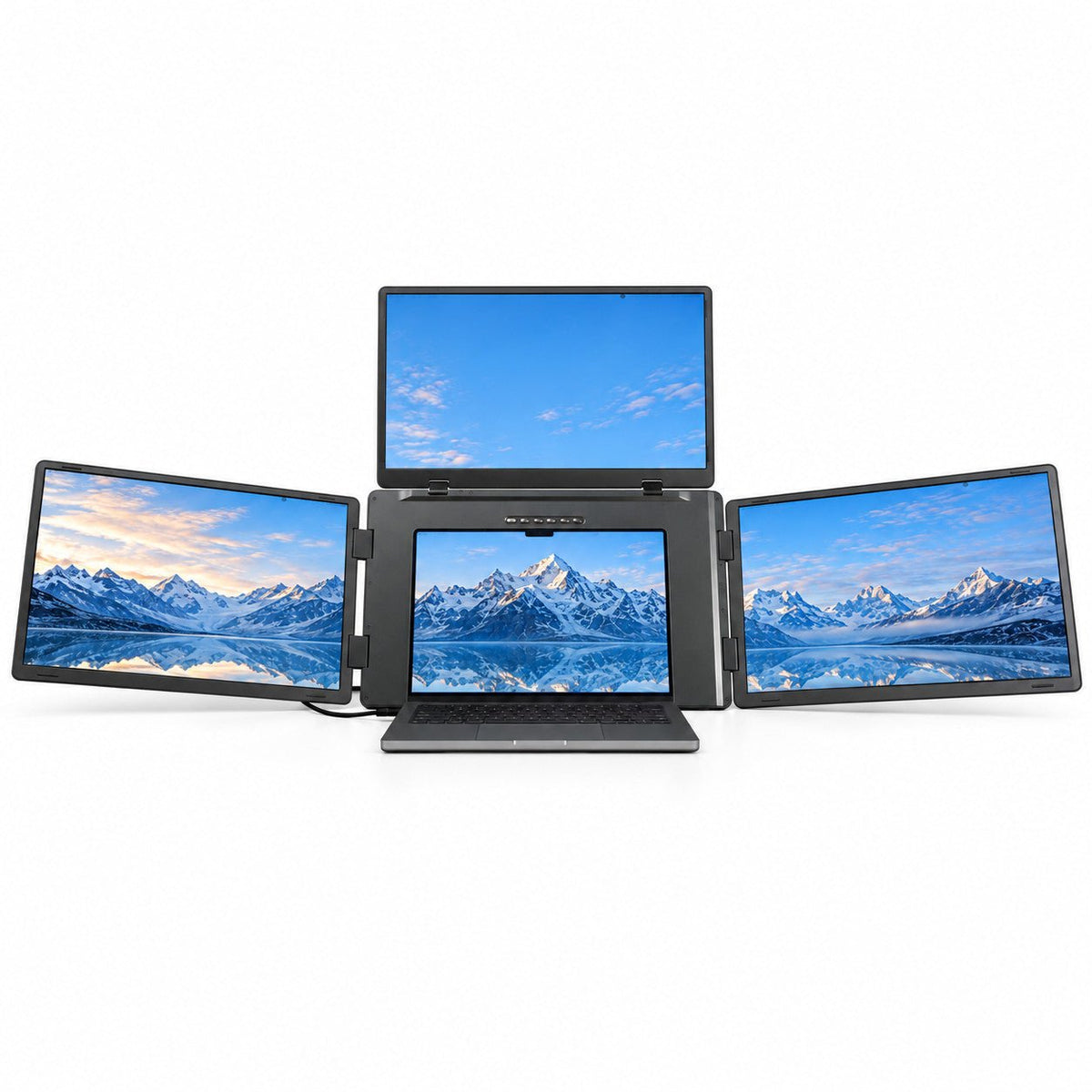
MagHub Quad Max 18.5" Portable Screen Extender
An expansive four-screen workspace with three 18.5-inch Full HD displays.
- 3 extra displays
- 18.5-inch screens
- Display driver required
Expand your workspace.
Explore MagHub displays
MagHub Quad Max 18.5MOST SCREEN SPACE
MagHub Quad 16BEST ALL-AROUND
MagHub Trio Go 16TRAVEL-READY
MagHub Dual Lite 16PLUG & PLAY
Power & Connect
MagSafe ChargingTracking & Travel
Travel AccessoriesExplore
Support
Coming soon
Explore INVZI MagHub laptop screen extenders. Compare triple- and quad-screen setups and find the right fit for your workspace before the event.

Get to know four ways to expand your laptop workspace. Visit each product for current details and pricing.
An expansive four-screen workspace with three 18.5-inch Full HD displays.
Keep charts, code and references in view across a four-screen workspace.
A foldable triple-screen workspace with two 16-inch FHD+ displays.
A triple-screen workspace with detachable displays for landscape or portrait desk layouts.
Both setups include your laptop's own screen. Choose how much work you want to keep in view.
3total screens
Your laptop plus two extra displays. Keep documents, meetings and references beside your main task.
4total screens
Your laptop plus three extra displays. Keep more charts and project tools visible at the same time.
Start with screen count and size, then check the connection requirements for your exact laptop.
Swipe across to compare all details.
| MagHub model | Extra displays | Screen size | Display driver |
|---|---|---|---|
| MagHub Quad Max 18.5" Portable Screen Extender | 3 extra displays | 18.5-inch screens | Display driver required |
| MagHub Quad 16" Portable Screen Extender | 3 extra displays | 16-inch screens | Display driver required |
| MagHub Trio Go 16" Portable Screen Extender | 2 extra displays | 16-inch screens | Display driver required |
| MagHub Dual Lite 16" Portable Screen Extender | 2 extra displays | 16-inch screens | No driver on supported laptops |
Dual Lite requires compatible native video outputs and sufficient power for both displays. Check your exact laptop model, ports and operating system before ordering.
A clear connection plan helps you choose a setup that works with your laptop.
Confirm your laptop model, operating system and supported external-display configuration. Use the model-specific guidance before choosing.
Check whether your USB-C ports support video and which HDMI connections are available. Dual Lite needs compatible native video outputs for both displays.
Quad Max, Quad and Trio Go require a display driver. Check installation permissions and each model's power requirements. Quad Max needs an external power connection.
Event details and the checks that help you choose your setup.
The event is coming soon. INVZI's campaign dates and offers will be announced on this page. You can explore current MagHub models and compare compatibility now.
This preview introduces four current MagHub models. Eligible products, configurations and Black Friday prices will be confirmed when the event launches. Product pages show current details and pricing.
Quad Max, Quad and Trio Go require a display driver. Dual Lite needs no display driver on supported laptops, but it requires compatible native video outputs and sufficient power. Check the exact model before ordering.
Confirm your laptop model and operating system, video-capable ports, external-display support, driver installation permissions and power connections. Start with Find Your MagHub, then review the selected product and setup guides.
Read INVZI's current shipping policy and return policy for eligibility, regional conditions and the steps to request help before you order.
Explore MagHub now and compare the models that fit the way you work.