


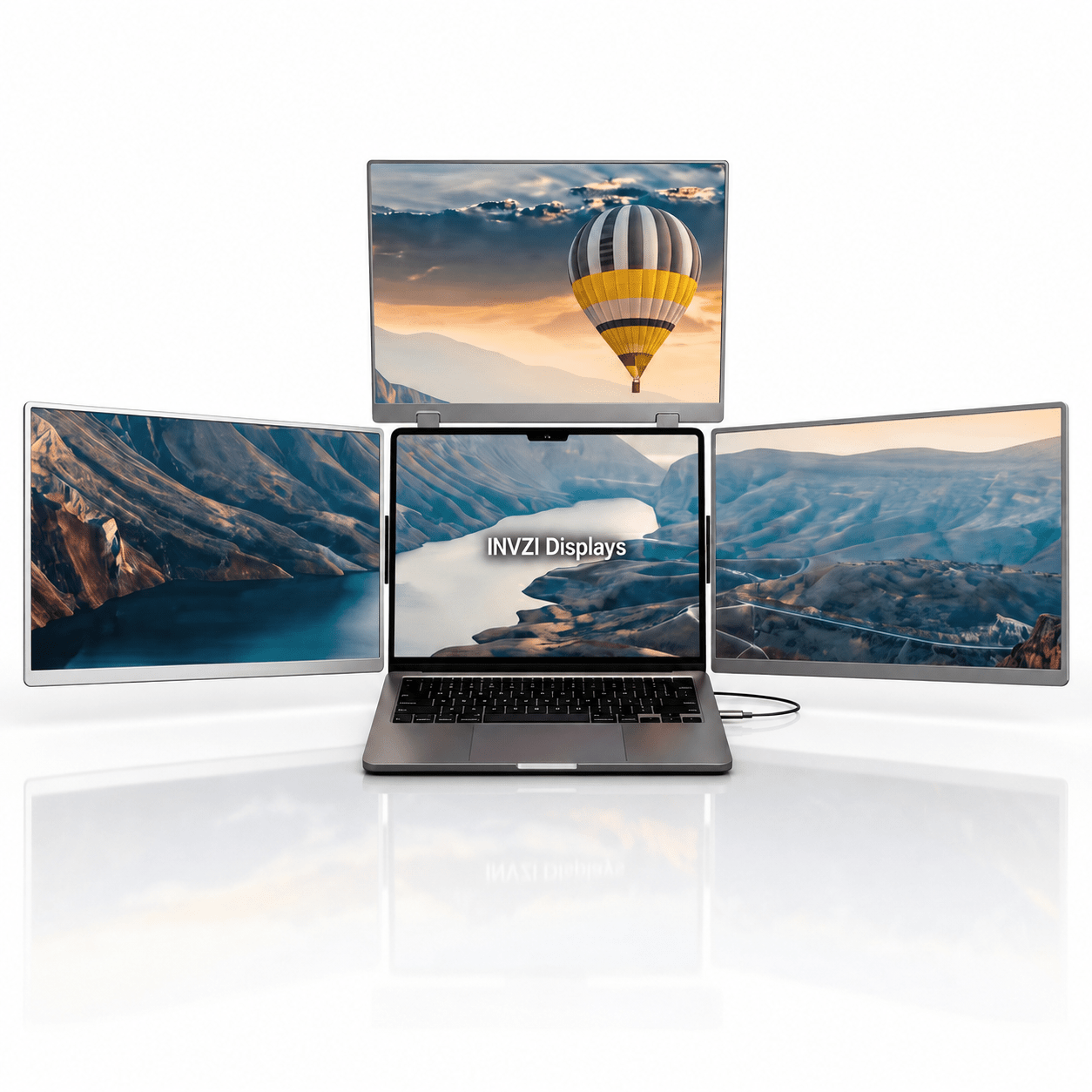

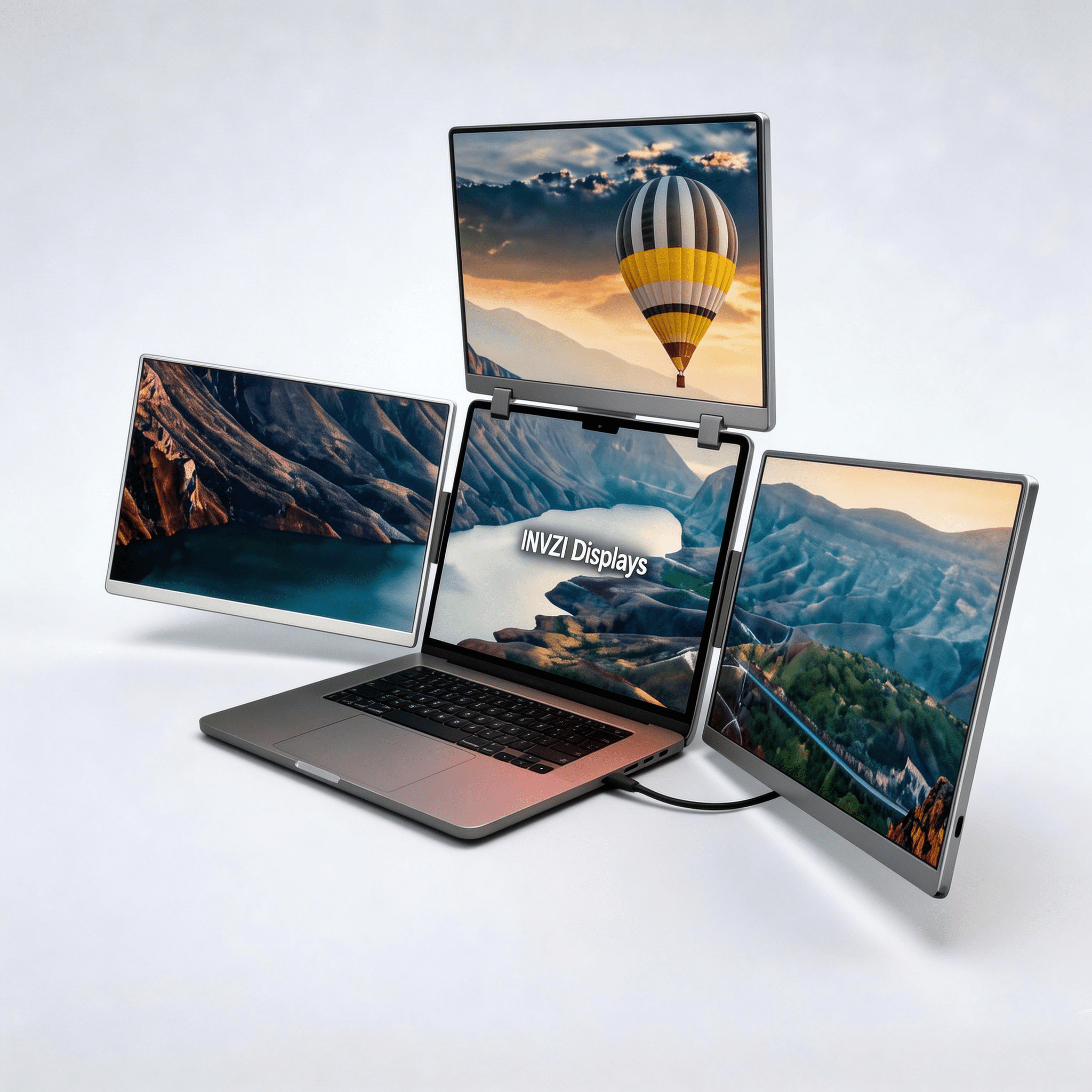



MagHub Quad Max 16" Portable Screen Extender
True Quad-Screen Setup: Add three extra screens to your laptop for a four-display workspace.
Two Display Sizes: Choose the 14″ version for a more compact setup or the 16″ version for a larger viewing area.
Keep Your Workflow Together: View charts, code, references, and meetings alongside your main task.
Foldable Design: Fold the screens flat for easier storage and carrying between workspaces.
Mac & Windows Compatibility: Supports compatible laptops with the required display driver and external power connection.
 Display
 Display
- Screen Size: 3x 16 inches
- Panel Type: IPS (W-LED Backlight)
- Resolution: 1920 × 1200 (Full HD+ / 2.2K)
- Aspect Ratio: 16:10
- Maximum Brightness: 250 nits
- Contrast Ratio: 1000:1
- Color Gamut: 100% sRGB
- Refresh Rate: 60Hz
Visual Angle: 178° (H: 89° / V: 89°)
Rotation Angles: Left/Right Screens (0°- 360°), Top Screen (0°- 180°)
Auto-Sensing Mode: Yes (Top screen automatically rotates content when flipped down)
All technical specifications can be found at the bottom of the page
 Connectivity & Compatibility
 Connectivity & Compatibility
To power up your multi-screen workspace, a brief driver installation is required. This fast, secure process takes just a few minutes and ensures optimal performance and seamless integration across all extended displays.
Hardware & Power:
- Dual USB-C Ports: Connects seamlessly with just a single USB-C cable to your laptop.
- Power Delivery: Requires a 30W power adapter (included) to fully drive all screens for the MagHub Quad 16".
OS & Processor Compatibility:
- macOS: Full support across Intel processors, M1, M2, M3, M4, M5 series, and later.
- Windows: Fully compatible with Windows 10, 11, and above.
 Product Resources & Downloads
 Product Resources & Downloads
Access everything you need to optimize your workflow. Get detailed guidance on setup, daily operation, and maintenance for the MagHub Quad 16".
User Guides
Required Driver Setup
To fully activate your extended displays, please install the latest software before first-use:
- macOS: [Download Driver]
- Windows: [Download Driver]
Support & Policies
Customer Support
Have questions? The INVZI support team is here to help with product setup, compatibility, orders, returns, and warranty support.
Live chat is available Monday–Friday, 9:00 AM–5:00 PM PST.
For other inquiries, contact us through our website or email support@invzi.com.
Shipping Information
INVZI currently ships primarily to North America and Europe. Availability for other destinations will be shown at checkout.
Orders over US$100 qualify for free standard shipping, excluding remote areas. Additional shipping charges may apply to remote destinations and will be shown at checkout or confirmed with you before dispatch.
Estimated delivery from the date of order is typically:
- North America, local warehouse: 3–5 days
- North America, Hong Kong warehouse: 7–14 days
- Europe, Hong Kong warehouse: 7–10 days
Shipping origin depends on product availability and your delivery address. Delivery times are estimates and may be affected by remote destinations, customs clearance, public holidays, or carrier disruptions.
International duties, taxes, and customs clearance fees may apply unless otherwise stated on the product page or at checkout.
View full Shipping PolicyTrack Your Order
Once your order ships, we’ll send a shipping confirmation email with your tracking details and a link to track your shipment.
Please allow up to 48 hours after shipment for tracking information to appear.
If your order has not arrived within the estimated delivery window, contact support@invzi.com with your order number so our team can investigate.
Returns & Refunds
Products purchased directly from invzi.com may be returned within 14 calendar days after delivery.
Opening a product for reasonable inspection, setup, or testing does not automatically make it ineligible for return. Returned products must be complete, free from customer-caused damage, and include the original packaging and included accessories.
For approved non-defective display returns, a $49 return shipping and handling deduction applies. We will disclose the applicable deduction before issuing a return label.
Separately purchased accessories may also be returned within 14 days. The $49 display-product deduction does not apply, but the customer is responsible for actual return shipping unless the return is due to an INVZI error or product defect.
Products purchased through an authorized third-party retailer are subject to that retailer’s return policy.
Please contact support@invzi.com or submit a return request through your INVZI account before sending any product back. Return locations vary by product and region.
View full Returns & Refunds PolicyWarranty
INVZI products are covered by a one-year limited warranty against manufacturing defects.
For confirmed warranty claims, we may provide troubleshooting, repair, replacement, or a refund depending on the issue, product availability, and applicable law. The $49 non-defective return deduction does not apply to confirmed warranty claims.
Every Screen Has a Purpose.
MagHub Quad 16 organizes your workspace into layers — main work in the center, references on the sides, and live context above.

Live Context
Keep meetings, dashboards, AI tools, or timelines visible above your main task.
Reference Space
Place documents, research, chat, or notes beside your main workspace.
Main Work
Stay focused on writing, coding, designing, editing, or your core task.
Preview & Tools
Keep browser tabs, analytics, files, or previews within easy reach.
Live Context
Keep meetings, dashboards, AI tools, or timelines visible above your main task.
Reference Space
Place documents, research, chat, or notes beside your main workspace.
Main Work
Stay focused on writing, coding, designing, editing, or your core task.
Preview & Tools
Keep browser tabs, analytics, files, or previews within easy reach.

Desktop Power. Backpack Ready.
Engineered to carry a full quad-screen workstation wherever you work. At approximately 5.82 lb (2.64 kg) with a fold-flat design, MagHub Quad 16 gives you a serious multi-screen setup for the office, hotel, studio, trading desk, or client site.
Your Mobile Command Center.
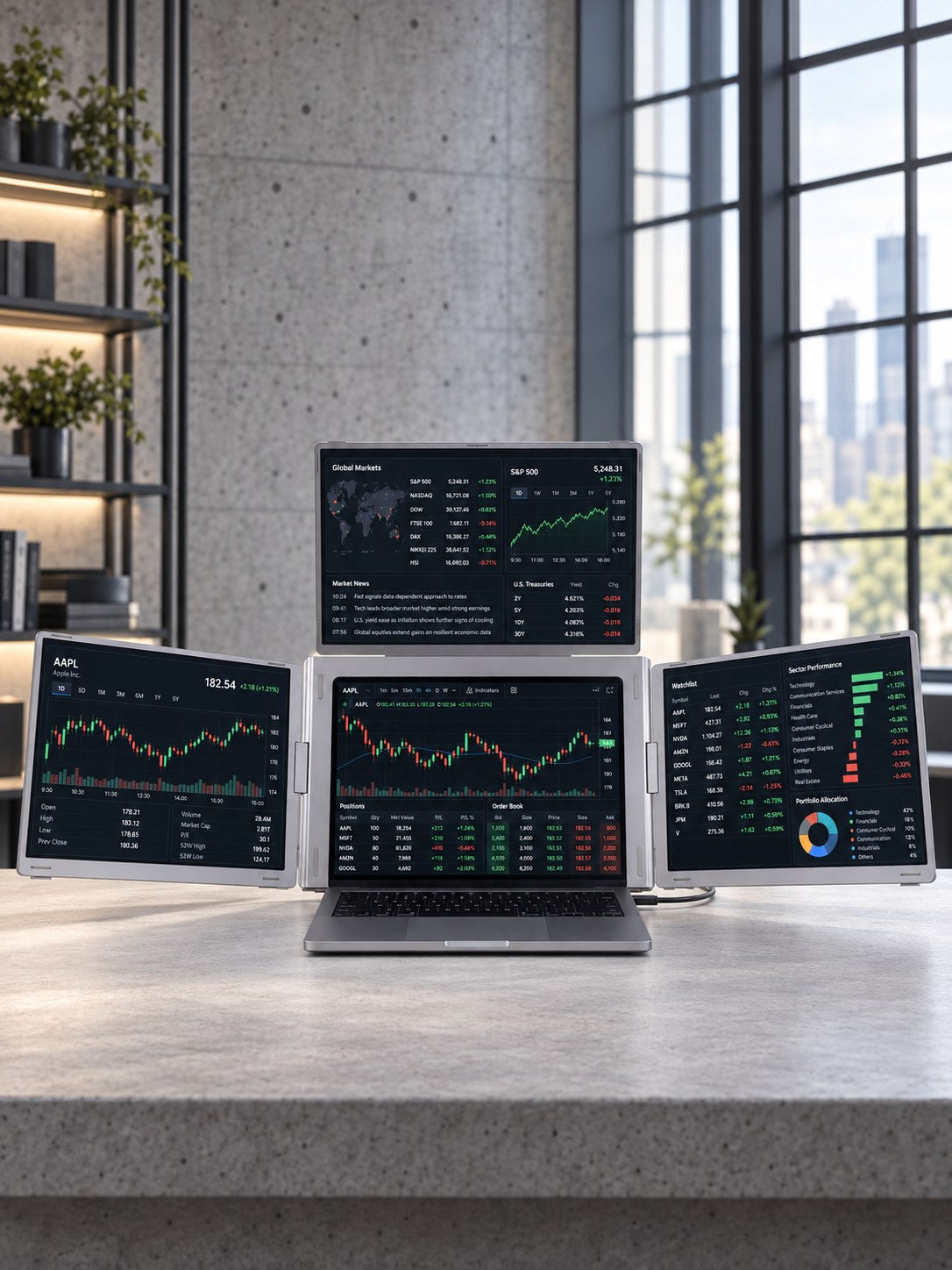
Built for traders, creators, developers, and remote teams who need more context on screen. Keep live data, timelines, code, meetings, references, and tools visible at once — without constantly switching tabs.
See More. Work Better.
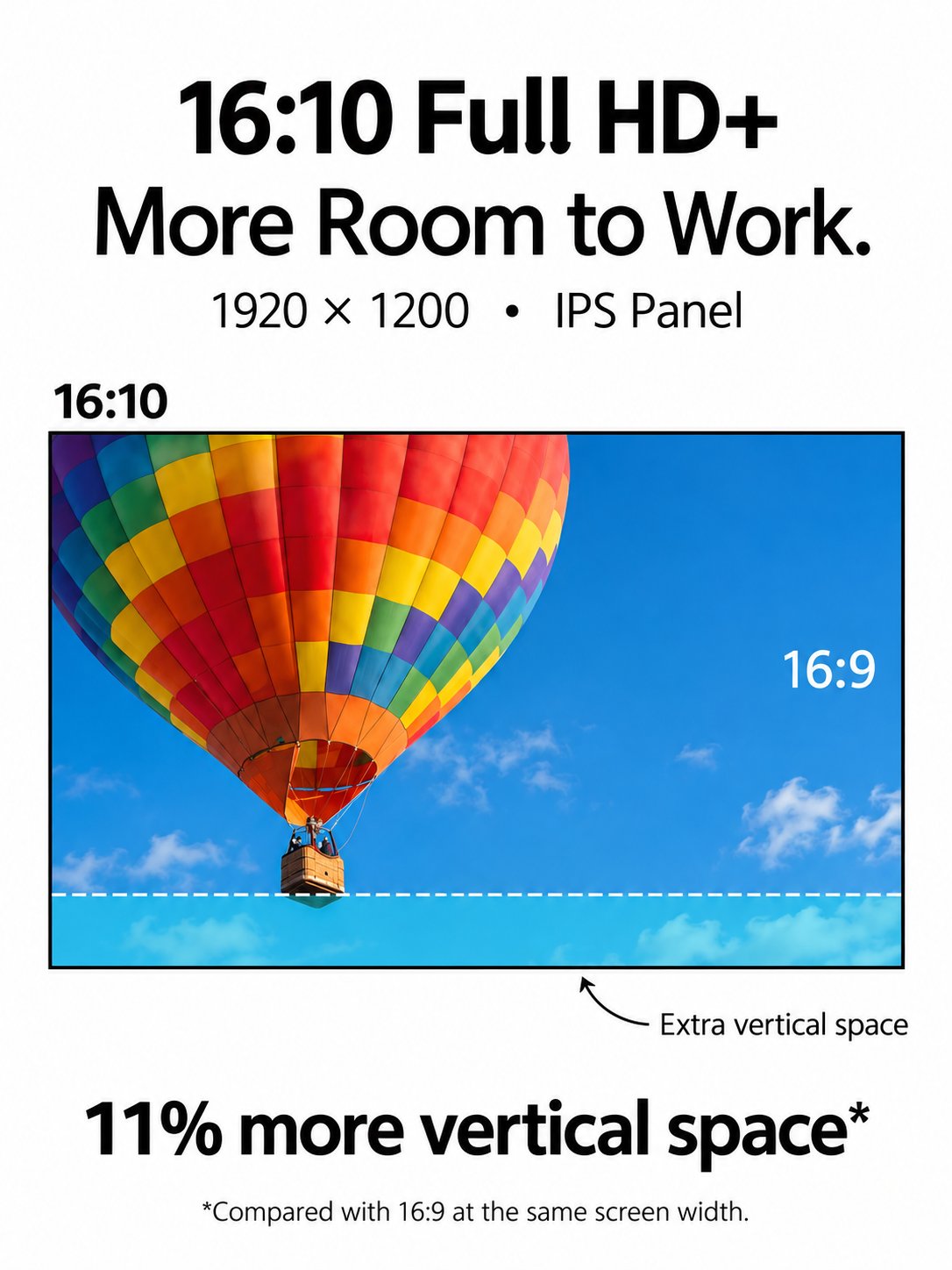
Three 16-inch 16:10 displays give you more vertical room for documents, dashboards, timelines, and creative tools. With 1920×1200 resolution, IPS panels, wide viewing angles, and 100% sRGB coverage, every screen is built for focused work.
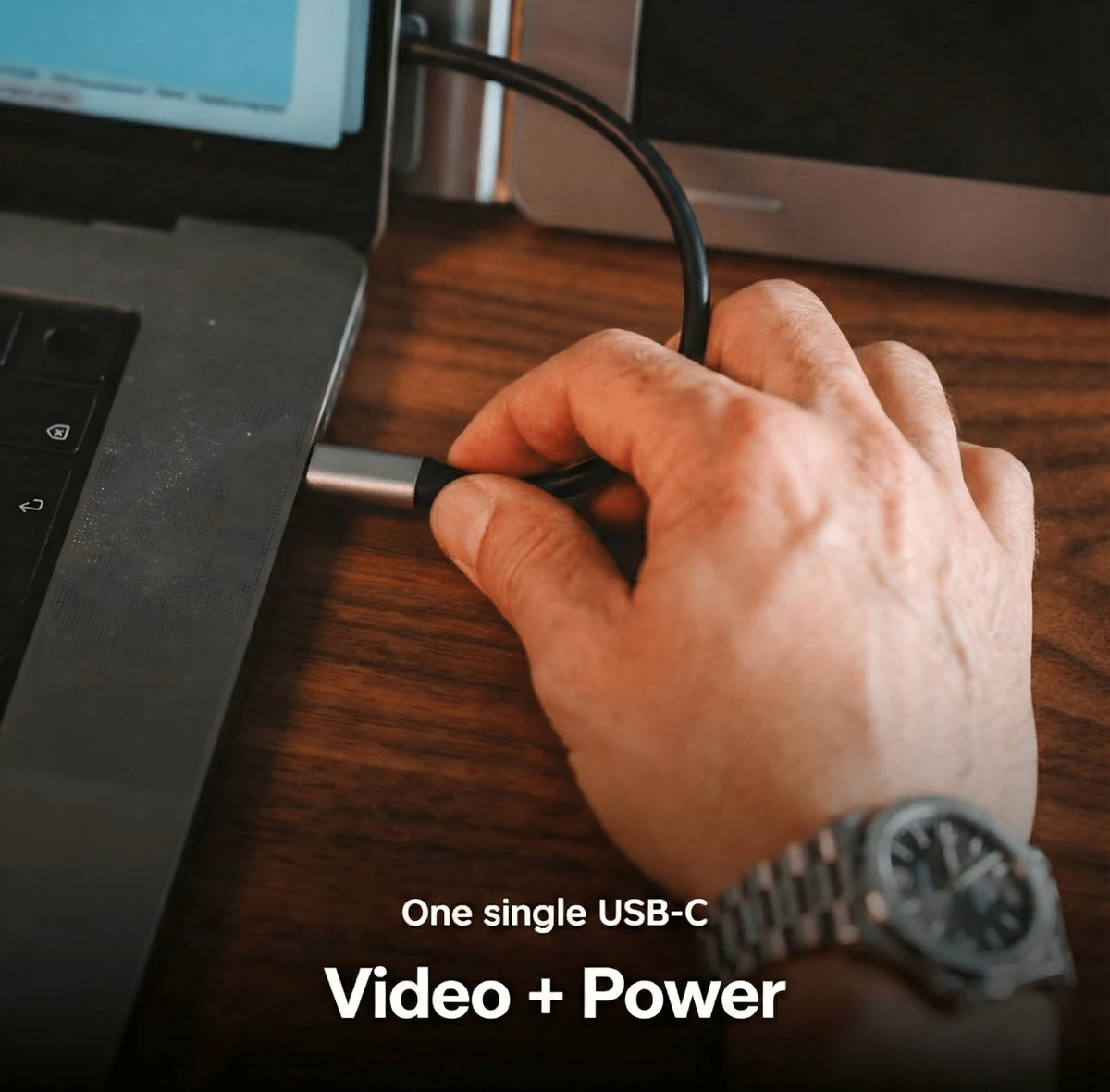
Clean Connection. Stable Power.
Connect the displays to your laptop through USB-C while the included 30W power adapter keeps the extended screens running reliably. Fewer cables, cleaner desk, and a setup that is easier to deploy wherever you work.
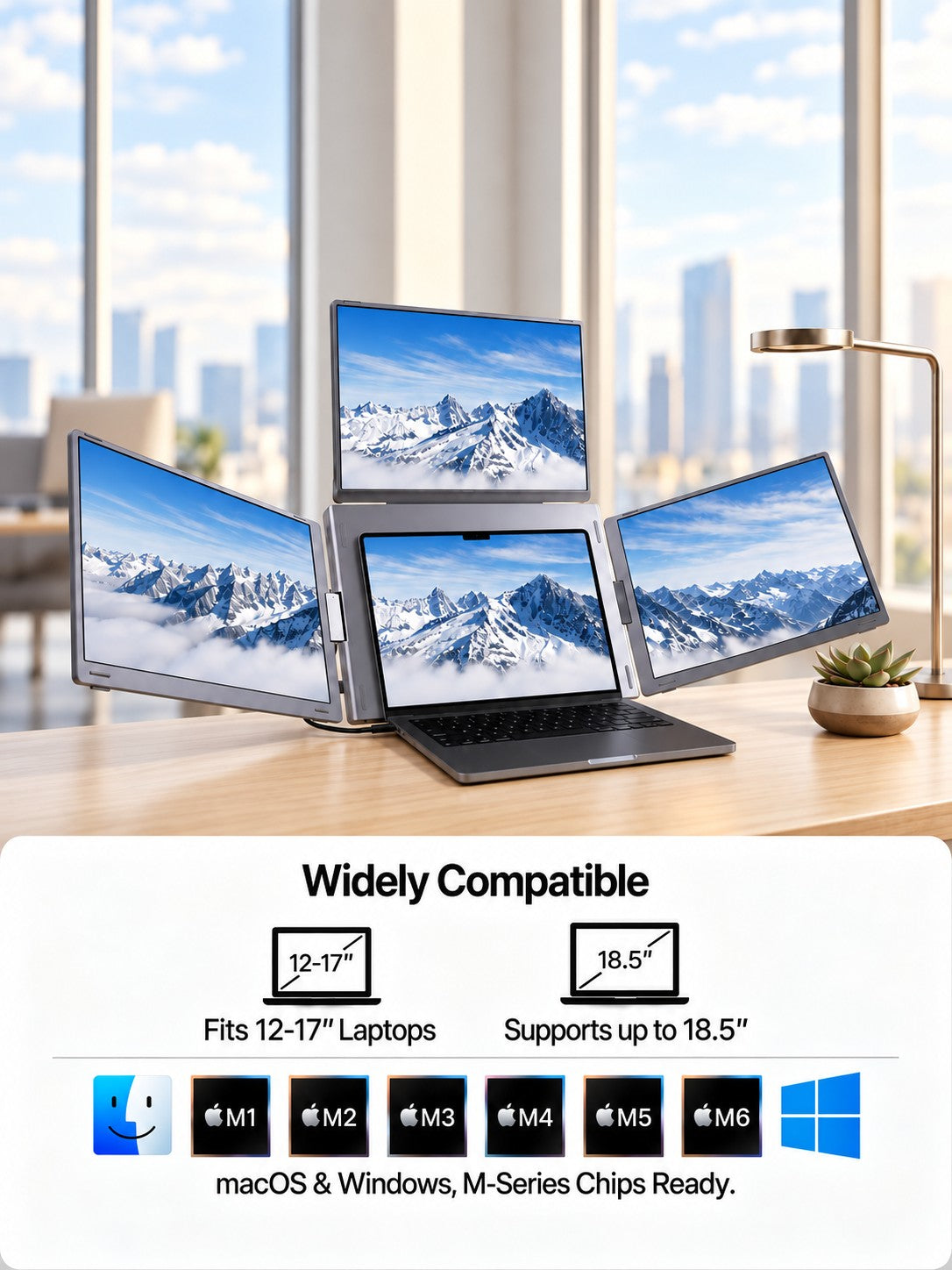
Ready for Mac and Windows.
Compatible with macOS and Windows laptops, including Apple Silicon M-series MacBooks and Windows 10/11 devices. Supports 12"–18.5" laptops and requires a quick driver installation to unlock the full quad-screen experience.
Desktop Power. Backpack Ready.
Engineered to carry a full quad-screen workstation wherever you work. At approximately 5.82 lb (2.64 kg) with a fold-flat design, MagHub Quad 16 gives you a serious multi-screen setup for the office, hotel, studio, trading desk, or client site.
Your Mobile Command Center.
Built for traders, creators, developers, and remote teams who need more context on screen. Keep live data, timelines, code, meetings, references, and tools visible at once — without constantly switching tabs.
See More. Work Better.
Three 16-inch 16:10 displays give you more vertical room for documents, dashboards, timelines, and creative tools. With 1920×1200 resolution, IPS panels, wide viewing angles, and 100% sRGB coverage, every screen is built for focused work.
Clean Connection. Stable Power.
Connect the displays to your laptop through USB-C while the included 30W power adapter keeps the extended screens running reliably. Fewer cables, cleaner desk, and a setup that is easier to deploy wherever you work.
Ready for Mac and Windows.
Compatible with macOS and Windows laptops, including Apple Silicon M-series MacBooks and Windows 10/11 devices. Supports 12"–18.5" laptops and requires a quick driver installation to unlock the full quad-screen experience.
Set Up in Minutes. Start Working Anywhere.
- Extend the stand
- Unfold the screens
- Connect the 30W power adapter
- Plug into your laptop via USB-C
- Install the driver and start working
Designed for Real Workflows

Integrated Adjustable Stand
Open the built-in stand and create a stable quad-screen setup on almost any desk.

Independent Screen Adjustment
Adjust the side and top screens to match your viewing angle, workflow, or collaboration needs.

Fold-Flat Portability
Fold the full setup flat and carry it between home, office, hotel, and client site.

USB-C Connection
Connect to your laptop through USB-C for a cleaner desk and faster setup.
Brilliant visuals with **unmatched** adaptability.
Advanced Display Technology
Experience crisp detail, vibrant color, and flexible viewing across three 16-inch IPS displays built for serious multitasking.


One Hub. All Systems. Total Compatibility.

macOS
Works seamlessly with MacBook Air, MacBook Pro, and modern Apple Silicon or Intel Mac devices.

Windows
Fully compatible with mainstream Windows laptops for flexible multi-screen productivity.

Mac mini / Compact Desktop
A clean match for compact desk setups, mini PCs, and modern desktop workflows.
Seamless Connectivity
Connect your laptop with USB-C or USB-A, then power the extended displays with the included adapter for a stable quad-screen setup.


Designed for Every Workflow.


Built for Private Work and Shared Moments.
Work focused when it's yours. Flip the display when it's time to present.


Everything You Need, Included.
MagHub Quad 16 ships with the essential cables, power adapter, USB driver, quick guide, user manual, and a portable carry bag — so you can set up faster without hunting for extra accessories.

MagHub Quad 16

Portable Bag

30W PD Charger

USB-A to USB-C Cable (Video & Power) 120cm

USB-C to USB-C Cable (Power Only)120cm

USB-C to USB-C Cable (Video & Power) 60cm

USB Driver

Quick Guide

User Manual
Technical Specifications
 Highlights

Quad-screen workstation: laptop display + 3 extended screens
Three 16-inch Full HD+ displays
16:10 aspect ratio with 1920 × 1200 resolution
178° viewing angle
Independent brightness control for each screen
 Product Information

- Product: MagHub Quad 16
- Type: Portable laptop screen extender
- Laptop fit: 12"–18.5" laptops
- Folded size: 394 × 262 × 41.3 mm (15.5 × 10.3 × 1.6 in)
- Weight: Approximately 5.82 lb (2.64 kg)
- Material: ABS composite body with aluminum alloy kickstand
 Display

- Screen size: 3 × 16-inch displays
- Resolution: 1920 × 1200
- Aspect ratio: 16:10
- Panel type: IPS
- Color gamut: 100% sRGB
- Refresh rate: 60Hz
 Connectivity & Power

- Laptop connection: USB-C or USB 3.0
- Power adapter: 30W PD charger included
- External power required for full multi-screen operation
- Pass-through charging supported with compatible laptop charger
- Driver required for setup
 Compatible Operating System

- MacOS: Compatible with macOS 2019 or later
- Apple Silicon: Full support for M1, M2, M3, M4 chips
- Windows: Windows 10 and Windows 11 compatible
- Driver installation: Required for setup
- Included: User guide and driver files
 Controls & OSD Menu

- Physical control buttons for easy operation
- Independent brightness adjustment for each screen
- Contrast and color settings
- Screen orientation support
- No built-in speakers

Questions Before You Buy?
Here are the essentials about compatibility, setup, power, and what's included.