


MagHub Quad Fold 16" Portable Screen Extender
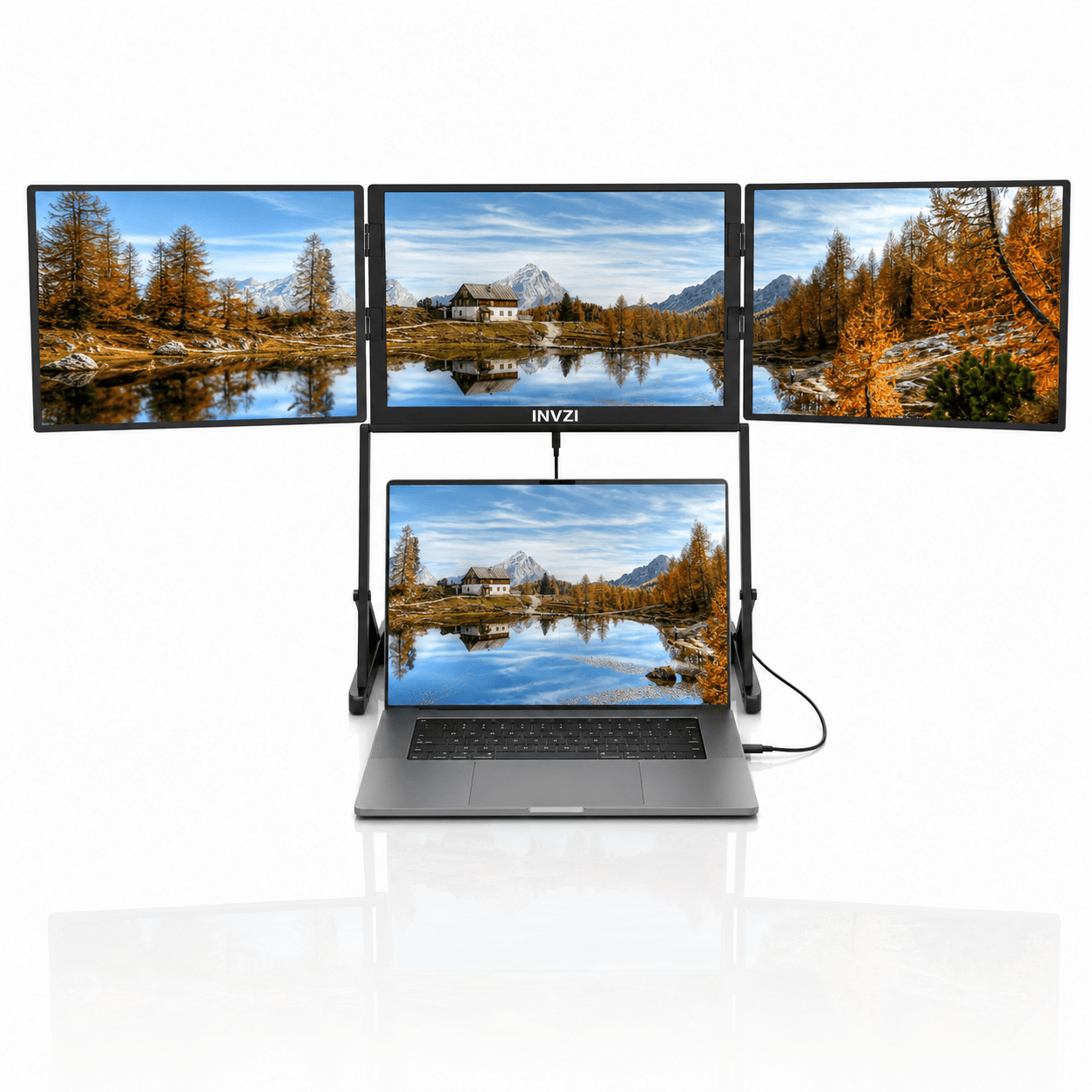
True Quad-Screen Setup: Add three extra screens to your laptop and keep more of your work in view.
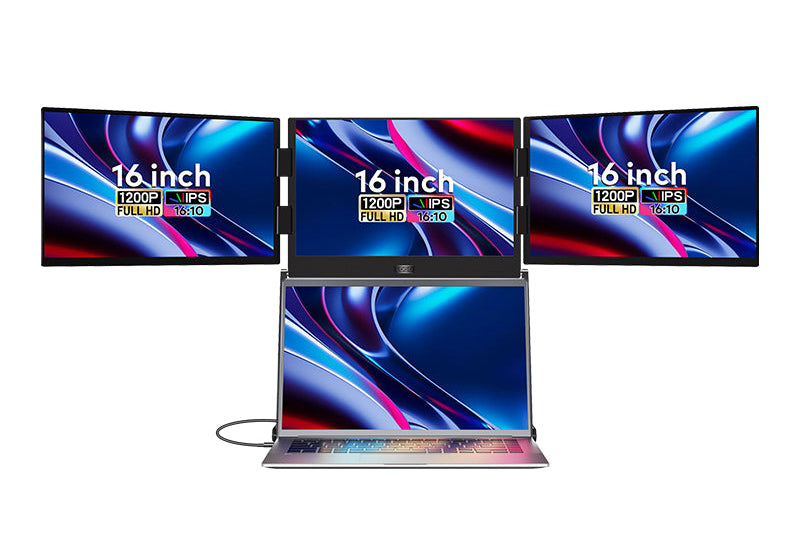
Triple 16″ IPS Displays: Spread documents, dashboards, and creative tools across three spacious screens.
Aluminum Alloy Build: An aluminum alloy chassis supports the folding display system for everyday use.
Foldable Workspace: Fold the screens together for storage and carrying between home, office, and client sites.
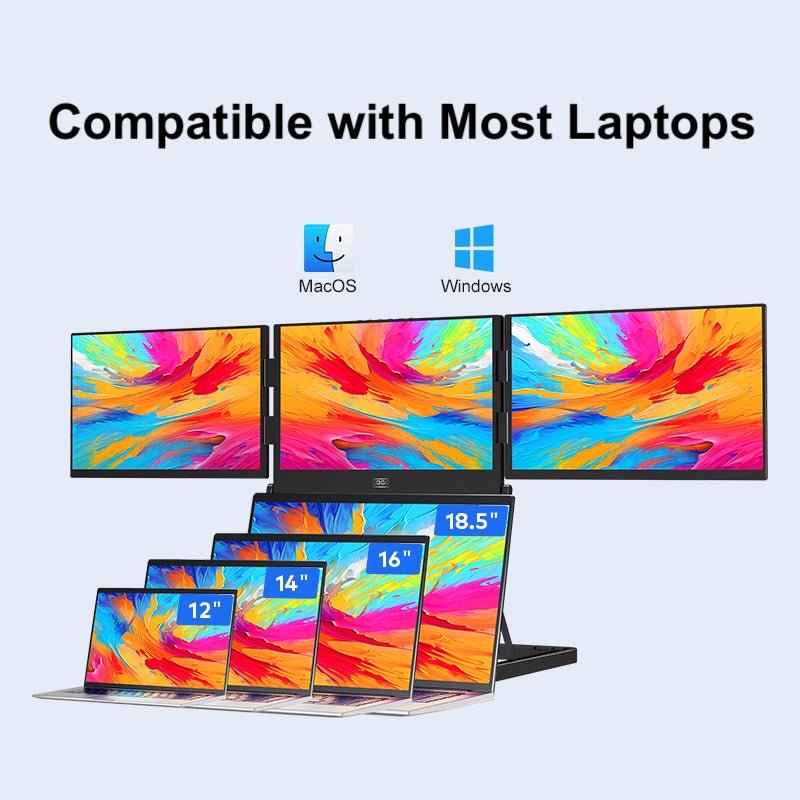
Mac & Windows Compatibility: Supports compatible laptops through USB-C, with driver installation and external power required.



Crowdfunded by 100,000+ Backers.
From a bold Kickstarter concept to a global reality. Join the community of creators and traders who trust INVZI to upgrade their workflow.
Learn more
Desktop Power. Backpack Ready.
Engineered to pack a massive quad-screen command center into a sleek, foldable chassis. Weighing just 5.28 lbs and folding flat, it allows you to carry a full-scale Wall Street workstation in your briefcase. Deploy your empire anywhere.
Your Mobile Command Center.
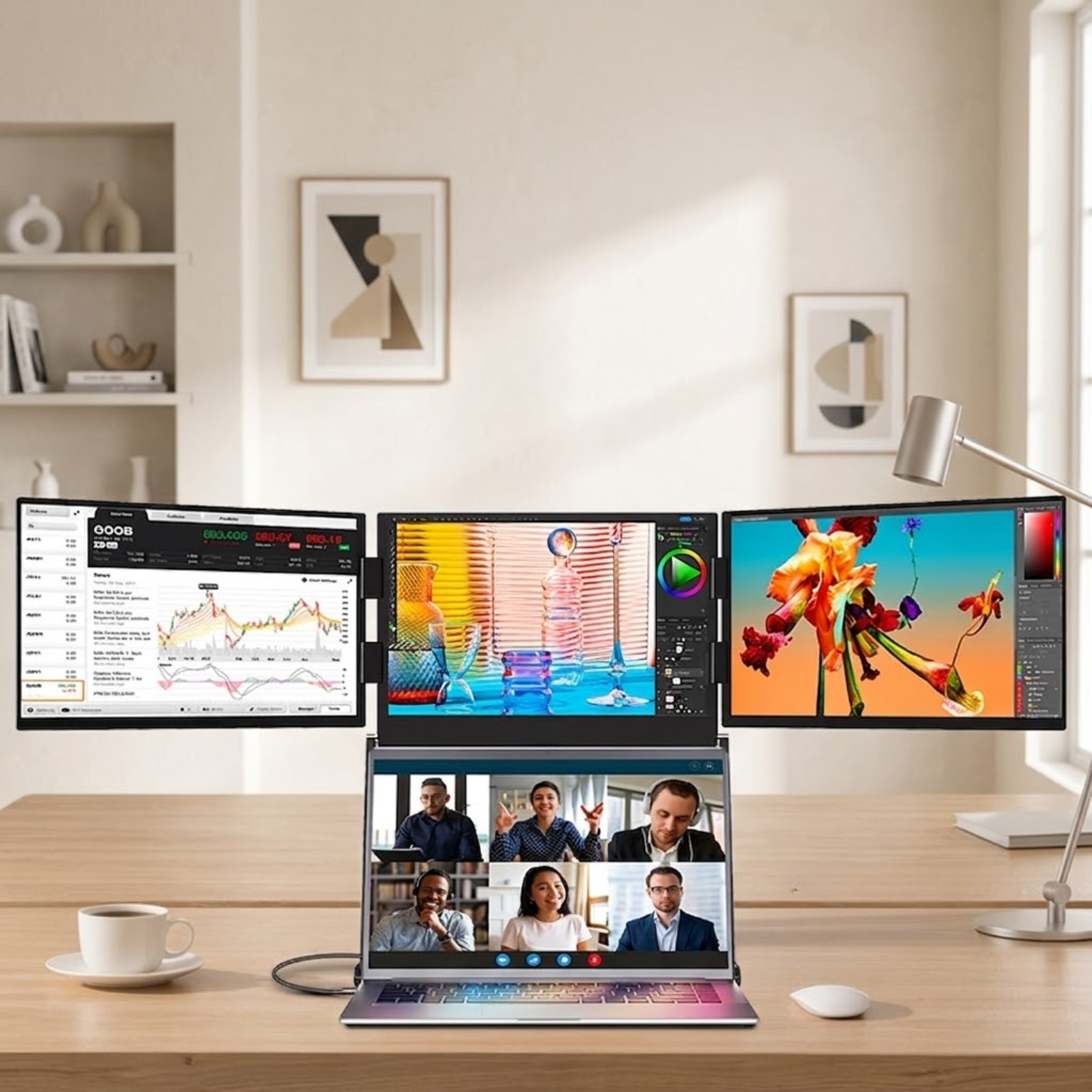
Transform your laptop into a massive 16-inch quad-monitor workspace instantly. Whether you are stock trading or coding, expand your vision and boost efficiency by 300%.
See More. Do More.
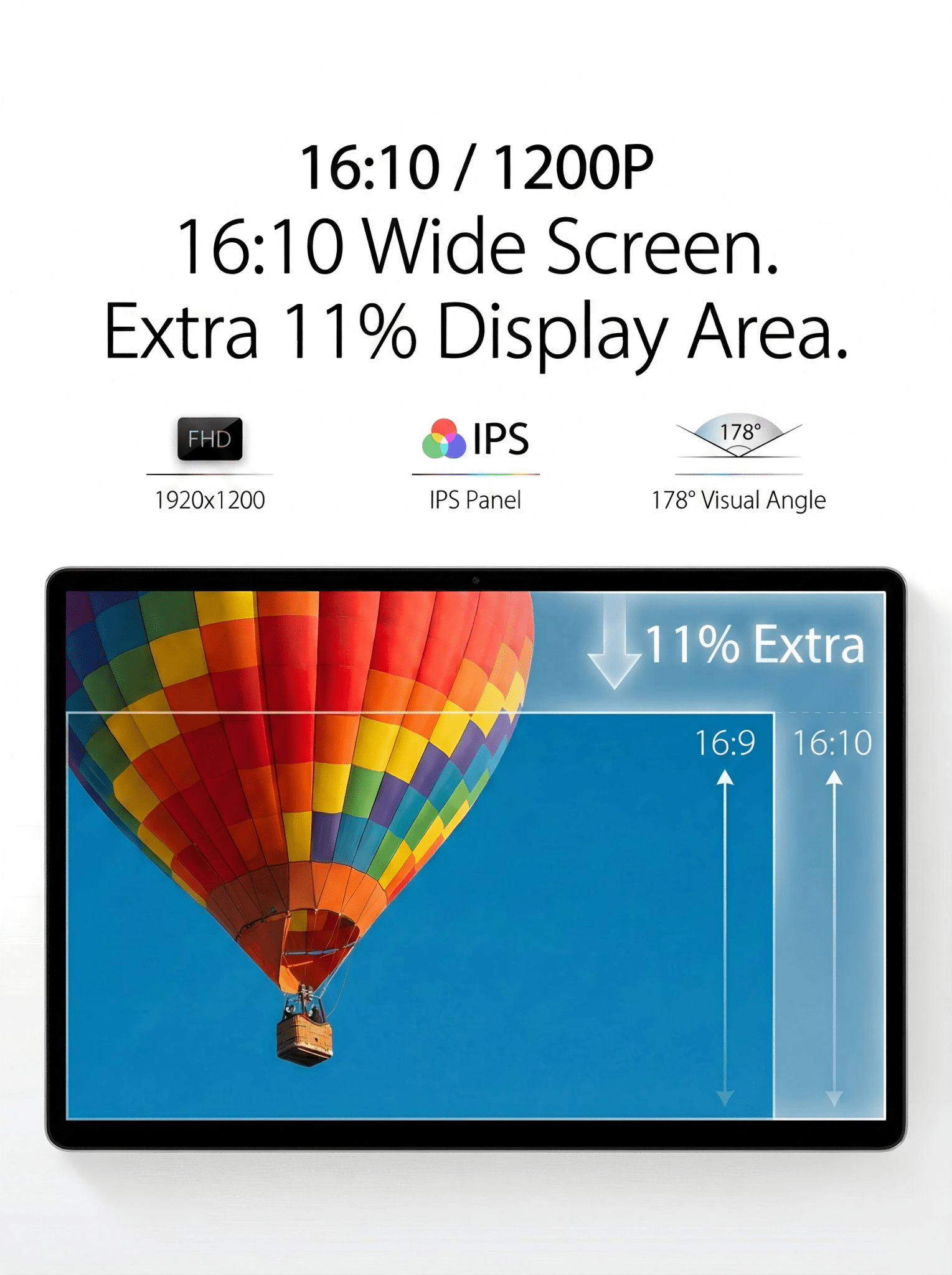
Featuring a golden 16:10 aspect ratio and 1920x1200 resolution, the Maghub Quad offers 11% more vertical screen real estate than standard displays. Enjoy vibrant, true-to-life colors with 100% sRGB coverage.
One Cable. Zero Clutter.
Forget the tangled mess. An exclusive single USB-C cable handles both video signal and power for all three extended screens. It’s the cleanest setup for the modern professional.
Desktop Power. Backpack Ready.
Engineered to pack a massive quad-screen command center into a sleek, foldable chassis. Weighing just 5.28 lbs and folding flat, it allows you to carry a full-scale Wall Street workstation in your briefcase. Deploy your empire anywhere.
Your Mobile Command Center.
Transform your laptop into a massive 16-inch quad-monitor workspace instantly. Whether you are stock trading or coding, expand your vision and boost efficiency by 300%.
See More. Do More.
Featuring a golden 16:10 aspect ratio and 1920x1200 resolution, the Maghub Quad offers 11% more vertical screen real estate than standard displays. Enjoy vibrant, true-to-life colors with 100% sRGB coverage.
One Cable. Zero Clutter.
Forget the tangled mess. An exclusive single USB-C cable handles both video signal and power for all three extended screens. It’s the cleanest setup for the modern professional.
Flawless Compatibility for the Modern Mac.
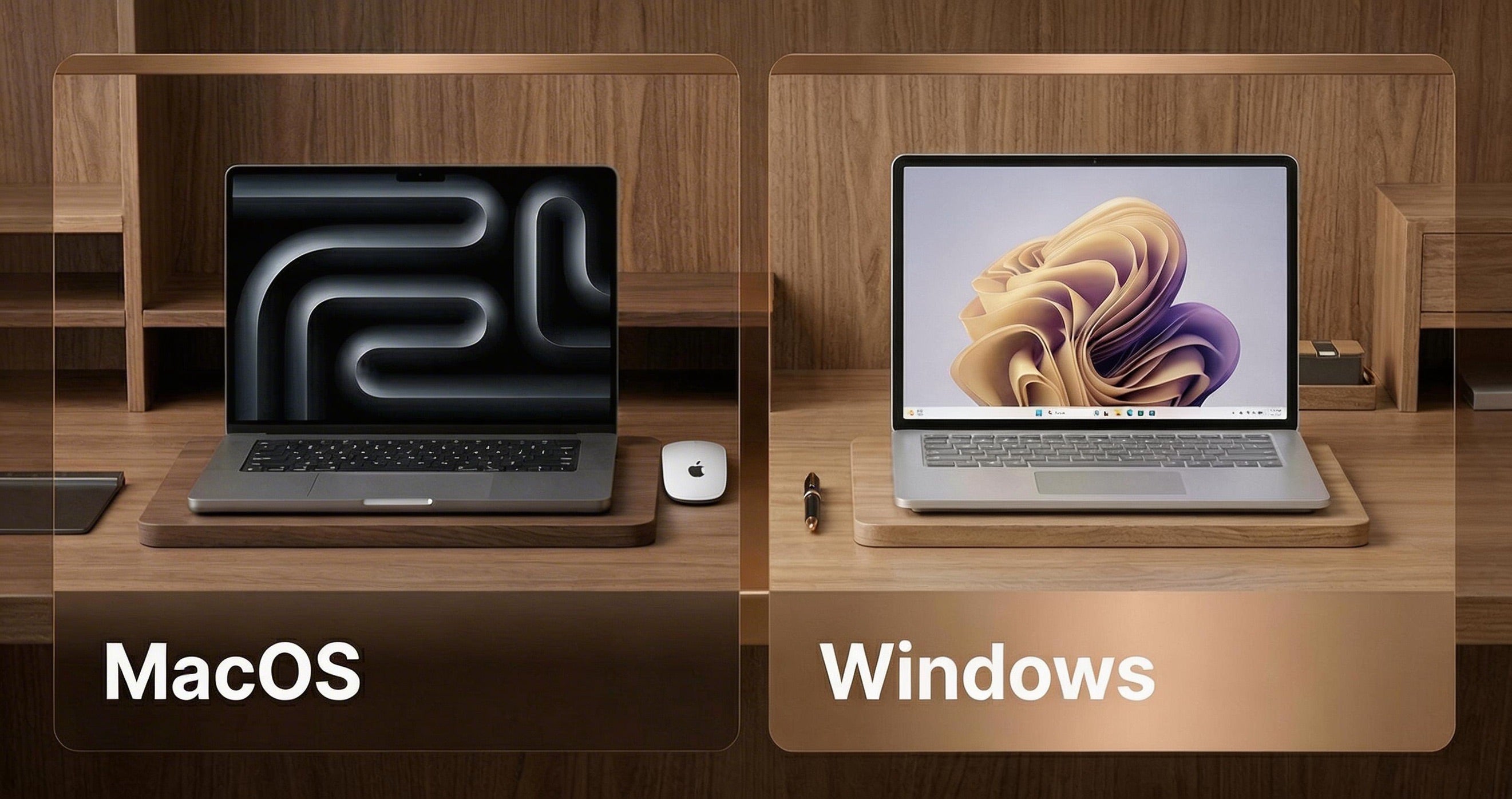
The INVZI MagHub Quad is engineered to work seamlessly with all Mac models released from 2019 onwards. Whether you are powered by late-generation Intel processors or the latest Apple Silicon, your workflow remains uninterrupted.
Apple Silicon & Processors:
- M5 Series: M5 / M5 Pro / M5 Max
- M4 Series: M4 / M4 Pro / M4 Max
- M3 Series: M3 / M3 Pro / M3 Max
- M2 Series: M2 / M2 Pro / M2 Max
- M1 Series: M1 / M1 Pro / M1 Max
- Intel Processors: 2019 models and newer
Supported macOS Versions:
- macOS 16 Tahoe
- macOS 15 Sequoia
- macOS 14 Sonoma
- macOS 13 Ventura
- macOS 12 Monterey
- macOS 11 Big Sur
- macOS 10.15 Catalina
Modern Windows Compatibility.
The INVZI MagHub Quad is fully optimized for today’s operating systems. Experience seamless multi-display performance on:
- Windows 11
- Windows 10
Carry the freedom of a quad-screen command center under your arm. The ultimate power move for professionals unbound by location.
Your World. Your Workspace.

Before

After

Seamless Sharing
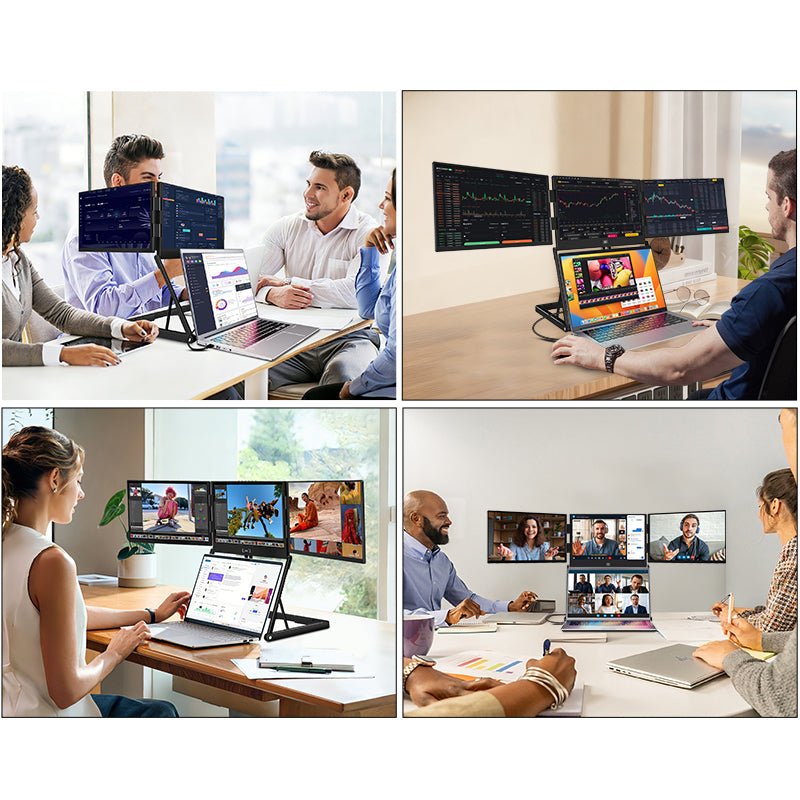
Present your case studies, data, or designs to the person sitting opposite you effortlessly, while you control the master screens.
Enhanced Durability
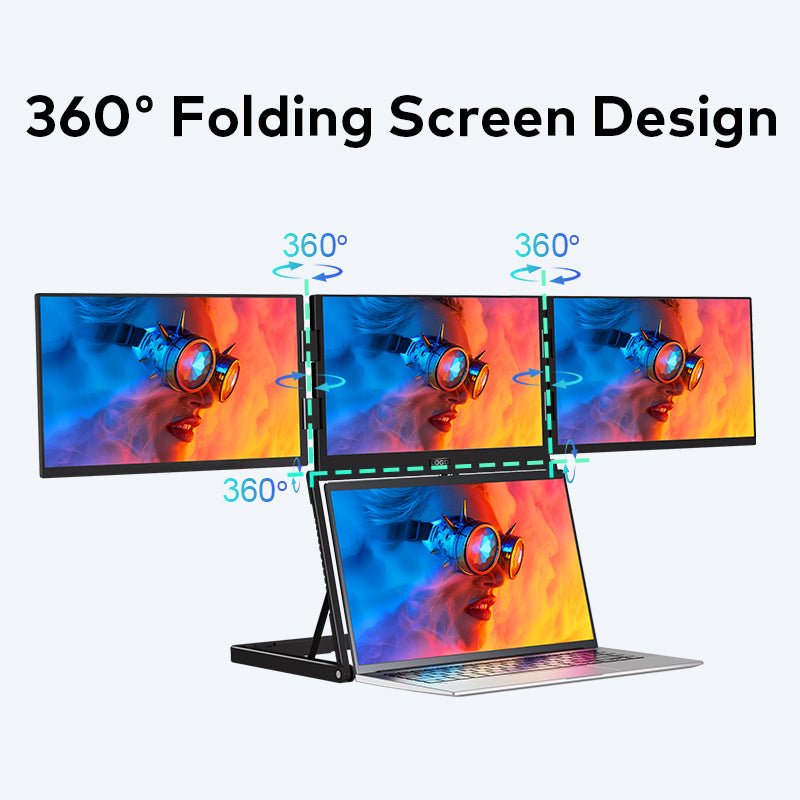
Say goodbye to flimsy rotating hinges. The Pro-Fold mechanism is tested for tens of thousands of folds, ensuring an extended product lifespan.
Everything You Need.
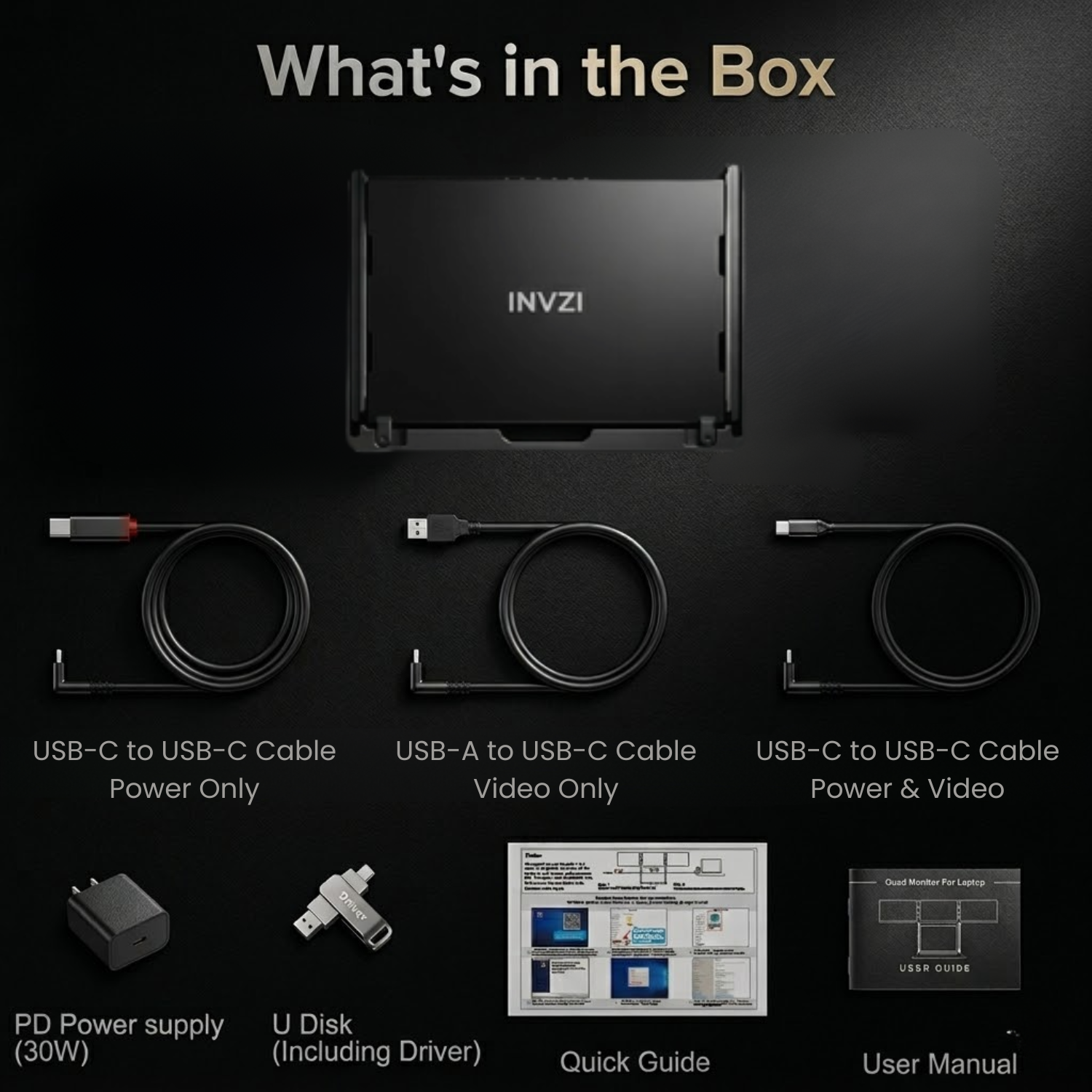
A complete kit ready for immediate action. Includes a premium carry bag, 30W power adapter, and all necessary cables for Mac and Windows. No extras required.
100% sRGB
Cinema-Grade Color Accuracy.
Don't just see pixels; see the full spectrum. With a 100% sRGB color gamut and superior IPS technology, the Magub Quad delivers 16.7 million colors with absolute precision.



How to Set Up the MagHub Quad 16" Monitor?
A Complete Guide for Mac & Windows!


Driver Requirement & Security Profile
Is it safe for my work laptop?
Absolutely. The driver is strictly for video signal transmission and is verified for enterprise environments.
Transparent: Requires a simple, one-time driver installation.
Certified Safe: 0 Vulnerabilities found via IBM AppScan.
Privacy Focused: No access to your files, network, or personal data.
Technical Specifications
MagHub Quad
The MagHub Quad 16” transforms your laptop into a powerful four-screen workstation, giving you the space and flexibility to work faster, think clearer, and multitask without limits.
Designed for professionals who rely on multiple windows at once, MagHub Quad adds three external 16-inch displays to your laptop in a compact, portable form. Whether you’re managing data, coding, trading, editing, or collaborating remotely, it delivers a desktop-class workflow wherever you work.
With a streamlined, foldable design and a clean cable setup, MagHub Quad balances performance and portability—making it ideal for modern mobile professionals who refuse to compromise on screen space.
This is not just more screens. It’s a smarter way to work.
Product Information
The MagHub 16” delivers a crisp 16:10 workspace with 100% sRGB color,
flexible USB-C connectivity, and reliable power delivery—designed for
professionals who need more screen space without sacrificing portability.
Display
- Screen Size: 16 inches
- Panel Type: IPS
- Resolution: 1920 × 1200
- Aspect Ratio: 16:10
- Backlight: W-LED
- Maximum Brightness: 250 nits
- Contrast Ratio: 1000:1
- Color Gamut: 100% sRGB
- Pixel Pitch: 59.84 (H) × 179.52 (V) μm
- Response Time: 25 ms
- Viewing Angle: H: 89° / V: 89°(CR ≥ 10)
Connectivity
- USB-C Port 1 (Video + Power): 1920 × 1200 @ 60Hz
- USB-C Port 2 (Video + Power): 1920 × 1200 @ 60Hz
Audio
- Built-in Speakers: No
Power
- Power Input: 30W PD
- Operating Power: 5V / 3A (Dual-screen display mode), 2V / 2.5A (Triple-screen display mode), Standby Power Consumption: ≤4.5W
Operating Environment
- Operating Temperature: 5°C – 40°C
- Operating Humidity: 10% – 70%
Physical Specifications
- Device Dimensions: 388 × 244 × 41.3 mm
- Device Weight: 5.82 lbs / 2.64 kg
Included Accessories
- USB-C to USB-C Data Cable × 1
- Dual USB-A to USB-C Cable × 1
- USB-C to USB-C Charging Cable × 1
- USB Flash Drive (Driver) × 1
- 30W PD Power Adapter × 1
- Carrying Case × 1
- User Manual × 1
Operating System Compatibility
- Windows: Supported
- MacOS: Supported
User Manual
Learn how to set up, use, and care for your MagHub Quad 16", and explore all of its features.
📘 User GuideDownload the full MagHub Quad 16" User Guide for detailed setup instructions, connection methods, and care tips.
➡️ [Download User Guide]
MacBook Driver
MacBook (2019 or later, including M1/M2/M3) Driver installation is required.
Insert the included USB disk and follow the on-screen instructions.
Alternatively, download the driver below.
➡️[Download macOS Driver]
Windows Driver
Windows 10/11
The driver normally installs automatically when your laptop is connected to the internet.
If it does not install, download and install manually.
➡️ [Download Windows Driver]
FAQ
The MagHub Quad Fold 16" is used to turn a laptop into a four-screen workstation. It is ideal for multitasking, data analysis, coding, trading, remote work, content creation, project management, and business communication. Instead of switching between tabs and windows, users can keep multiple apps, dashboards, documents, and tools visible at the same time.
Yes. The MagHub Quad Fold 16" is a foldable portable screen system with four 16-inch displays. It is designed to provide a large multi-monitor workspace while folding down into a more compact profile for travel, coworking, remote work, and temporary office setups.
No. The MagHub Quad Fold 16" is designed to connect and power all four monitors through a single high-bandwidth USB-C cable. A driver is required for operation. This one-cable setup helps reduce adapter clutter and makes it easier to create a clean mobile workstation.
Yes. Each screen on the MagHub Quad Fold 16" can be configured independently, depending on your system setup. You can extend your desktop across multiple displays for productivity or mirror screens for presentations, collaboration, and shared viewing. This gives you more control over how your workspace is organized.
Yes. The MagHub Quad Fold 16" is designed for both Windows and Mac users. Before purchasing, confirm that your laptop supports the required USB-C connection and driver installation. Compatibility may depend on your device model, operating system version, and display output support.
Yes. The MagHub Quad Fold 16" is built for professionals who need a larger workspace while traveling. It folds down for easier carrying while still delivering four 16-inch displays when opened. It is useful for hotels, coworking spaces, client offices, remote work setups, and any location where a full desktop monitor setup is not practical.