


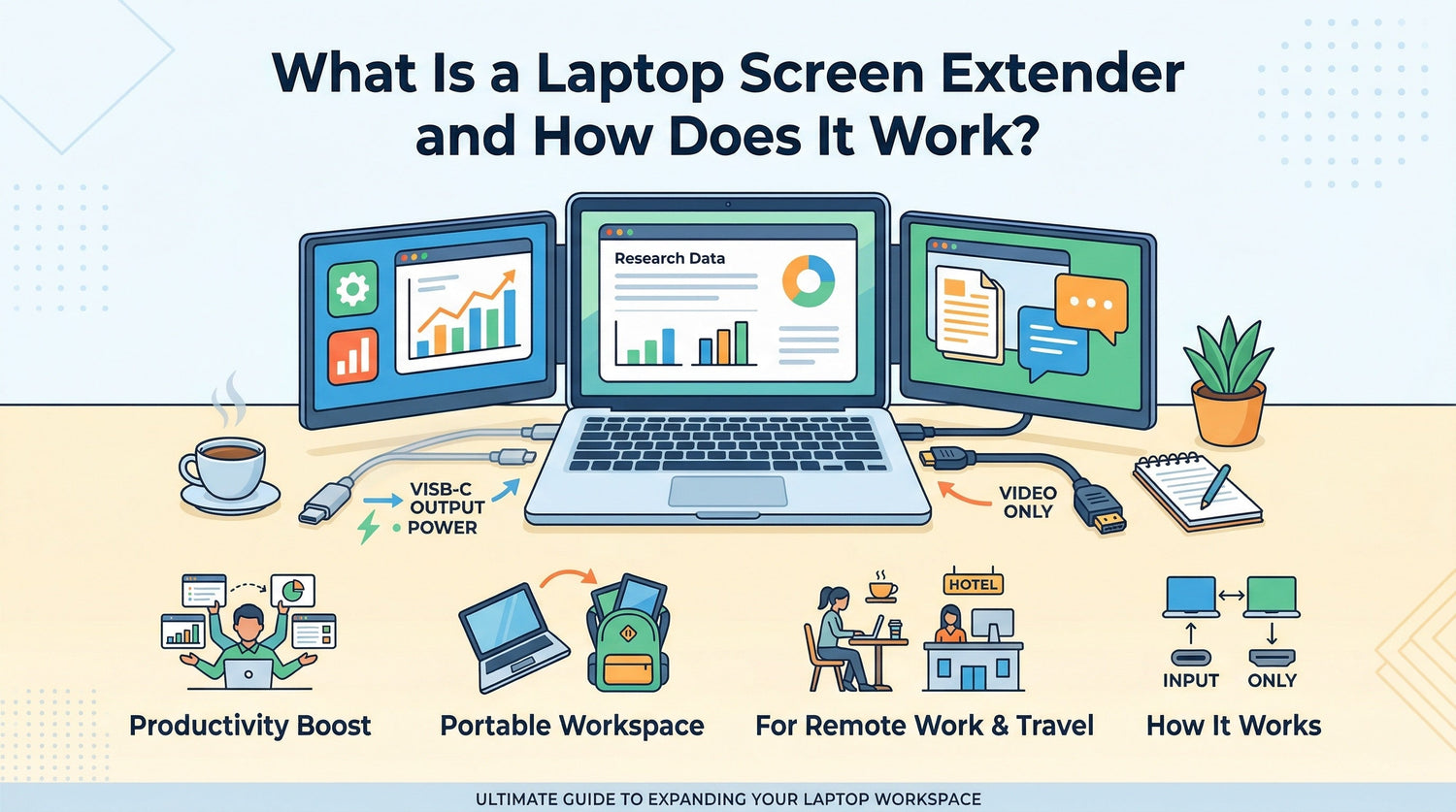
A laptop screen extender is a portable display accessory that adds one or more extra screens to your laptop setup. It is designed to give you more workspace for multitasking, making it easier to keep documents, browser tabs, meetings, messages, or creative tools visible at the same time.
As more people work remotely, travel with laptops, or study from different locations, the limitations of a single laptop screen become more obvious. A laptop screen extender helps solve that problem by creating a more flexible multi-screen setup without requiring a full desktop monitor.
What Is a Laptop Screen Extender?
A laptop screen extender is an external display solution made specifically for laptop users who want more screen space in a portable format. Instead of working from one small screen, you can expand your setup with a second or even third display for a more efficient workflow.
The main purpose is simple: help you see more and do more without constantly switching between windows.
Depending on the design, a laptop screen extender may:
- attach directly to the back of a laptop
- fold out from one or both sides
- work as a compact companion display that travels easily with your laptop
Compared with a traditional desktop monitor, it is built with portability in mind. Compared with a standard portable monitor, it is often more focused on laptop-based productivity and on-the-go use.

How Does a Laptop Screen Extender Work?
A laptop screen extender works by connecting an additional screen to your laptop so the computer can output video to more than one display.
Once connected, your operating system detects the extra screen and gives you different display options. In most cases, users choose extend mode, which stretches the workspace across multiple screens instead of duplicating the same image.
That means you can place different content on each screen. For example:
- your laptop screen for email or messaging
- one extended screen for spreadsheets or documents
- another screen for a browser, video call, design tool, or notes
This is what makes a screen extender useful for multitasking. Instead of jumping between tabs and windows, you can keep key tasks visible at the same time.
Common Connection Types
Laptop screen extenders usually connect through one or more of the following:
USB-C
USB-C is often the most convenient option because some laptops support both video output and power through a single port. This can simplify setup and reduce cable clutter.
HDMI
Some models use HDMI for video output. In this case, you may also need a separate USB connection for power.
USB-A
USB-A may be used for power or, in some cases, as part of the display connection depending on the product design and driver support.
Why Compatibility Matters
Not every laptop supports external displays in the same way. Before buying a laptop screen extender, it is important to check:
- available ports on your laptop
- whether your USB-C port supports video output
- operating system compatibility
- power requirements for the display
This is one of the most important parts of the buying process. A well-designed screen extender should make setup easier, but it still needs to match your laptop’s connection capabilities.
Why People Use Laptop Screen Extenders
The biggest reason people use laptop screen extenders is productivity. A laptop is portable, but its built-in screen can feel restrictive when you need to manage several tasks at once.
A screen extender adds flexibility without turning your setup into something bulky or difficult to carry.
For Remote Work
Remote workers often need to manage meetings, chat apps, email, documents, and browser tabs throughout the day. With more screen space, it becomes easier to keep communication and active work visible at the same time.
For Travel
Business travelers often work in airports, hotels, coworking spaces, and temporary meeting rooms. Carrying a full external monitor is not always realistic. A laptop screen extender offers a more travel-friendly way to maintain a multi-screen workflow.
For Study
Students can use one screen for lectures, reading, or research and another for note-taking or writing. This helps reduce interruptions and supports a more organized study setup.
For Coding and Technical Work
Developers, analysts, and technical users often need documentation, spreadsheets, dashboards, code editors, or testing windows open side by side. Extra screen space makes it easier to compare information and stay focused.
For Creative and Content Work
Writers, marketers, editors, and designers often move between source material, editing tools, preview windows, and communication platforms. A second screen can make that workflow smoother and easier to manage.
Key Benefits of a Laptop Screen Extender
A laptop screen extender is useful because it turns extra display space into practical day-to-day benefits.
Better Multitasking
You can keep multiple windows open without stacking everything onto one screen. This makes it easier to compare files, watch a presentation while taking notes, or manage different tasks in parallel.
More Efficient Workflow
When your key tools stay visible, you spend less time switching tabs and resizing windows. That can make work feel faster and more organized.
Portable Productivity
A major advantage of a laptop screen extender is that it supports a dual-screen or multi-screen setup in a format that is easier to carry than a conventional monitor.
Better Use of Small Spaces
If you work at a small desk, kitchen table, hotel room, or shared workspace, a portable screen extender can help you create a more functional setup without taking over the entire area.
More Consistent Work Experience
For users who rely on multiple screens at home or in the office, working from a single laptop screen while traveling can slow everything down. A screen extender helps create a more familiar and productive workflow wherever you work.
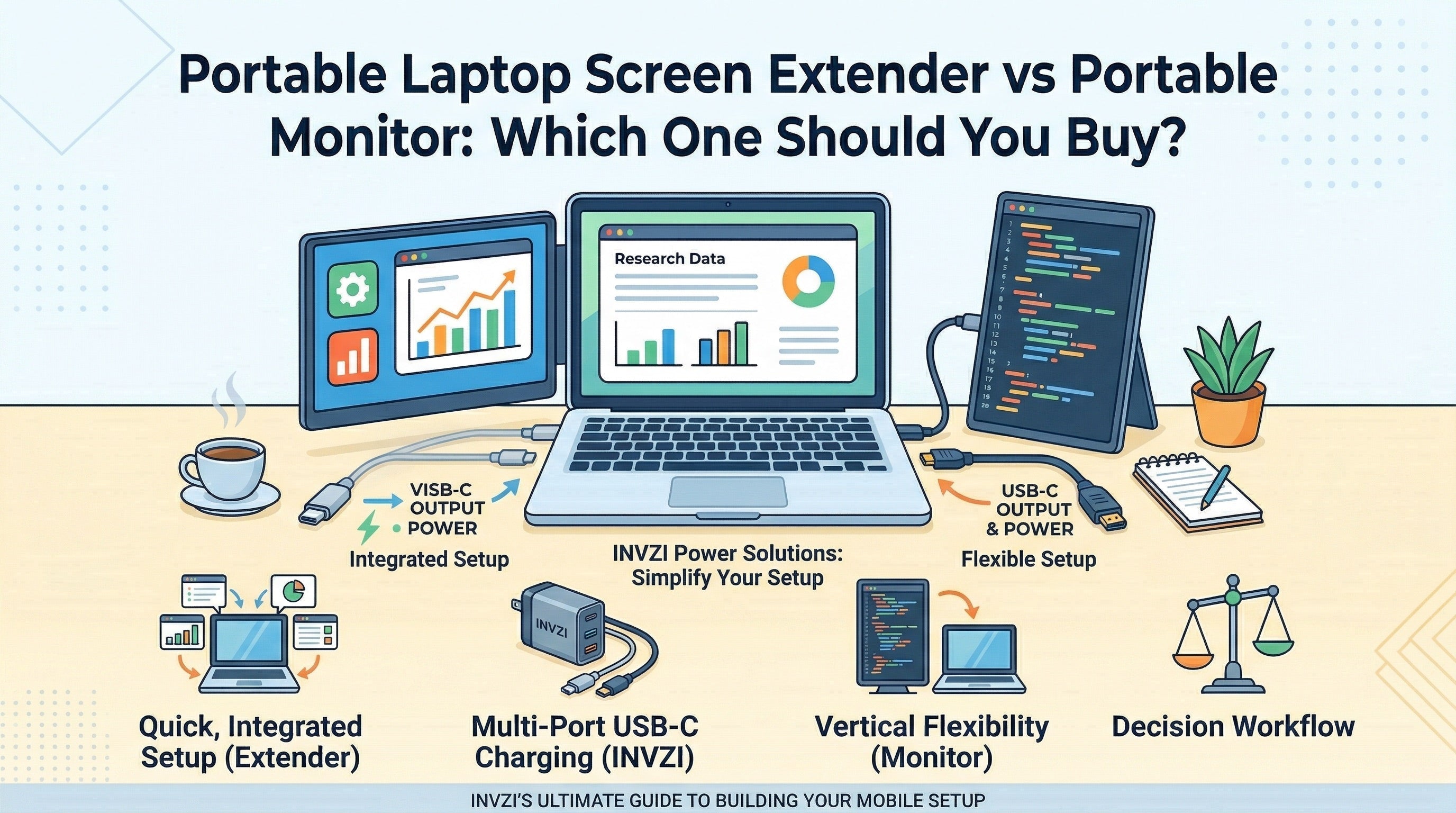
Laptop Screen Extender vs Portable Monitor
These two product categories are similar, but they are not exactly the same.
A portable monitor is typically a general-purpose external display. It stands on its own and can often be used with laptops, gaming devices, tablets, or other hardware.
A laptop screen extender is usually designed more specifically for laptop productivity. It is often optimized for compact setup, portability, and side-by-side use with a laptop in work or travel scenarios.
Choose a Laptop Screen Extender If:
- you want a more integrated laptop-focused setup
- you frequently work on the go
- you need quick access to dual-screen productivity
- you often work in smaller spaces
- you want a more travel-friendly alternative to a full monitor
Choose a Portable Monitor If:
- you want a standalone screen for different devices
- you have enough desk space for a separate display
- flexibility matters more than compact integration
- you prefer a more traditional external monitor layout
In general, a laptop screen extender is better suited to users who prioritize portability and workflow efficiency with a laptop. A portable monitor may be better for users who want a more flexible all-purpose second screen.
Who Should Use a Laptop Screen Extender?
A laptop screen extender is a strong fit for people who regularly feel limited by a single laptop display.
It is especially useful for:
- remote workers
- business travelers
- students
- programmers
- financial analysts
- content creators
- sales professionals
- small business owners
If your work depends on comparing content, staying organized across multiple apps, or switching between communication and active tasks, a screen extender can make a meaningful difference.
What to Look for Before Buying One
Not every laptop screen extender offers the same user experience. A good model should match your laptop, your work style, and your portability needs.
1. Laptop Compatibility
Start with the basics. Make sure the display works with your laptop’s operating system, ports, and video output capabilities.
2. Screen Size
A larger display can improve visibility, but it may also add bulk. The best size depends on whether you value maximum workspace or easier portability.
3. Weight and Travel Readiness
If you plan to carry it daily, weight and folded size matter. A portable design should feel easy to pack and practical to use outside a fixed desk setup.
4. Connection Simplicity
A cleaner cable setup is usually more convenient, especially for travel and shared workspaces. Products that reduce cable clutter can make everyday use easier.
5. Stability and Adjustability
A screen extender should be comfortable to use during real work sessions. Viewing angle, screen positioning, and overall stability all affect usability.
6. Build Quality
For users who travel often, durability matters. Repeated setup, folding, and packing can wear down weaker designs over time.
Is a Laptop Screen Extender Worth It?
For many users, yes. A laptop screen extender can be worth it when the added screen space solves a real daily problem.
It is especially useful if you:
- work with multiple documents or apps at once
- attend video calls while referencing notes
- travel frequently and still need a productive setup
- want a better multitasking experience without using a full monitor
It may be less necessary if you mostly use your laptop for simple browsing, casual entertainment, or lightweight tasks that do not require multiple windows.
The value comes down to how often you benefit from having more visible workspace.
Final Thoughts
A laptop screen extender is a portable way to expand your laptop workspace and improve multitasking. It works by adding one or more displays that let you spread tasks across multiple screens, which can make work, study, and travel setups more efficient.
For people who need more screen space but do not want to carry a traditional monitor, it offers a practical middle ground between portability and productivity.
As laptops become the center of more flexible work and study routines, accessories like screen extenders make more sense for users who want a cleaner, more capable setup wherever they work.
FAQ
What is a laptop screen extender used for?
A laptop screen extender is used to add more display space to a laptop. It helps with multitasking by keeping multiple apps, documents, or windows visible at the same time.
How does a laptop screen extender connect to a laptop?
It may connect through USB-C, HDMI, USB-A, or a combination of ports depending on the product. The exact setup depends on both the extender and the laptop.
Is a laptop screen extender the same as a portable monitor?
Not exactly. A portable monitor is usually a general external display, while a laptop screen extender is often designed specifically for laptop productivity and easier portable multi-screen use.
Can any laptop use a screen extender?
No. Compatibility depends on the laptop’s ports, operating system, and support for external video output. It is important to check specifications before buying.
Is a laptop screen extender worth it for travel?
It can be a strong option for travel if you need more screen space but want something easier to carry than a standard external monitor.

Leave a comment
This site is protected by hCaptcha and the hCaptcha Privacy Policy and Terms of Service apply.