


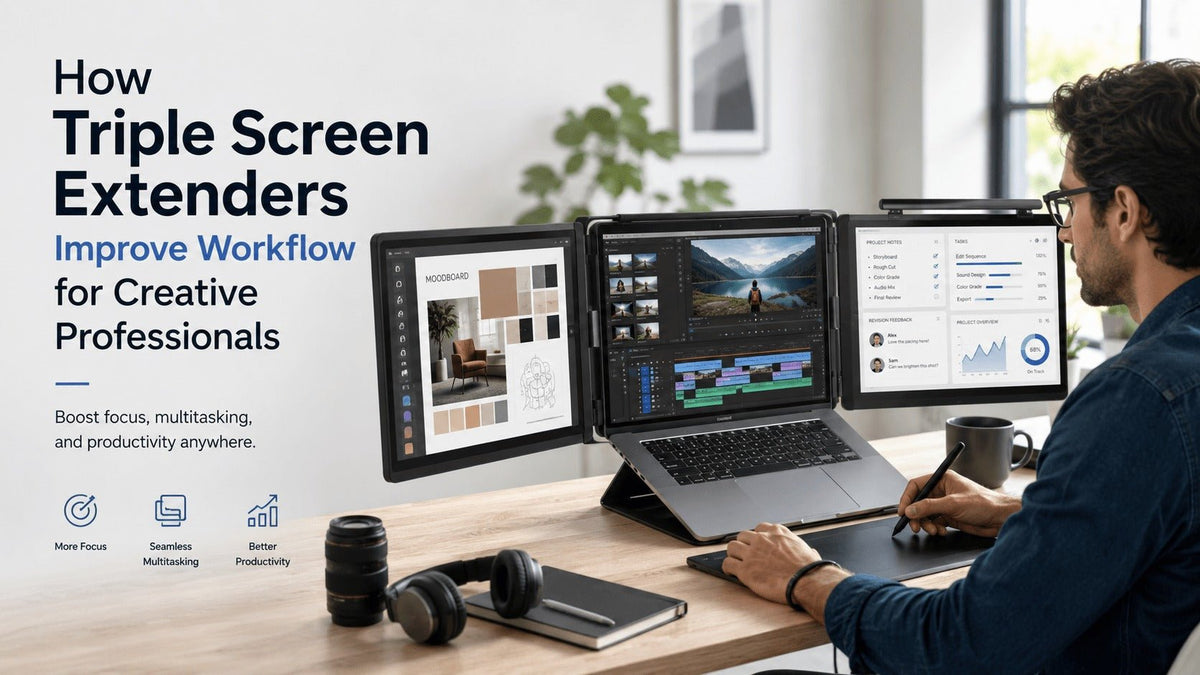
You’re editing a client video on a laptop while reviewing revision notes in Slack, searching for stock footage, and monitoring audio levels — all on a 14-inch screen.
Windows overlap. Timelines shrink. Tabs disappear behind other tabs. After a few hours, the constant switching becomes mentally exhausting.
For creative professionals, limited screen space is more than an inconvenience. It interrupts focus, slows momentum, and creates unnecessary friction during the creative process.
Modern creators are expected to move faster than ever:
- Designers juggle multiple applications simultaneously
- Video editors handle massive timelines and media libraries
- Streamers manage chat, analytics, and recording tools at once
- Freelancers collaborate across meetings, cloud platforms, and creative software
A single laptop display simply isn’t built for that level of multitasking.
That’s why more creatives are turning to triple screen extenders — portable multi-monitor systems that transform a laptop into a fully functional creative workstation anywhere.
Whether working from a home studio, coworking space, café, or hotel room, a portable triple monitor setup gives creators the space they need to stay organized, focused, and productive without sacrificing mobility.

Why Single-Screen Setups Slow Down Creative Work
Creative work is rarely linear.
A designer might be balancing:
- Figma
- Adobe Illustrator
- Pinterest references
- Client feedback
- Slack conversations
- Browser research
At the same time.
A video editor may need:
- Full editing timelines
- Playback previews
- Audio mixing tools
- Media bins
- Motion graphics panels
Trying to compress all of that into one screen creates visual clutter and workflow fatigue.
The Hidden Productivity Cost of Tab Switching
Every time creatives minimize a window or search for a missing tab, concentration breaks.
Research on multitasking consistently shows that task-switching reduces efficiency and increases mental fatigue. Even small interruptions can disrupt creative flow and make deep work harder to maintain.
Common frustrations creatives experience include:
- Constant window resizing
- Overlapping applications
- Difficulty comparing assets side-by-side
- Losing focus during revisions
- Slower editing workflows
- Reduced accuracy during detailed work
Over time, these small inefficiencies compound into hours of lost productivity every week.
What Is a Triple Screen Extender?
A triple screen extender is a portable multi-display system that adds two extra screens to a laptop setup, creating a three-monitor workspace.
Unlike traditional desktop monitors, these systems are designed specifically for portability and remote work. Most models fold compactly for travel and connect via USB-C or HDMI.
A triple monitor setup for laptop users allows creative professionals to:
- Expand workspace instantly
- Organize tools across dedicated displays
- Reduce distractions
- Improve multitasking efficiency
- Work comfortably while traveling
Instead of stacking windows on top of each other, creators can build a clean, structured workflow environment.
How Triple Screen Extenders Improve Creative Workflow
1. They Eliminate Constant Tab Switching
One of the biggest workflow improvements comes from reducing unnecessary navigation between applications.
With a laptop screen extender for creatives, each display can serve a dedicated purpose.
For example:
A Video Editor’s Setup
- Center screen: Premiere Pro timeline
- Left screen: Raw footage and media bins
- Right screen: Client feedback, audio controls, exports
Instead of constantly minimizing windows, everything stays visible simultaneously.
A Graphic Designer’s Setup
- Main display: Active design canvas
- Second display: Brand guidelines and assets
- Third display: Communication tools and references
This creates a smoother, uninterrupted creative process.
The result:
- Faster revisions
- Better organization
- Less mental fatigue
- Improved concentration
2. Creatives Stay in “Flow State” Longer
Creative momentum is fragile.
Interruptions — even small ones — break concentration. Rebuilding that focus takes time.
A multi-screen workflow reduces those interruptions by keeping critical tools and information visible at all times.
Instead of:
- opening and closing tabs
- searching for hidden windows
- rearranging applications
creatives can stay immersed in the actual work.
For designers, editors, and creators who spend hours inside demanding software, this uninterrupted flow becomes one of the biggest productivity advantages of a triple screen setup.
3. Better Visual Organization Improves Decision-Making
Creative professionals constantly compare:
- layouts
- footage
- color grading
- typography
- references
- revisions
Multiple screens make visual comparison significantly easier.
Photographers can compare before-and-after edits side-by-side.
UX designers can view wireframes while testing prototypes.
Motion designers can monitor animation playback while adjusting timelines and effects.
This improves both workflow speed and creative accuracy.
Triple Screen Extenders for Different Creative Professionals
Video Editors
Video editing requires enormous workspace flexibility.
A screen extender for video editing allows editors to separate:
- timelines
- playback previews
- audio mixers
- motion graphics tools
- export monitoring
This dramatically improves editing efficiency during long sessions.
For YouTube creators, filmmakers, and social media editors, expanded screen space often means faster turnaround times and smoother revisions.
Graphic Designers
Graphic designers work across multiple visual assets simultaneously.
A portable monitor for designers helps organize:
- design software
- inspiration boards
- typography references
- client notes
- export folders
Instead of cluttered screens, designers get a cleaner and more intuitive workspace.
This is especially valuable during branding projects and collaborative revisions.
Photographers
Photographers working in Lightroom or Capture One benefit heavily from additional displays.
Triple screen extenders help photographers:
- manage large RAW libraries
- compare edits side-by-side
- separate editing tools from previews
- speed up batch editing
For color-sensitive work, high-quality IPS displays with strong sRGB or Adobe RGB coverage are particularly important.
UX/UI Designers
UX designers constantly switch between:
- prototypes
- research documents
- user flows
- developer notes
- collaboration platforms
A triple monitor setup simplifies that process.
Designers can keep live prototypes visible while editing layouts and reviewing feedback simultaneously.
This reduces friction between design, testing, and collaboration.
Streamers and Content Creators
Modern creators manage multiple platforms simultaneously.
Triple screen extenders allow creators to:
- monitor livestream chat
- manage OBS controls
- track analytics
- edit content
- research trends
without constantly changing windows.
For creators producing content daily, workflow speed matters.
Expanded screen space directly supports faster production cycles.
Why Portable Workstations Matter More Than Ever
Remote work has permanently changed creative workflows.
Today’s creatives work from:
- home studios
- coworking spaces
- airports
- client offices
- cafés
- hotel rooms
Traditional desktop monitor setups no longer match the flexibility many professionals need.
A portable triple monitor setup gives creators the freedom to build a professional workspace almost anywhere.
For freelancers, digital nomads, and hybrid workers, that flexibility is incredibly valuable.
Instead of sacrificing productivity while traveling, creatives can maintain a consistent workflow environment wherever they go.
Collaboration Becomes Easier and More Professional
Creative work is collaborative by nature.
Triple screen extenders improve communication by allowing professionals to:
- keep Zoom calls open during editing
- review client notes while presenting
- share screens more effectively
- monitor feedback without interrupting workflow
For agencies and freelancers, this creates smoother client interactions and faster revision cycles.
The overall experience feels more polished and professional.
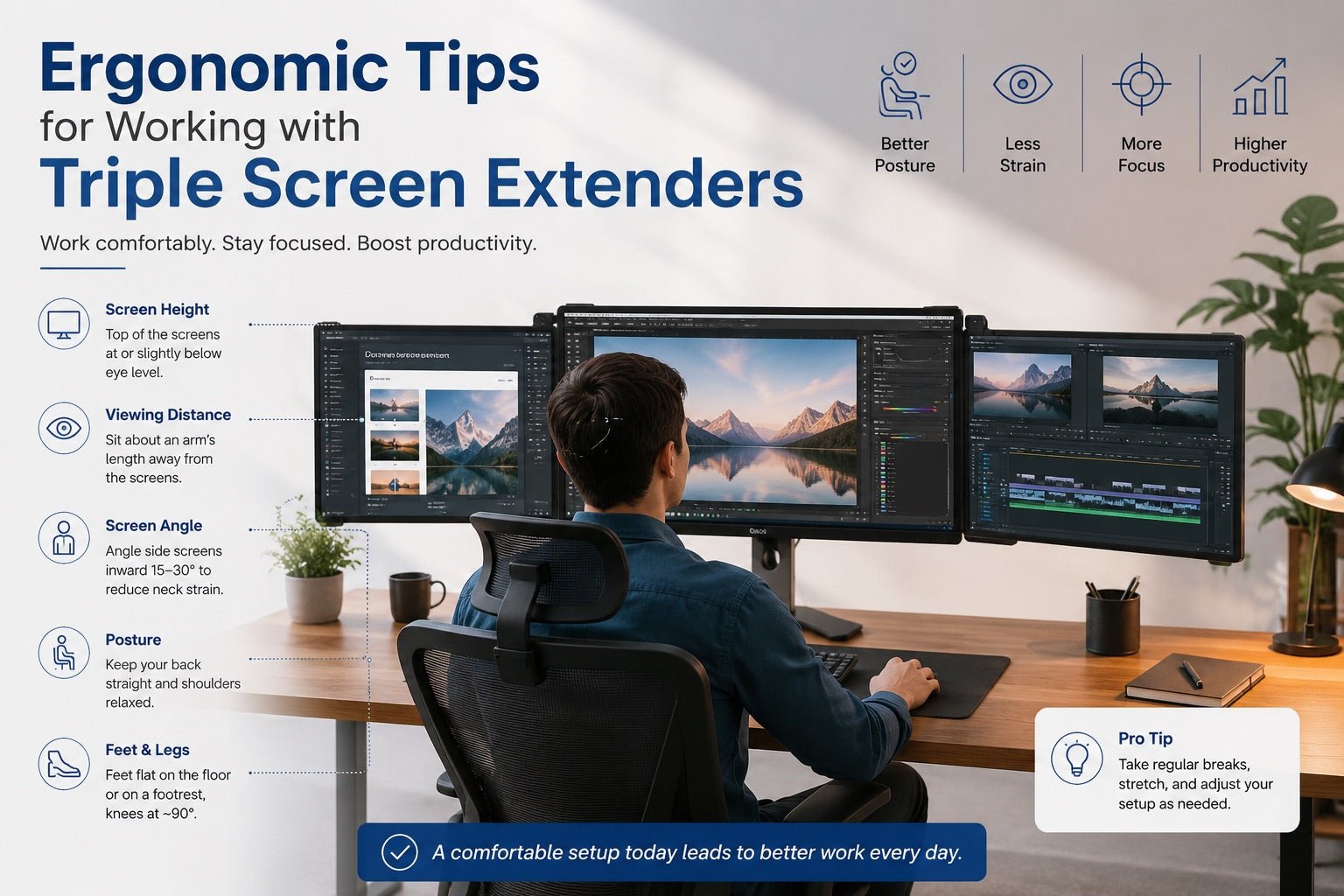
The Ergonomic and Mental Benefits of Multi-Screen Workflows
Most people think extra monitors only improve productivity.
But they also reduce mental strain.
When applications are visually organized:
- focus improves
- stress decreases
- decision fatigue reduces
- creative sessions feel smoother
Many creatives also experience:
- less eye strain
- better posture
- fewer repetitive window movements
- reduced frustration during complex projects
A well-organized workspace helps the brain process information more efficiently.
That matters during long editing or design sessions.
What Creatives Should Look for in a Triple Screen Extender
Not all triple screen extenders are designed for creative professionals.
Display quality and performance matter significantly.
1. Color Accuracy
For creative work, color consistency is essential.
Look for:
- IPS panels
- High sRGB coverage
- Adobe RGB support
- Consistent brightness levels
Poor color accuracy can negatively affect editing decisions.
2. Resolution
Higher resolution provides sharper visuals and more usable workspace.
Recommended:
- Full HD minimum
- 2K or 4K for advanced creative work
Especially important for:
- photo editing
- motion graphics
- UI design
- detailed illustration work
3. Brightness and Viewing Angles
Low-brightness displays become difficult to use in cafés or bright environments.
Look for:
- higher nit brightness
- anti-glare displays
- wide viewing angles
This improves usability during travel.
4. Connectivity and Compatibility
Modern creators should prioritize:
- USB-C
- Thunderbolt compatibility
- HDMI support
- plug-and-play functionality
Also confirm compatibility with:
- MacBooks
- Windows laptops
- GPU limitations
- power delivery requirements
5. Portability and Build Quality
Frequent travelers need reliable hardware.
Look for:
- lightweight construction
- durable hinges
- stable mounting systems
- compact foldable designs
A portable setup should feel sturdy, not fragile.
Common Mistakes to Avoid
Buying Based Only on Price
Cheap extenders often suffer from:
- washed-out colors
- weak brightness
- poor viewing angles
- unstable stands
For creative professionals, display quality matters more than saving a small amount upfront.
Ignoring Laptop Performance
Running multiple displays requires system resources.
Older laptops may struggle with:
- rendering
- playback
- GPU-intensive workflows
Always verify hardware compatibility before purchasing.
Choosing the Wrong Screen Size
Larger screens provide more workspace but reduce portability.
Smaller displays travel better but may feel cramped for detailed editing.
Most creatives find 13–15.6 inch displays offer the best balance.
Why Triple Screen Extenders Are Becoming Essential for Creatives
Creative industries move fast.
Professionals are expected to:
- create more content
- collaborate remotely
- multitask efficiently
- deliver faster turnaround times
A single laptop screen can no longer keep up with modern creative workflows.
A triple screen extender doesn’t just add extra displays — it creates a smoother, more organized environment where creative professionals can think, design, edit, and collaborate without constant interruption.
For many creators, the difference is immediate:
- less friction
- better focus
- faster execution
- more comfortable workflows
Creativity flows best when the workspace stops getting in the way.
And for modern creatives, a portable multi-screen setup is quickly becoming one of the smartest productivity investments available.
FAQs
1. Are triple screen extenders good for video editing?
Yes. Triple screen extenders help video editors separate timelines, playback previews, media assets, and audio controls across multiple displays, improving workflow efficiency.
2. Do triple screen extenders work with MacBooks?
Most modern triple screen extenders support MacBooks, although compatibility varies depending on the model, ports, and display limitations.
3. Can graphic designers benefit from portable triple monitors?
Absolutely. Designers can keep design software, references, client feedback, and collaboration tools visible simultaneously, reducing interruptions and improving focus.
4. Are portable triple monitor setups practical for travel?
Yes. Many portable monitor systems are lightweight, foldable, and specifically designed for remote work and mobile creative professionals.
5. What features matter most for creatives?
The most important features include:
- color accuracy
- IPS panels
- resolution
- portability
- brightness
- connectivity
- Mac/Windows compatibility

Leave a comment
This site is protected by hCaptcha and the hCaptcha Privacy Policy and Terms of Service apply.