MagHub Fold 16" Portable Screen Extender

Sale price$399.00 USD Regular price$599.00 USD
Save 33%

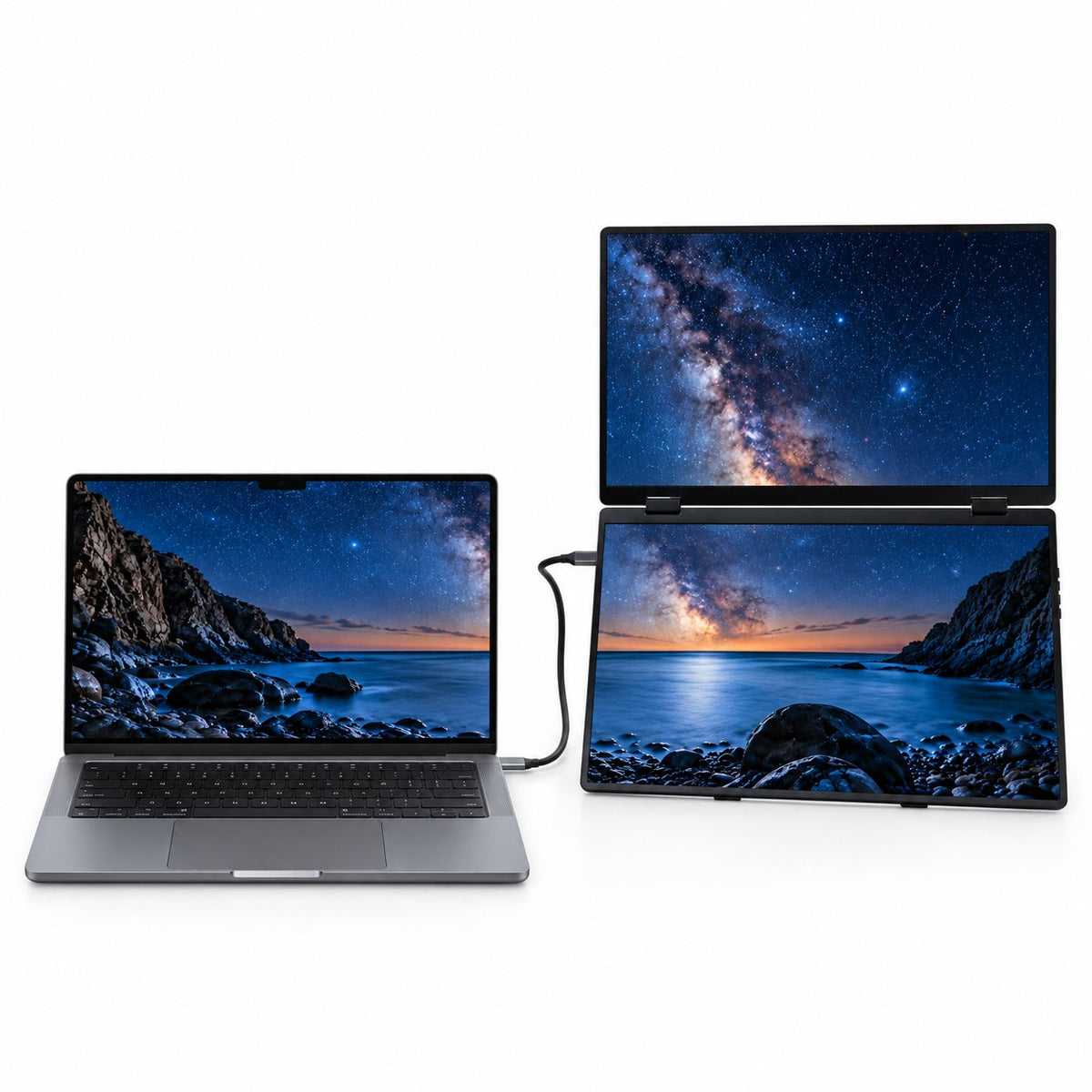
Less Switching. More Doing. Keep your main task on your laptop, your references above and your notes below. Two extra 16-inch screens help you keep everything in view.

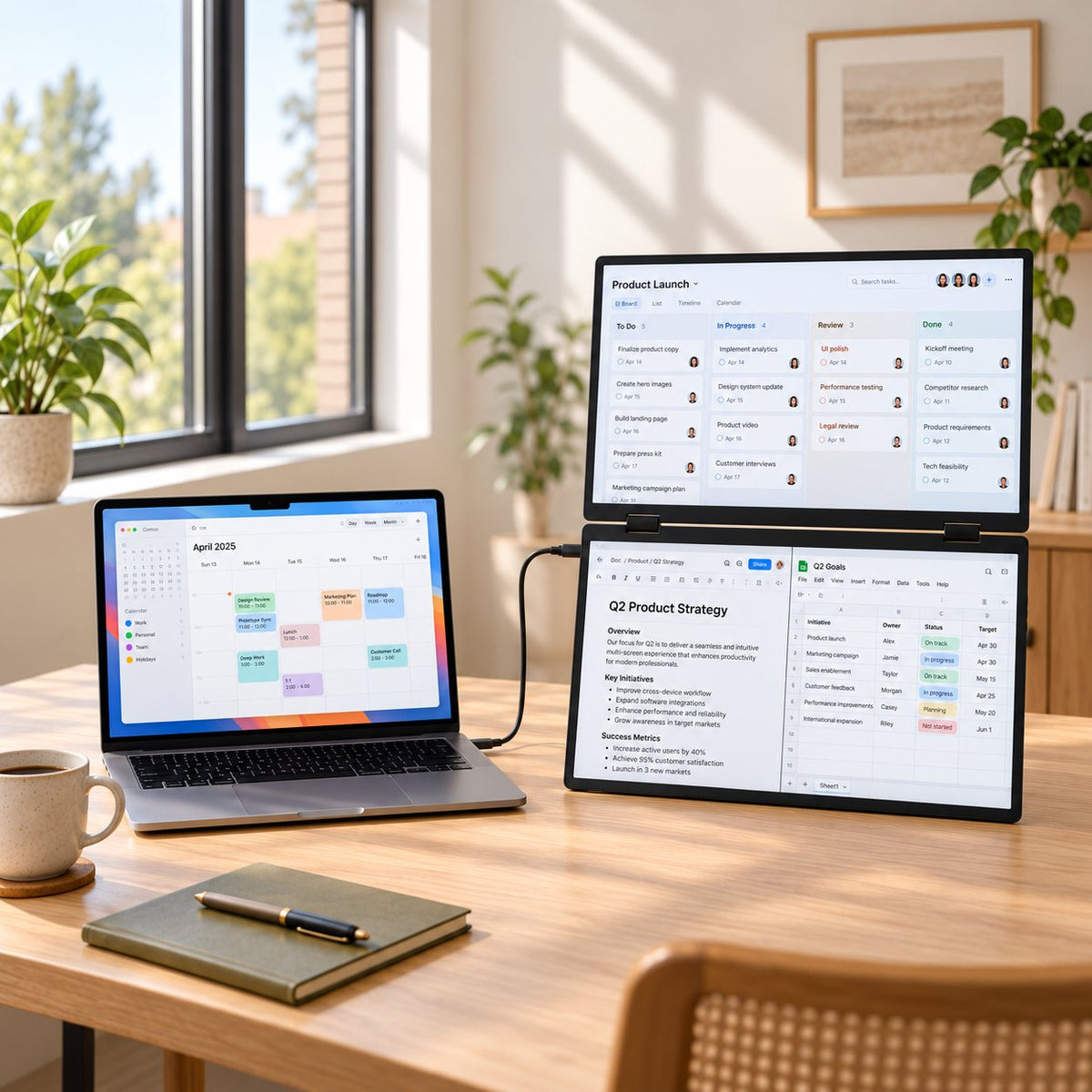
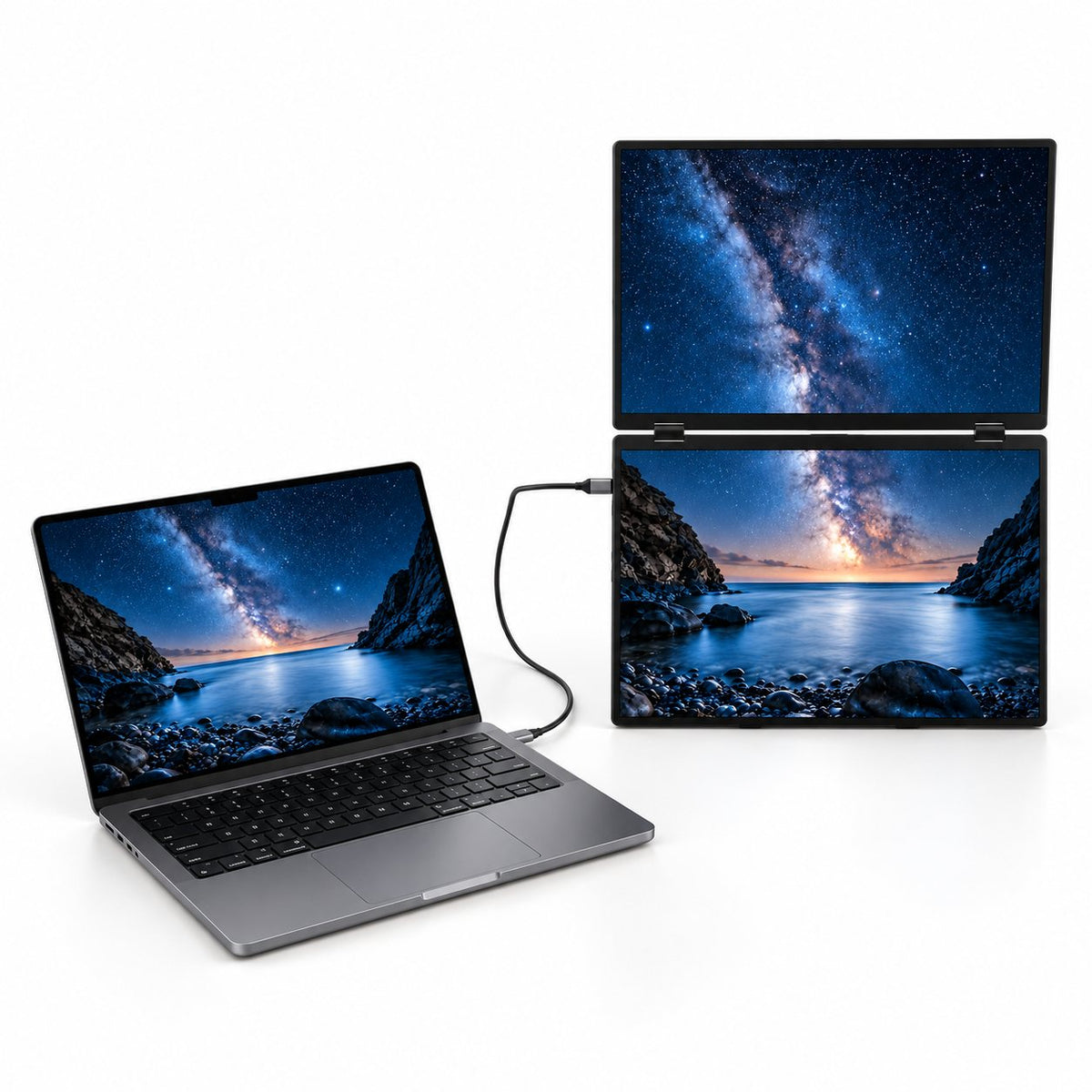
More Screens. Room for Your Desk. Two vertically stacked displays expand your workspace upward, leaving room beside your laptop for your notebook, coffee and everyday essentials.

See More of What Matters. Read documents, compare designs and follow the details across two 1920 × 1200 IPS displays.

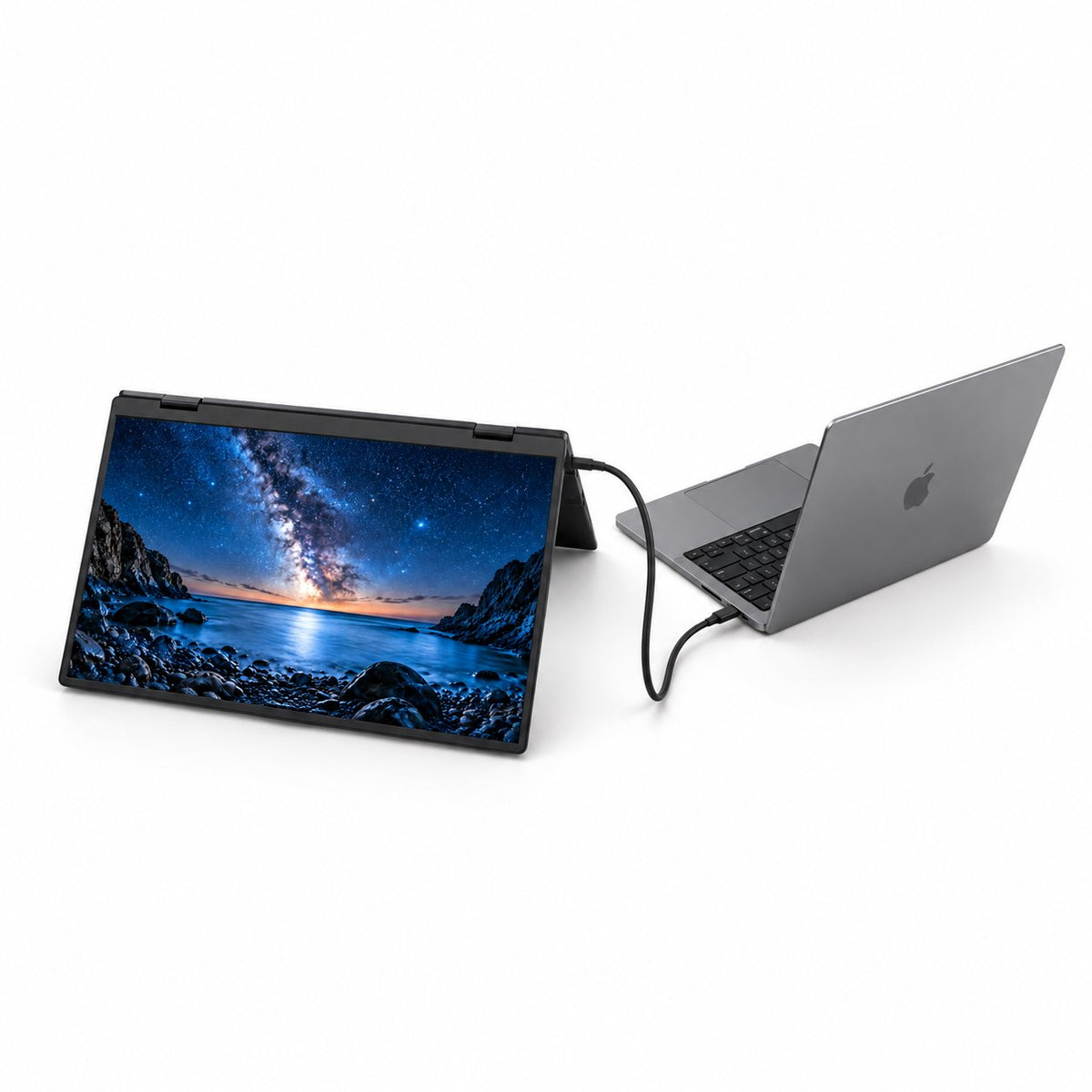
Find Your Angle. Share Your Ideas. Adjust the built-in stand for your desk, or fold the upper screen back to show a colleague what you’re working on.

Pack Up. Pick Up Where You Left Off. Fold the displays together, slip them into the included carry bag and bring your workspace from home to the office—and wherever work takes you next.


Before you connect: No driver needed. USB-C must support video. On Mac, a single cable supports Mirror or Link mode; independent screens depend on your Mac and connections.

Ach Direct Debit Amazon American Express Apple Pay Diners Club Discover Google Pay Mastercard PayPal Shop Pay USDC Visa
YOUR VERTICAL WORKSPACE

Keep Your Work in View.

Two stacked screens beside your laptop give your ideas, references and everyday tasks room to breathe.

MagHub Fold 16 on a home-office desk with project planning and documents across the screens.

See the Plan

Keep your project board or reference material above the work in progress.

Keep Your Work in Focus

Keep your draft, notes or working document below the reference screen.

Stay on Your Laptop

Keep your familiar keyboard and main task right where you want them.

See the Plan

Keep your project board or reference material above the work in progress.

Keep Your Work in Focus

Keep your draft, notes or working document below the reference screen.

Stay on Your Laptop

Keep your familiar keyboard and main task right where you want them.

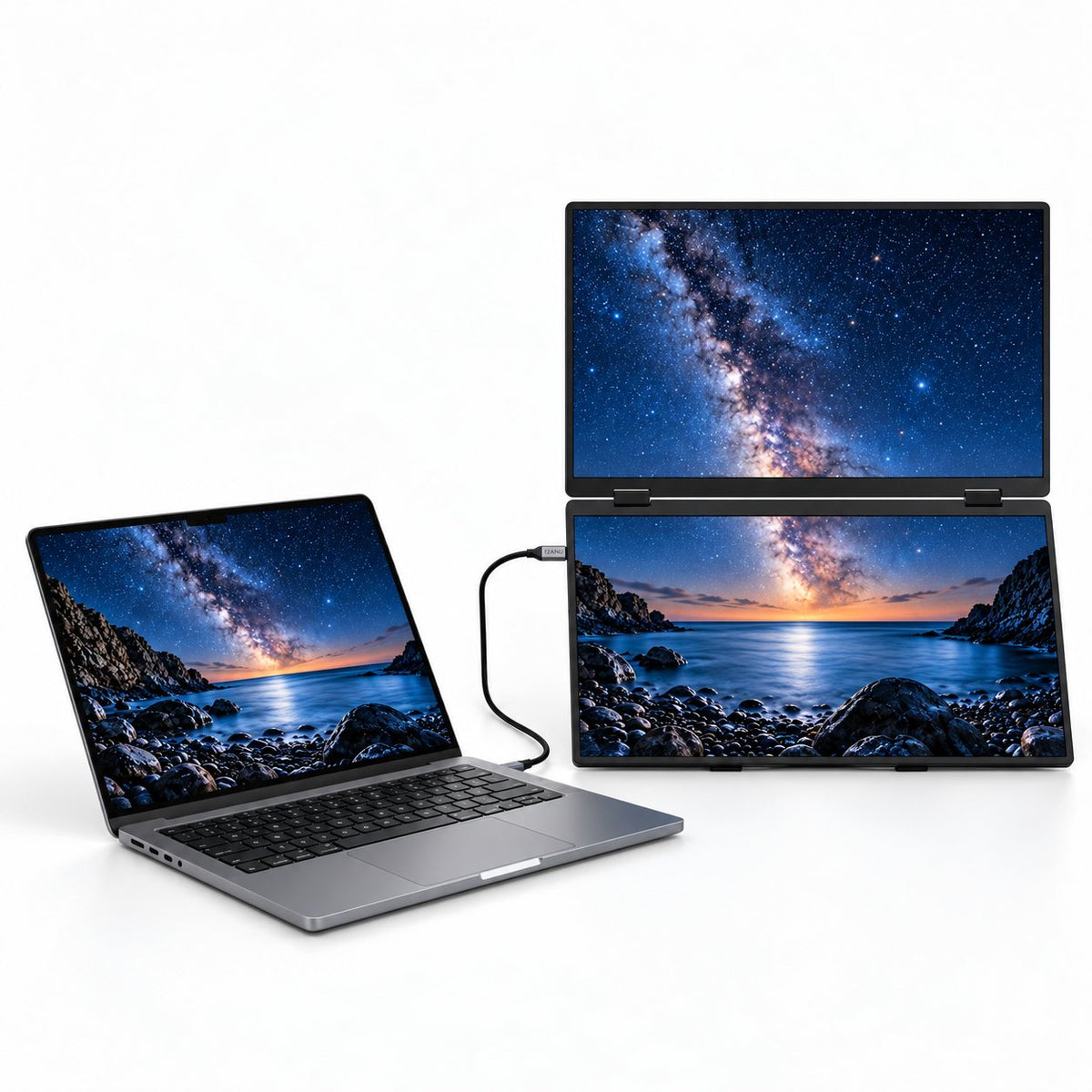
MagHub Fold 16 vertical dual-display setup next to a laptop.
01

More Workspace. Less Desk Sprawl.

Stack your extra screen space upward. Keep your laptop beside you and leave room on the desk for the rest of your day.

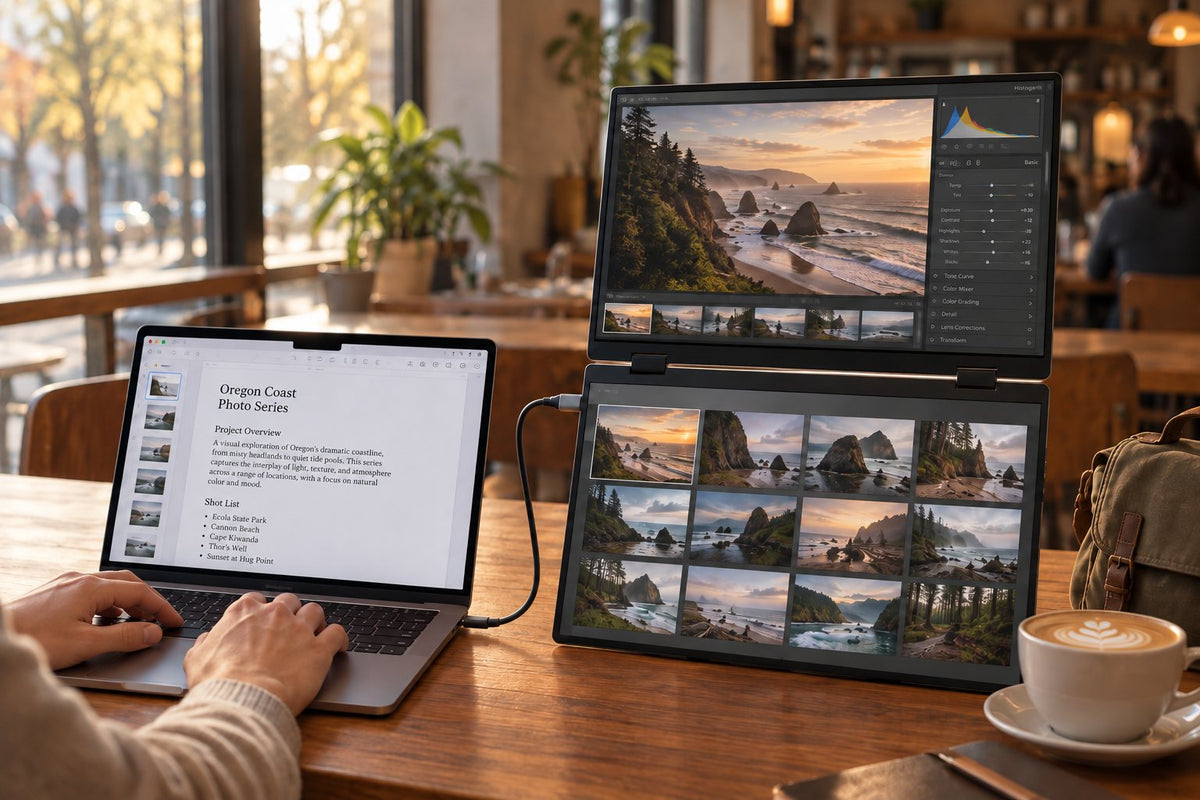
MagHub Fold 16 in a cafe workspace with photo editing, an image library and project notes.
02

Keep the Whole Project in View.

Review the image, browse your library and keep the brief close. Give your creative work room to develop.

MagHub Fold 16 displaying CAD assembly and simulation alongside a laptop in an engineering workspace.
03

Two 16-Inch Displays. Room to Think.

See the model, compare the details and keep your notes in reach across two crisp 1920 × 1200 displays.

04

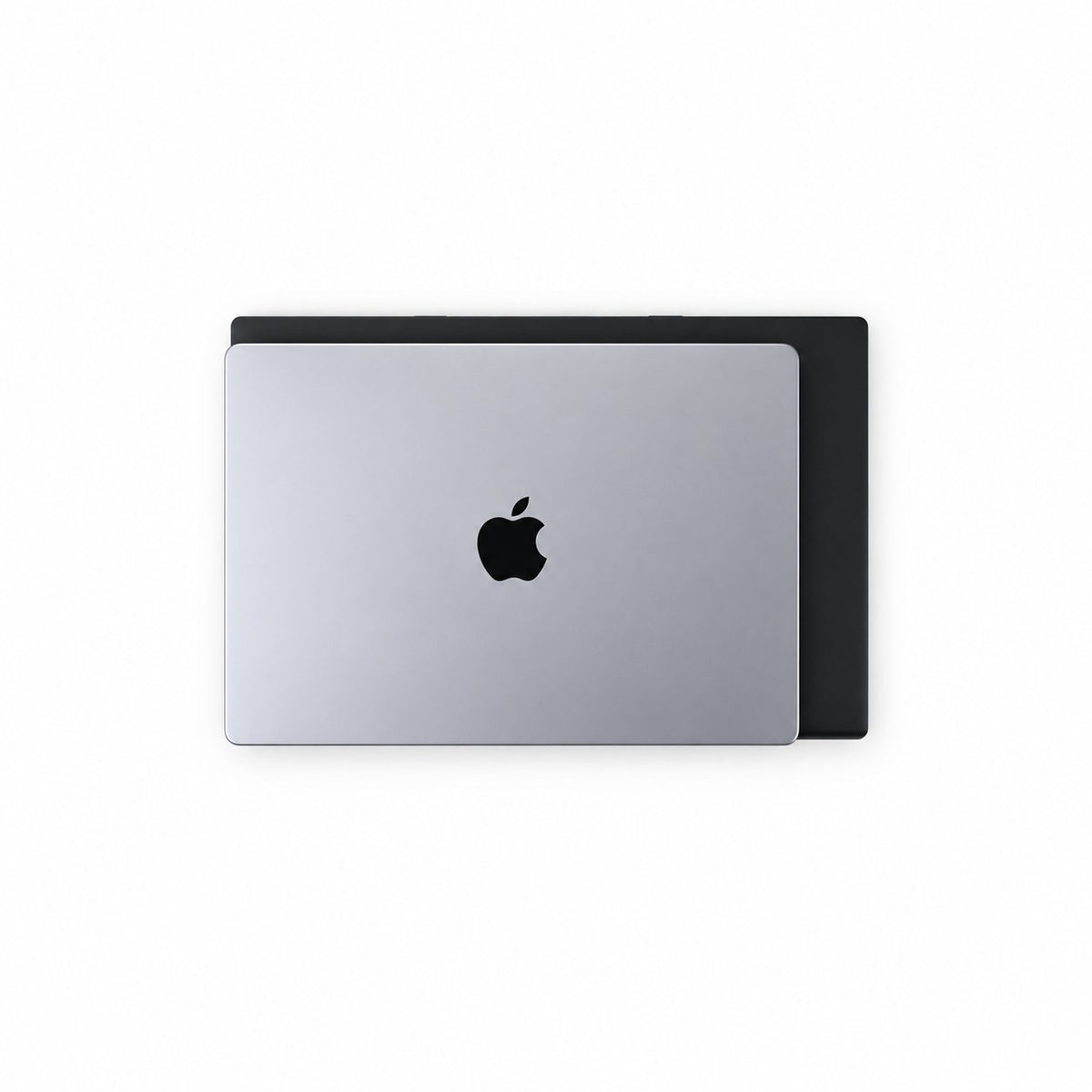
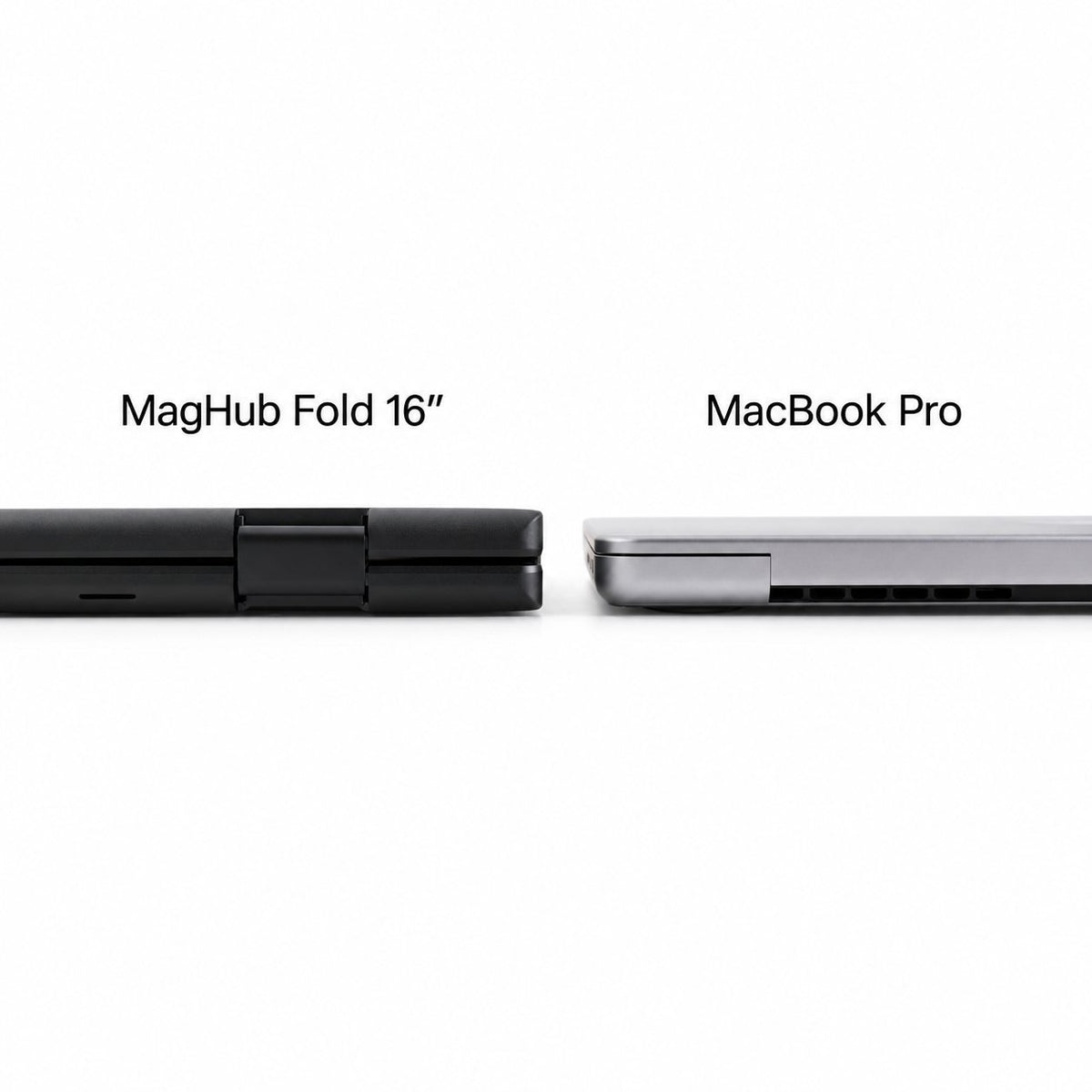
Close It. Take It With You.

Fold your workspace into one compact unit and slip it into the included carry bag when it is time to move.

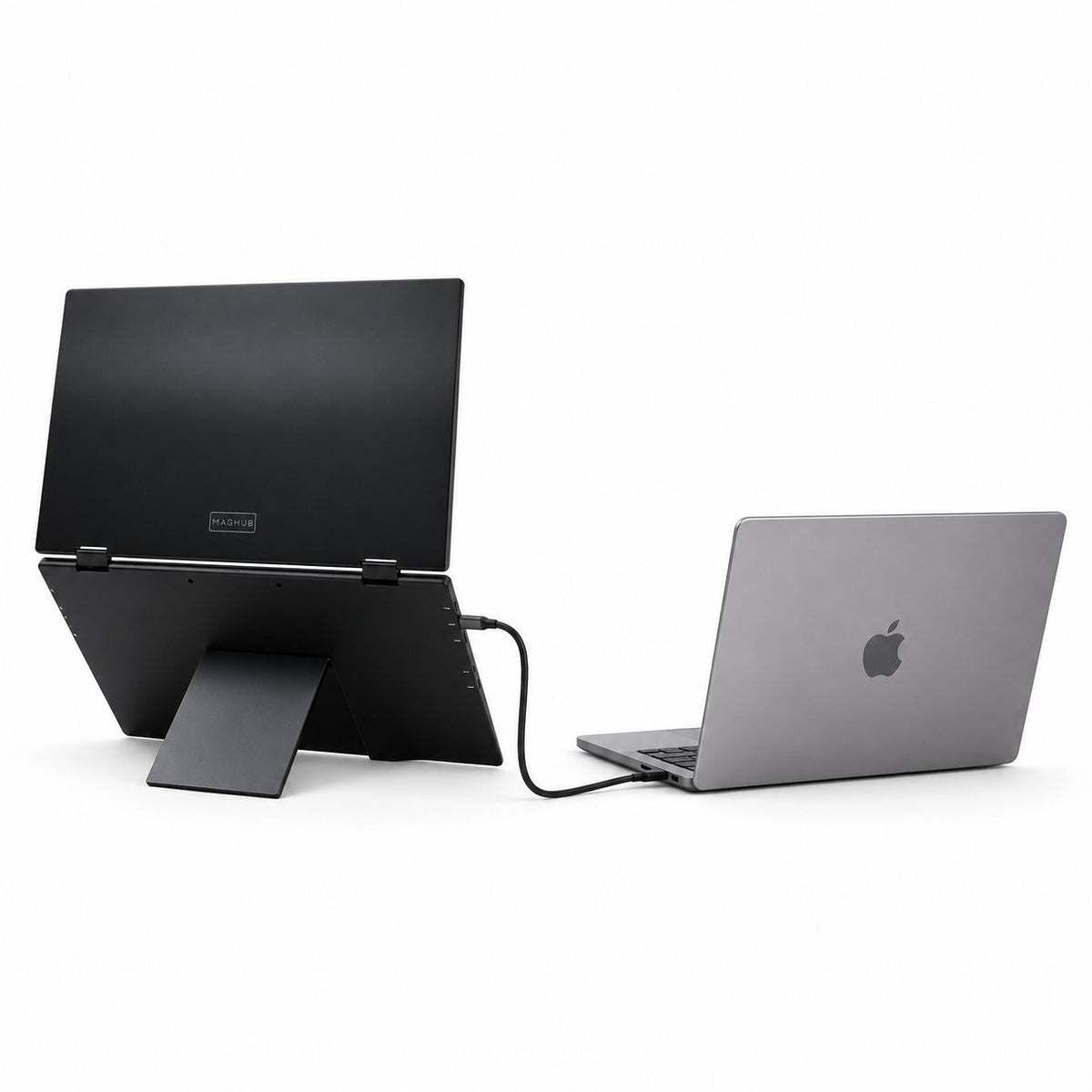
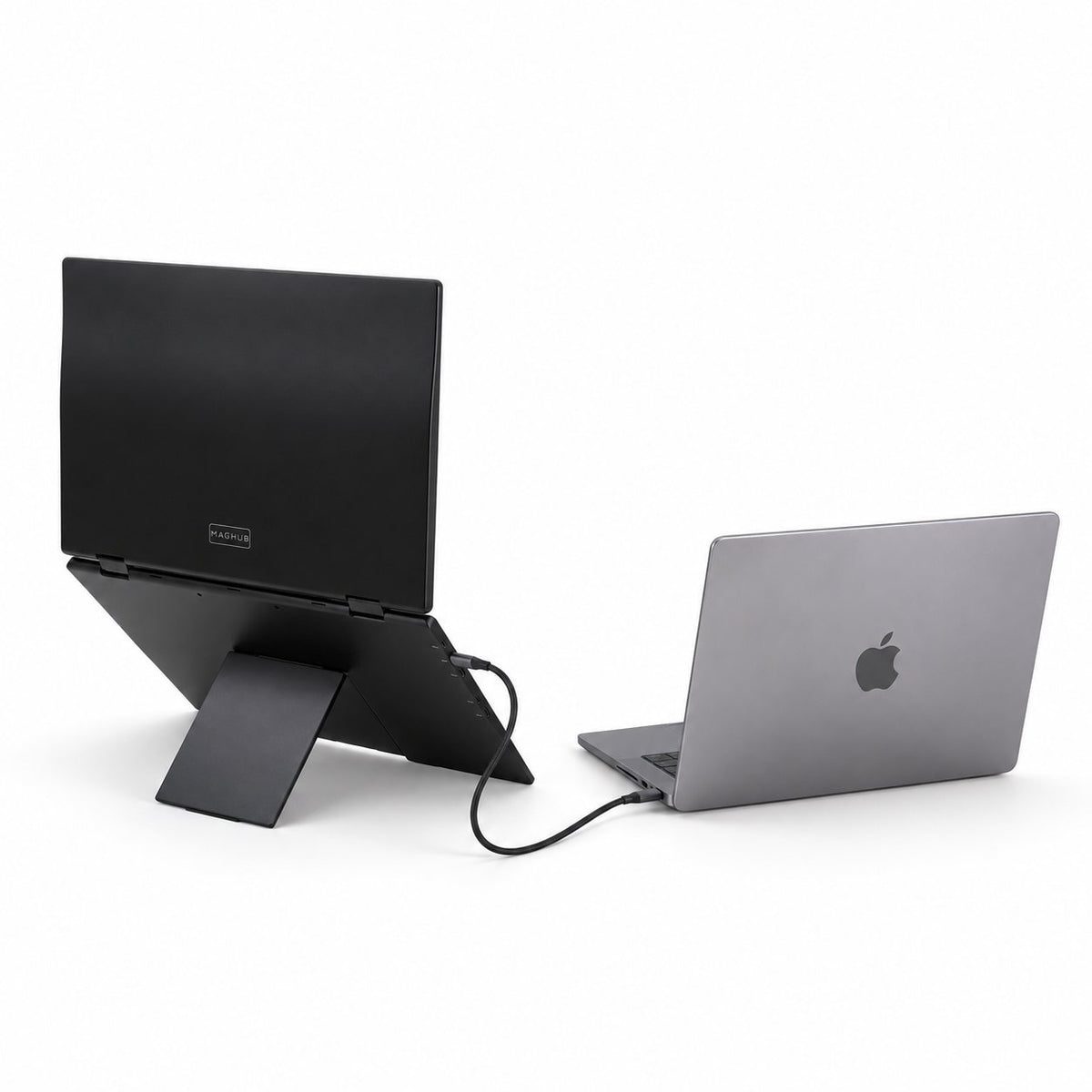
Side rear view of MagHub Fold 16 with its folding support stand open.
05

Set Your Own Viewing Angle.

Open the built-in stand and adjust the folding screens to suit your desk. No separate monitor arm to pack.

01

More Workspace. Less Desk Sprawl.

Stack your extra screen space upward. Keep your laptop beside you and leave room on the desk for the rest of your day.

02

Keep the Whole Project in View.

Review the image, browse your library and keep the brief close. Give your creative work room to develop.

03

Two 16-Inch Displays. Room to Think.

See the model, compare the details and keep your notes in reach across two crisp 1920 × 1200 displays.

04

Close It. Take It With You.

Fold your workspace into one compact unit and slip it into the included carry bag when it is time to move.

05

Set Your Own Viewing Angle.

Open the built-in stand and adjust the folding screens to suit your desk. No separate monitor arm to pack.

MagHub Fold 16 vertical dual-display setup next to a laptop.MagHub Fold 16 in a cafe workspace with photo editing, an image library and project notes.MagHub Fold 16 displaying CAD assembly and simulation alongside a laptop in an engineering workspace.Side rear view of MagHub Fold 16 with its folding support stand open.

See How Your Workspace Unfolds.

  1. Unfold the stand and open the two displays.
  2. Connect to a video-capable USB-C port, or use HDMI with USB power.
  3. Connect the included power supply when your setup needs external power.
  4. Choose a supported display mode and arrange your workspace.

Made for the Way You Move.

Thoughtful details make it easy to open up, find your angle and pack away.
Close-up of the integrated rear kickstand on MagHub Fold 16.

Your Angle, Supported

The built-in kickstand holds your workspace on the desk and folds back when you are done.

Close-up of the hinge joining the two MagHub Fold 16 displays.

Open to New Possibilities

The 315° folding design lets you change the viewing arrangement from focused work to sharing.

Folds Into Your Day

Two displays fold together into a compact unit for moving between workspaces.

USB-C video and power cable; two are included with MagHub Fold 16.

Connect Without a Driver

Use compatible USB-C video or HDMI connections. No display software to install.

A WORKSPACE THAT GOES WITH YOU

More room for **your next idea.**

Two stacked ##16-inch displays## bring your work into view. Open up at your next desk. Fold away when the day moves.

Two Displays. More Room to Work.

Read the details. See more of the document. Two 16-inch IPS displays, each with 1920 × 1200 resolution and a 16:10 aspect ratio, give your work the space it deserves.

Close-up of colorful macaw feathers illustrating vivid display imagery.
Ice formations illustrating fine detail at 1920 × 1200 resolution.
A canyon landscape illustrating a 16:10 display format.
Colorful paint strokes with the message Make Room for Ideas.
COMPATIBILITY

Find Your Connection. Start Your Flow.

Bring your Mac or Windows laptop. Choose the connection and display mode that fit your device—without installing a display driver.
MacBook with a colorful screen on a green background.

macOS

Keep your Mac workflow familiar. Check the display mode before you connect.

Windows laptop on a blue background.

Windows

Spread work across supported display modes on compatible Windows laptops.

Connect Your Way.

Use video-capable USB-C, or connect through HDMI with USB power. Your laptop and cable setup determine the available display modes.

Close-up of a USB-C cable connector.

USB-C

HDMI to Mini HDMI cable included with MagHub Fold 16.

HDMI + USB Power

REAL WORKFLOWS

Designed for Every Workflow.

From the first draft to the final review, keep your timeline, references, calls and plans within reach. Choose the display arrangement that suits your laptop.
Video editing interface with a preview window, media clips, and a multitrack timeline.
Video Editing
AI workflow interface showing connected steps and a chat panel.
AI Workflow
Market monitoring dashboard with price charts, watchlists, and market data.
Market Monitoring
Project planning workspace with task lists, progress indicators, and a timeline.
Project Planning
Weekly calendar with scheduled meetings and a video call window.
Calendar & Meetings
Research workspace with notes, a bar chart, and an analysis panel.
Research & Analysis

Change the View. Share the Idea.

Move from your own workspace to a conversation across the table.

Two colleagues review a project timeline on MagHub Fold 16 in a face-to-face tent arrangement.

Bring Someone Into the Picture

Fold into a face-to-face viewing arrangement to walk through ideas together.

Angled MagHub Fold 16 showing the adjustable hinge between its two displays.

Find Your Focus

Adjust the screen angle and keep the view comfortable for the task at hand.

Ready for Your Next Workspace.

Your Fold 16 comes with a carry bag, a 30W PD power supply, the connection cables listed below and a printed user manual. Laptop not included.

MagHub Fold 16

Carry bag included with MagHub Fold 16.

Carry Bag

30W PD power supply included with MagHub Fold 16.

30W PD Power Supply

USB-C video and power cable; two are included with MagHub Fold 16.

2 × USB-C Video & Power Cables

HDMI to Mini HDMI cable included with MagHub Fold 16.

HDMI to Mini HDMI Cable

Power-only USB-C cable included with MagHub Fold 16.

USB-C Power-Only Cable

Printed user manual included with MagHub Fold 16.

User Manual

Technical Specifications

Workspace
Workspace

Two vertically stacked external displays beside your laptop. Mirror, Extend, Link and Split modes depend on the computer and connection.

Design
Design
  • MagHub Fold 16
  • Foldable dual portable monitor
  • Matte metal housing
  • Integrated support stand
Displays
Displays
  • 2 × 16-inch IPS screens
  • 1920 × 1200 per screen
  • 16:10 aspect ratio
  • Anti-glare finish
Connections & Power
Connections & Power
  • USB-C video and power inputs
  • Mini HDMI video inputs
  • USB-C power-only input
  • 30W PD power supply included
Laptop Compatibility

No display driver required. USB-C must support video output.

Mac single-cable setup supports Mirror and Link. Independent extended screens depend on the Mac model and supported outputs.

Fold & Carry
Fold & Carry
  • 315° folding design
  • Approx. 2.95 lb monitor weight
  • Approx. 14.1 × 9.4 × 0.87 in folded
  • Carry bag included
  • 5 stars: 222 (70%)
  • 4 stars: 68 (22%)
  • 3 stars: 20 (6%)
  • 2 stars: 6 (2%)
  • 1 star: 0 (0%)
B
Benjamin B.
The extra space helps

I can leave the figures visible while I write the explanation on my laptop. The adjustable stand helps me find a position that works with my laptop.

H
Harper R.
Schedule and work together

I spend a fair amount of time planning projects. Seeing the schedule and the working document together is the main benefit for me. It feels less cluttered when each screen has a specific job. The extra screen space is useful to me.

J
James T.
A few compromises

This was mainly for a project I work on in the evenings. I can leave my instructions and working window open together instead of constantly rearranging them. This is easier to justify if you use the extra space regularly.

A
Amelia H.
A practical upgrade

My work is mostly spreadsheets and email. I can leave the figures visible while I write the explanation on my laptop. For my use, the arrangement matters more than having a long list of features. Glad I made room for it.

W
William C.
Happy with the arrangement

This was mainly for a project I work on in the evenings. I can leave my instructions and working window open together instead of constantly rearranging them. I like being able to put the whole setup away between work sessions. The upper screen is better for things I glance at than for a whole day of typing. A good fit for my routine.

C
Charlotte G.
Useful, with a little adjustment

I often need to explain numbers while looking at the underlying data. Having the data, chart and write-up in separate places makes the layout easier to follow. A deeper table makes it easier to find a comfortable viewing distance.

E
Elijah Z.
Useful some days

I can see why someone with a small desk would like this. My own layout is less suited to it. I would choose the screen arrangement first and then check whether the laptop can support it. I can see the appeal, but it is only an occasional setup for me.

A
Ava S.
A little more breathing room

Most of my laptop work involves reading and taking notes. Keeping the document separate from the notes makes the layout feel less cramped. The upper screen is better for things I glance at than for a whole day of typing.

N
Noah D.
Useful when the table has two jobs

Folding the screens away makes the end-of-day clear-up easier than leaving a full desk setup out. The folding design is what made me consider it in the first place.

E
Emma M.
Source text and draft in view

I work with source text and a separate draft. Being able to glance between the two without rearranging windows is the appeal for me. It is nice to have room for a reference page without shrinking the main window.

L
Liam M.
Fits my routine

I like having the conversation visible while I update the relevant file. I prefer leaving reference material visible instead of opening and closing it repeatedly.

S
Sophia P.
This layout works for me

Folding the screens away makes the end-of-day clear-up easier than leaving a full desk setup out. The carry bag is a useful part of the package for me. I would choose this layout again.

O
Oliver M.
Room to check the numbers

Having the data, chart and write-up in separate places makes the layout easier to follow. I needed some time to work out a sensible arrangement for my windows.

L
Lilliana M.
Useful, with a little adjustment

I use this kind of setup for preparing presentations. I can look at my outline and source material while editing the slides. I would choose the screen arrangement first and then check whether the laptop can support it.

A
Adrian C.
Good once set up

I use this kind of setup for preparing presentations. I can look at my outline and source material while editing the slides. I would check the laptop connections before ordering.

N
Nina W.
Useful when the table has two jobs

My workspace is also our dining table. Folding the screens away makes the end-of-day clear-up easier than leaving a full desk setup out. I like being able to put the whole setup away between work sessions.

B
Blake M.
Useful for spreadsheet days

My work is mostly spreadsheets and email. I can leave the figures visible while I write the explanation on my laptop. It is more equipment to carry, which is worth thinking about. It has made my desk feel more organized without changing the laptop I use. Good, just not something I need for every task.

G
Gaby H.
Good for ordinary office work

Email can stay open without taking over the screen where I am doing the actual task. It is nice to have room for a reference page without shrinking the main window. Happy with it for this use.

X
Xavier A.
A good fit

I was trying to make my home desk a little more practical. Two extra screens give my notes and reference windows somewhere to stay. For my use, the arrangement matters more than having a long list of features.

K
Katelyn H.
A familiar setup in two places

I split my workweek between home and the office. Having a similar screen arrangement in both places helps me settle into work. The folding design is what made me consider it in the first place.

J
Jared S.
Notes beside the meeting

A lot of my day is spent in calls. I like being able to see the meeting, my notes and the document we are discussing at once. Once I decided where my notes should go, the extra screens felt much more useful.

S
Serena A.
A familiar setup in two places

I split my workweek between home and the office. Having a similar screen arrangement in both places helps me settle into work. I still do the main task on the laptop. The extra screens are there to support it.

E
Ethan R.
Helpful for presentation prep

I can look at my outline and source material while editing the slides. The price made me think carefully about how often I would actually use it.

M
Melanie C.
Useful addition to my desk

I work on several client projects from one laptop. I can keep the current brief and my working file visible together. I like that I can fold it up when the desk needs to be used for something else.

M
Mason W.
Docs stay open

I wanted more room for code and documentation. Keeping the documentation open separately is more useful to me than making every window bigger. I still do the main task on the laptop. The extra screens are there to support it.

C
Camila L.
Just what I needed for this task

Being able to glance between the two without rearranging windows is the appeal for me. The adjustable stand helps me find a position that works with my laptop. The extra screen space is useful to me.

C
Caleb M.
Glad to have the extra room

I spend a lot of time moving between messages and project documents. I like having the conversation visible while I update the relevant file. I expected to use both added screens equally. In practice, one is mostly for reference material. It took a few adjustments to stop putting too much on the upper screen. It suits my desk well.

E
Evelyn A.
Easier to compare sources

I tend to have far too many research tabs open. Giving the source pages their own screen makes comparing information less fiddly. The layout is taller than a normal laptop setup, so placement matters.

W
Wyatt L.
Works for my main tasks

Folding the screens away makes the end-of-day clear-up easier than leaving a full desk setup out. I use it more at a desk than on the move.

A
Avery R.
Docs stay open

I wanted more room for code and documentation. Keeping the documentation open separately is more useful to me than making every window bigger. I would choose the screen arrangement first and then check whether the laptop can support it. I prefer leaving reference material visible instead of opening and closing it repeatedly. I am happy enough with it, but there is a learning curve to the arrangement.

T
Travis G.
This layout works for me

A lot of my day is spent in calls. I like being able to see the meeting, my notes and the document we are discussing at once. The biggest difference is simply not losing track of the window I was just using. I still prefer a single screen when I am doing something very simple. The extra screen space is useful to me.

FAQ

Make Room for Better Work.

A few useful answers before you build your next workspace.

MagHub Fold 16 includes two 16-inch external displays in a folding unit. Your own laptop provides the third screen. The laptop is not included.
Stacking the displays keeps extra screen space above the desk rather than spreading both monitors out to the sides. Keep a plan or reference above the task you are working on.
No display driver is required. Use a video-capable USB-C output, or HDMI with USB power. A charging-only USB-C port does not provide a video signal.
Yes, with a compatible video connection. A single cable on Mac supports Mirror and Link modes. Link uses the stacked panels as one tall workspace. Two independent extended screens depend on your Mac model and separate supported outputs; contact INVZI with your exact model if you need that setup.
Power needs depend on your laptop and connection. If your laptop cannot supply sufficient power, connect the included 30W PD supply through the power input. HDMI carries video and needs a separate USB power connection.
Yes. The 315° folding design supports different viewing arrangements, including face-to-face sharing. Fold the displays together for carrying and use the included bag. Disconnect cables before packing.
MagHub Fold 16, a carry bag, a 30W PD power supply, two USB-C video and power cables, one HDMI to Mini HDMI cable, one power-only USB-C cable and a printed user manual.
Check whether your laptop has video-capable USB-C or HDMI and how many external displays it supports. Follow the included manual, or contact INVZI support with your laptop model and intended display arrangement.

THE DETAILS, IN ONE PLACE

More About Foldable Laptop Screens

Display

Dual 16-Inch 1200p IPS Displays

INVZI foldable laptop screens give you two extra 16-inch displays for a wider, more efficient workspace. Each screen features 1920 × 1200 resolution, IPS technology, vivid colors, and wide viewing angles.

Use the extra screens for documents, spreadsheets, video calls, dashboards, browser tabs, coding, presentations, or entertainment. With more content visible at once, you can reduce window switching and work more smoothly.

Portable Design

Foldable and Portable for Work Anywhere

The slim and lightweight foldable design makes INVZI easy to carry in a backpack. It is ideal for business travel, remote work, coworking spaces, classrooms, hotels, home offices, and client meetings.

Unfold it when you need a larger workstation, then fold it down for easy storage and transport.

Viewing Comfort

Anti-Glare Display with Adjustable Viewing

The anti-glare coating helps reduce reflections in bright offices, classrooms, hotels, and shared workspaces. The built-in stand supports multiple viewing angles, so you can adjust the screens for a more comfortable setup.

With wide viewing angles, the displays stay clear from different positions, making them useful for work, presentations, and entertainment.

Productivity

Built for Remote Work, Travel, Study, and Multitasking

INVZI is designed for people who need more than one laptop screen. Remote workers can manage meetings and files more easily. Students can view notes and assignments side by side. Developers can code while checking previews or documentation.

It is also useful for designers, analysts, writers, consultants, sales teams, gamers, and anyone who needs extra screen space.

More Questions, Answered

What are foldable laptop screens?

Foldable laptop screens are portable external displays that expand your laptop workspace. INVZI features dual 16-inch 1200p IPS screens that fold for easier carrying and storage.

Do INVZI foldable laptop screens work with MacBook and Windows laptops?

Yes. They work with macOS and Windows laptops that support external video output through USB-C or HDMI.

On Mac, a single cable supports Mirror or Link mode. Two independent external displays depend on your Mac and connections.

Are INVZI foldable laptop screens good for business travel?

Yes. The slim, lightweight, and foldable design makes them suitable for business trips, hotels, coworking spaces, and temporary workstations.

Can I use INVZI foldable laptop screens with gaming consoles?

Yes. They can work with gaming consoles that support video output. Check your console’s USB-C or HDMI compatibility before use.

Are foldable laptop screens worth it?

Yes, if you often feel limited by one laptop display. INVZI gives you dual 16-inch screens for multitasking, meetings, research, presentations, and mobile productivity.