



INVZI MagHub 1: 12-in-2 Docking Station USB-C Hub for MacBook Pro with Pop-Up SSD Enclosure
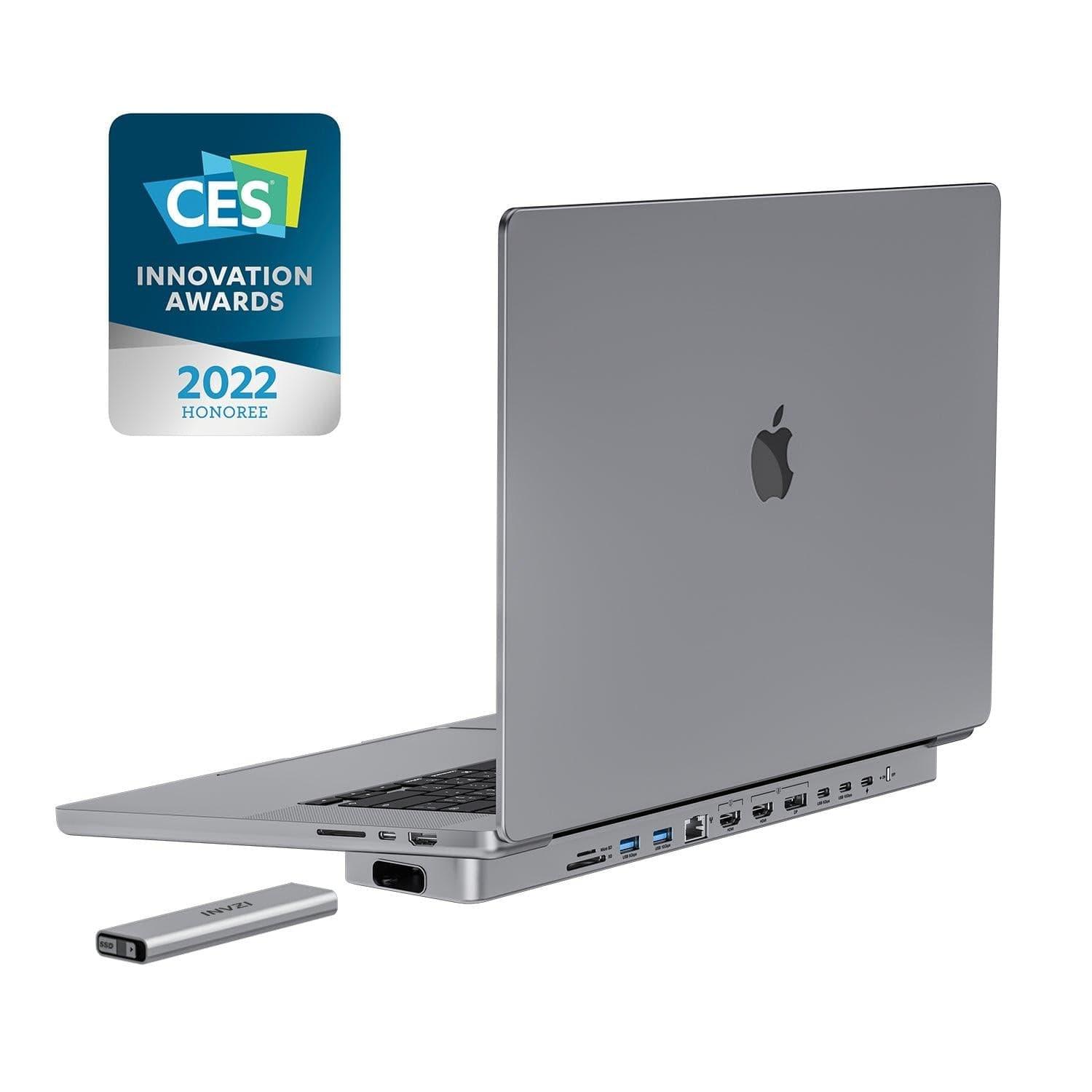
- Award-winning Innovation: MagHub won the CES2022 Innovation Awards Honoree, making it the world's first pop-up SSD USB-C docking station for MacBook Pro and MacBook Air.
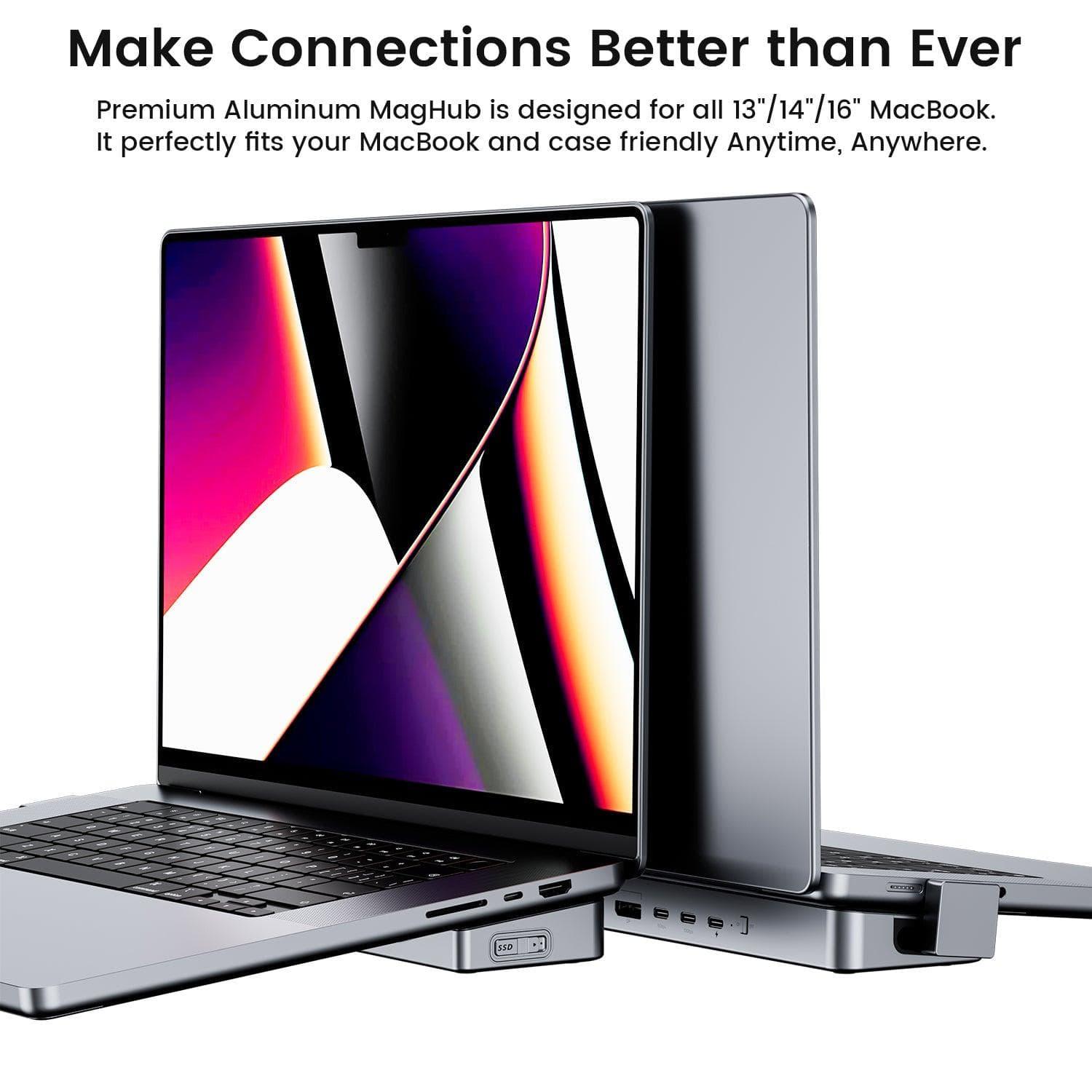
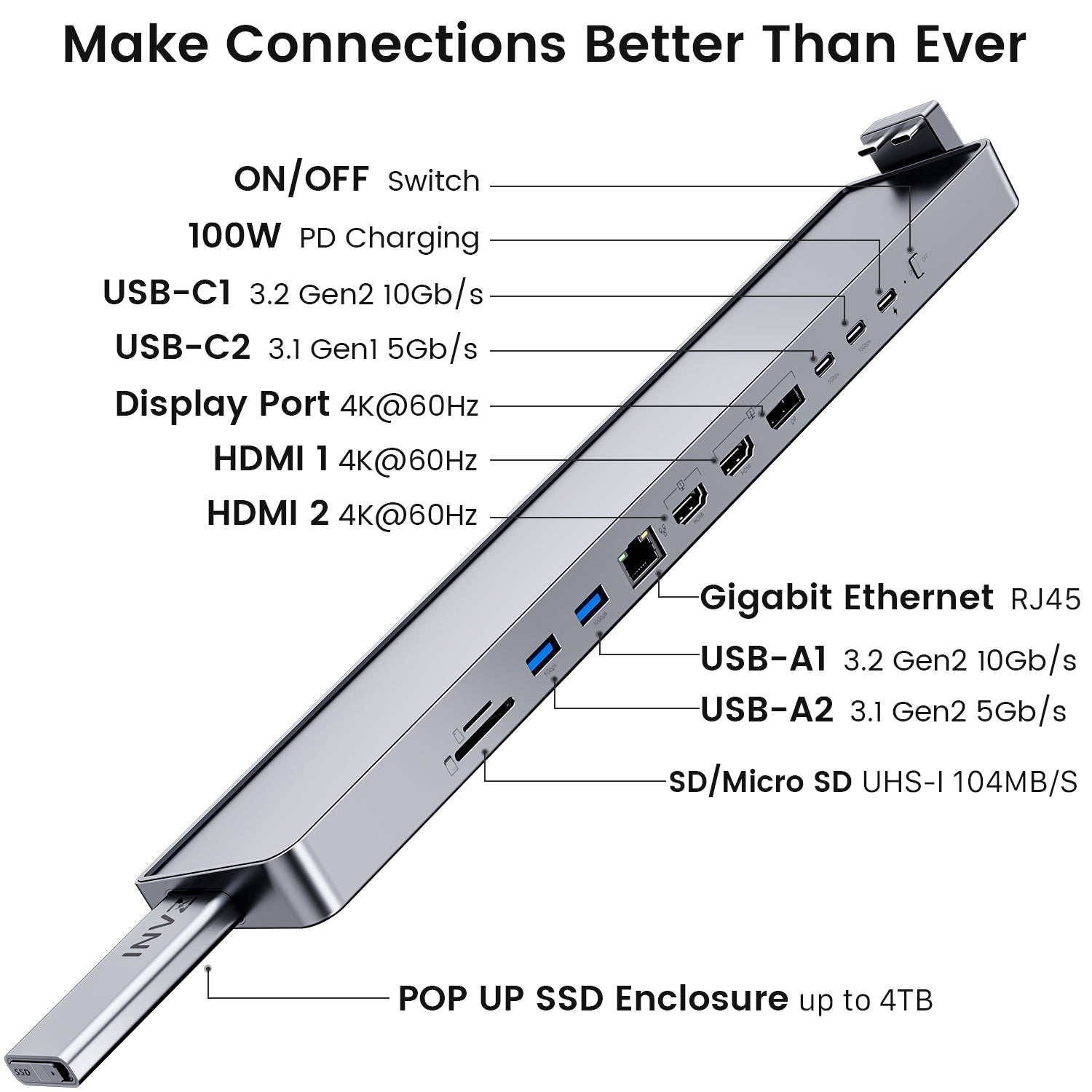
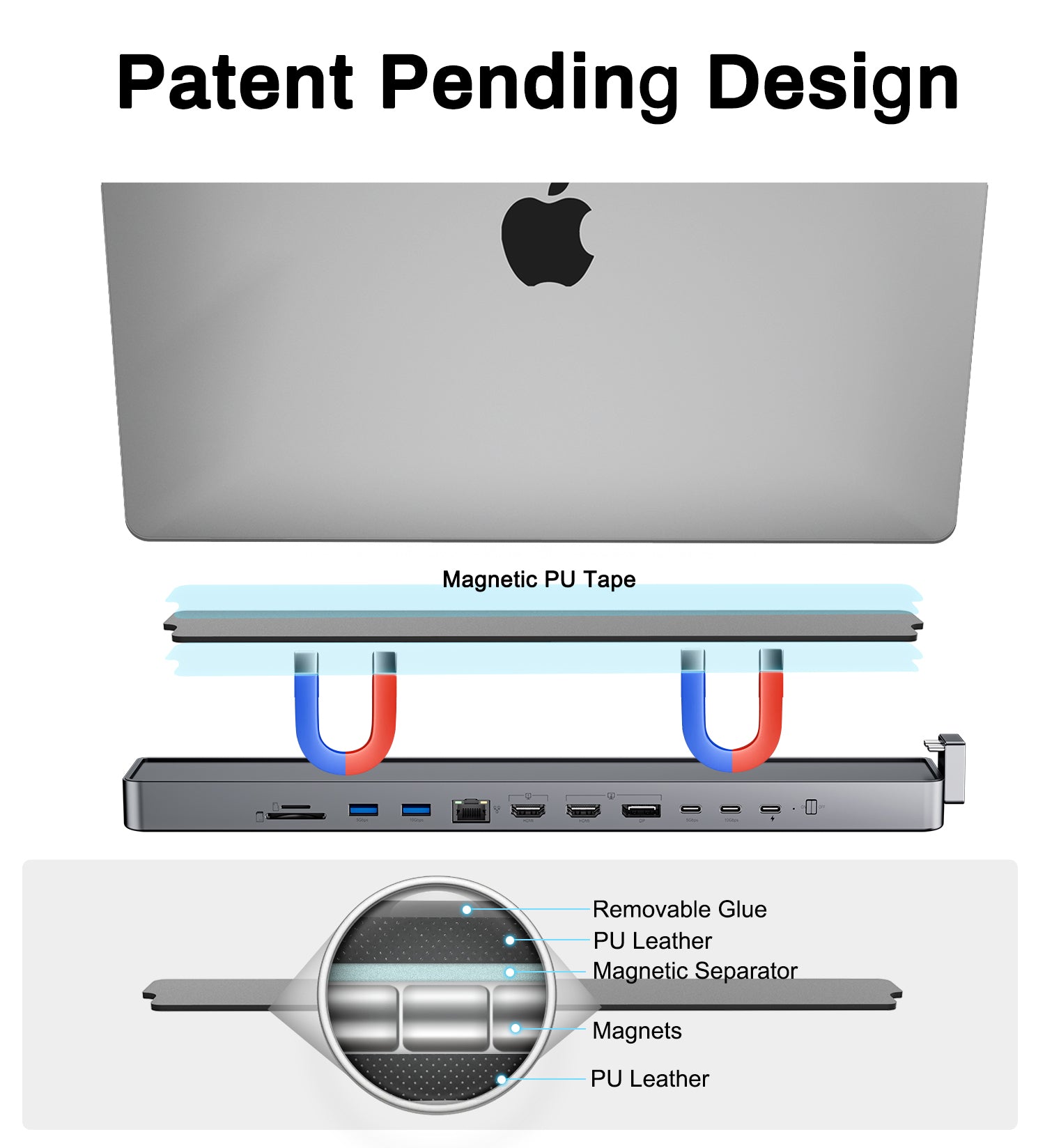
- Make Connections Better than Ever: The INVZI MagHub unique 12-in-2 aluminum design allows you to optimize your MacBook's performance, with built-in magnets that securely attach it to your device for added convenience.
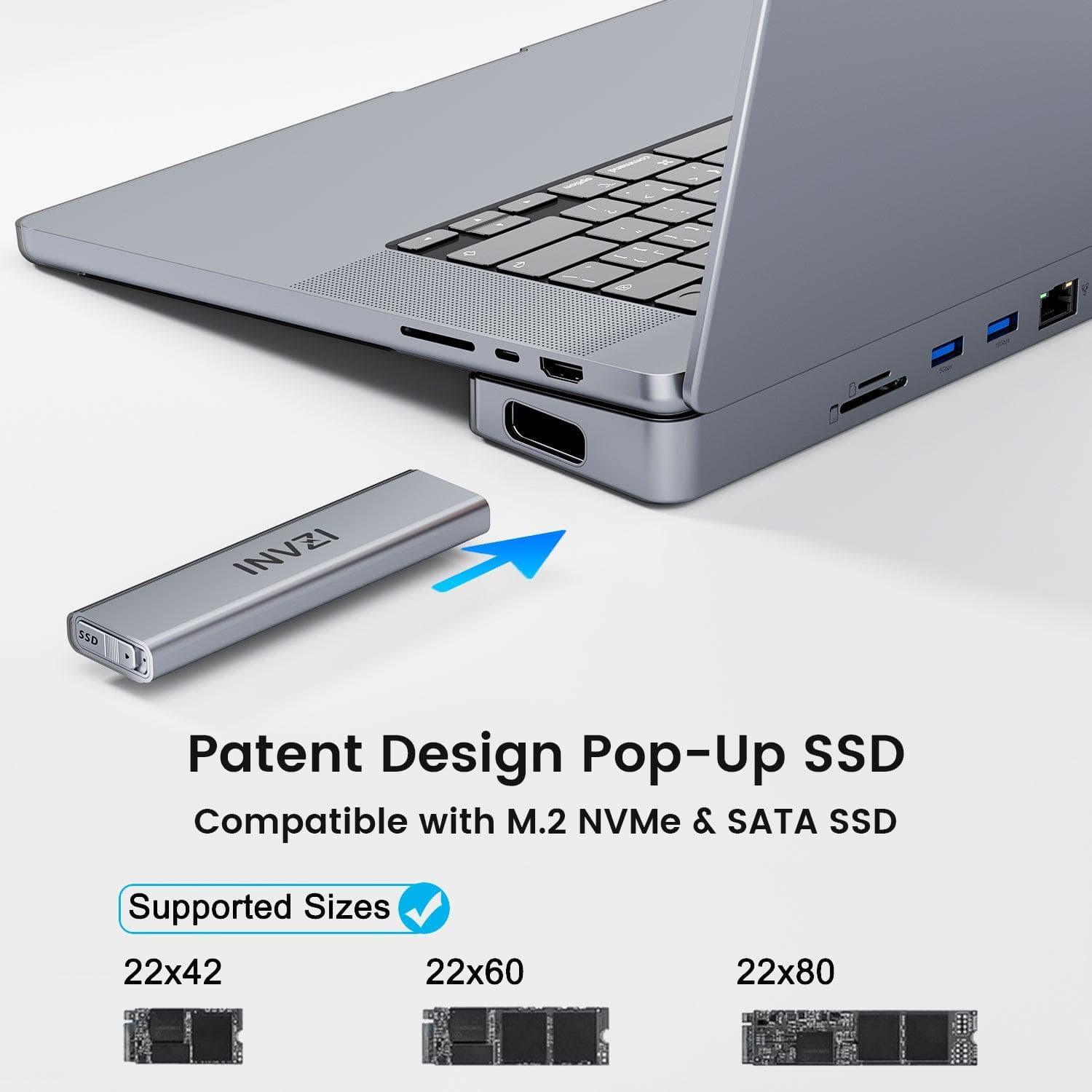
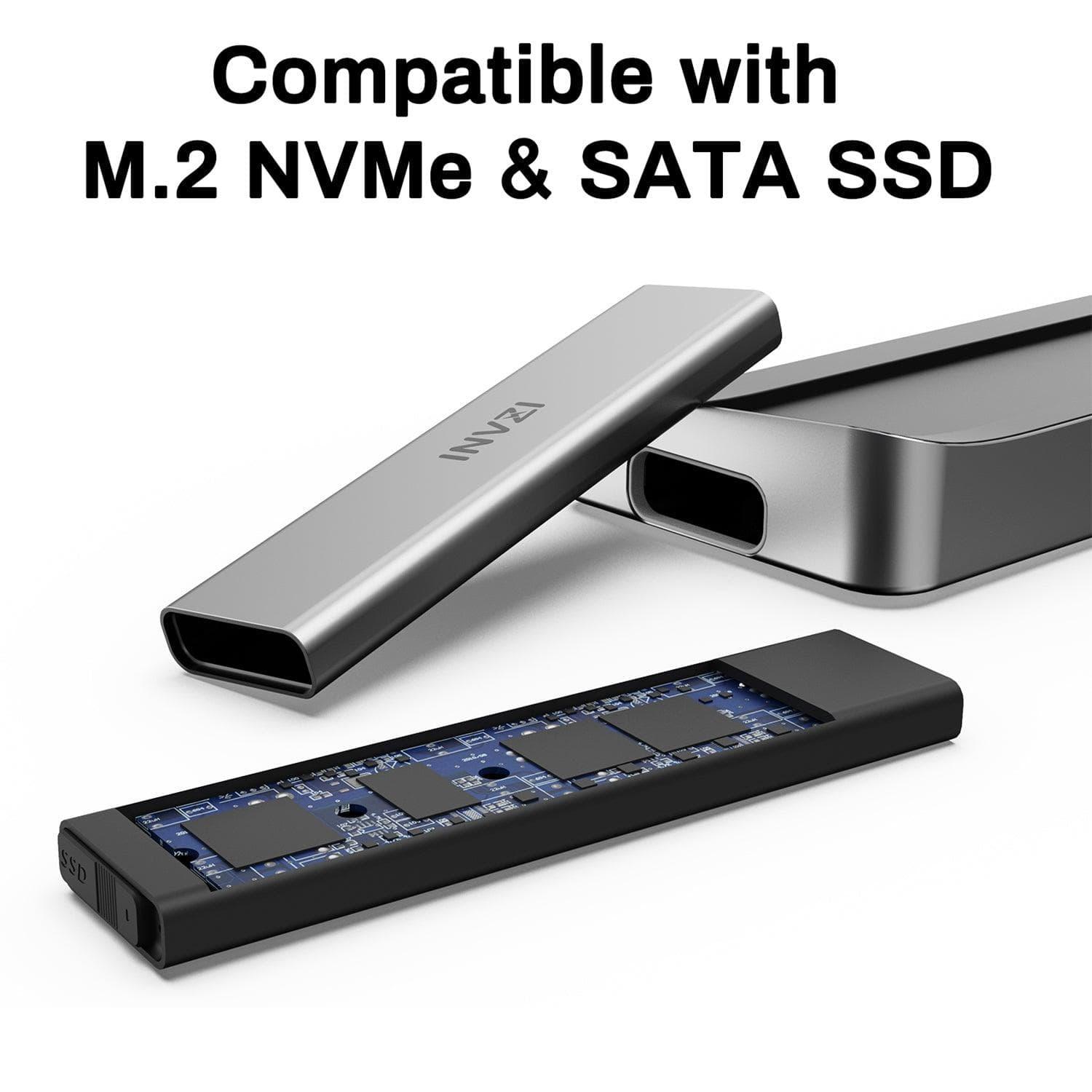
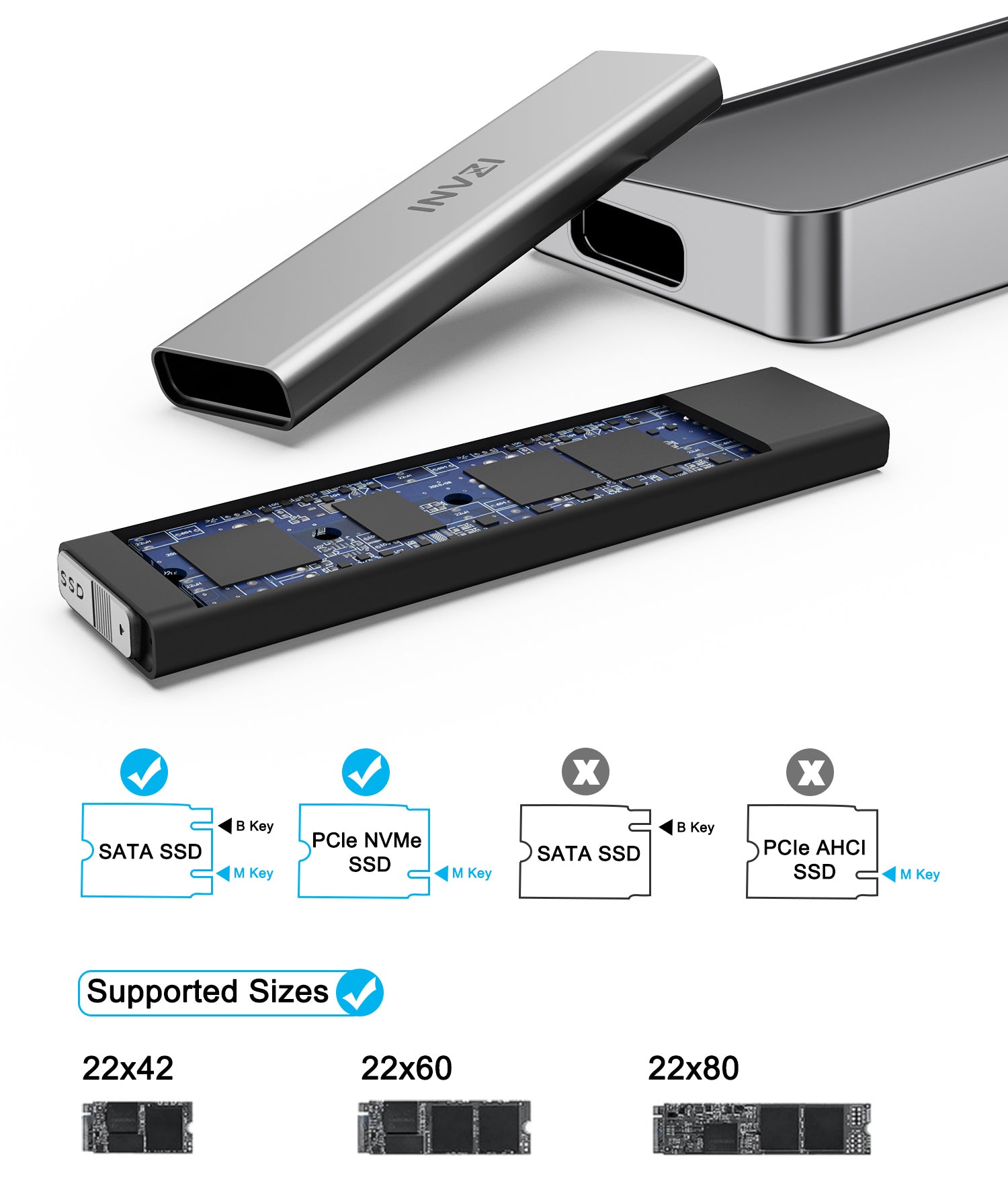
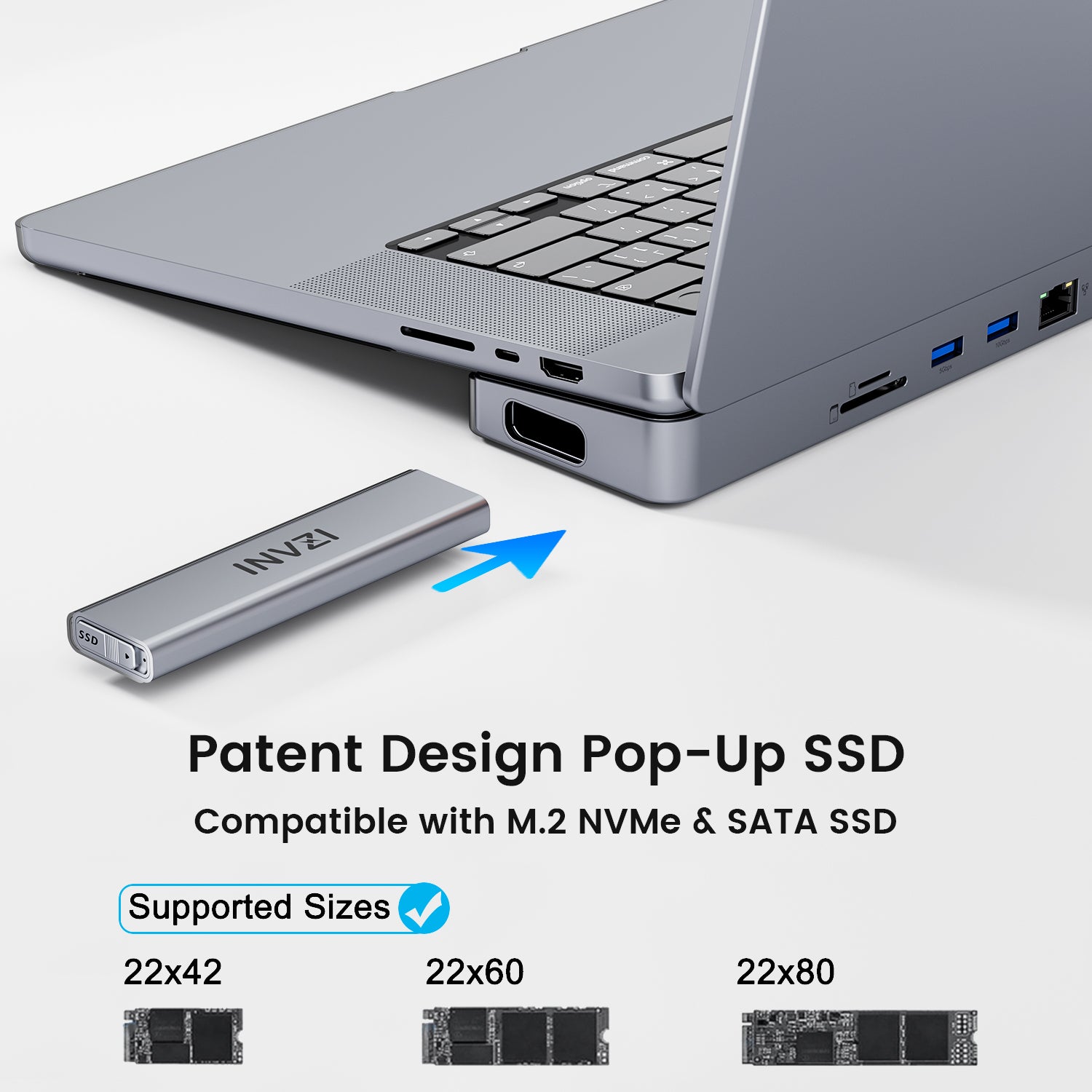
- Upgrade your Storage: With the innovated pop-up SSD enclosure, you can easily share data between devices and upgrade up to 4TB of memory with M.2 SATA and NVME SSD compatibility.
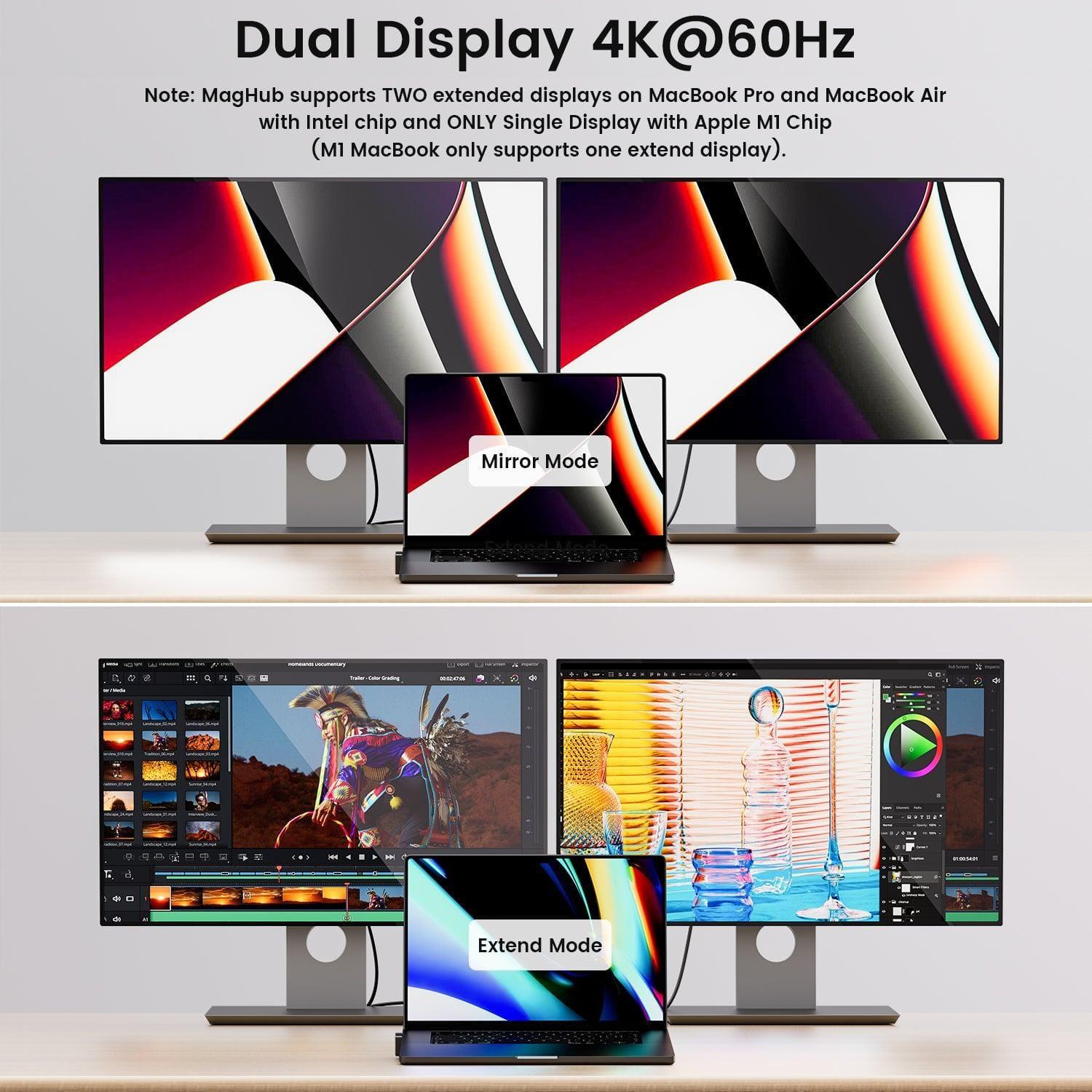
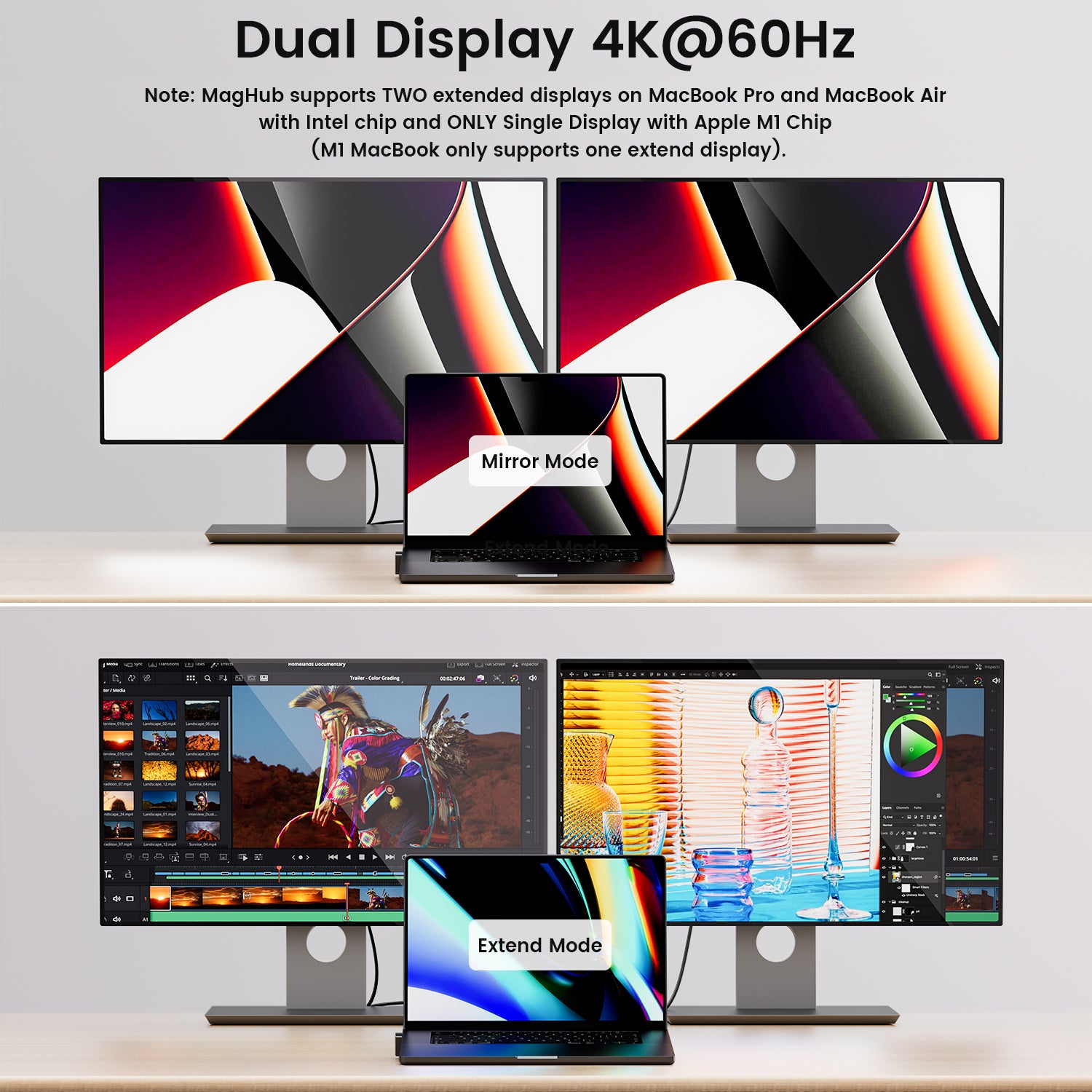
- Dual 4K@60Hz Displays: MagHub supports resource-demanding applications with dual 4K@60Hz displays through HDMI and DP 1.4. (MST for MacBook with Intel Chip and ONLY single display with Apple M1 Chip
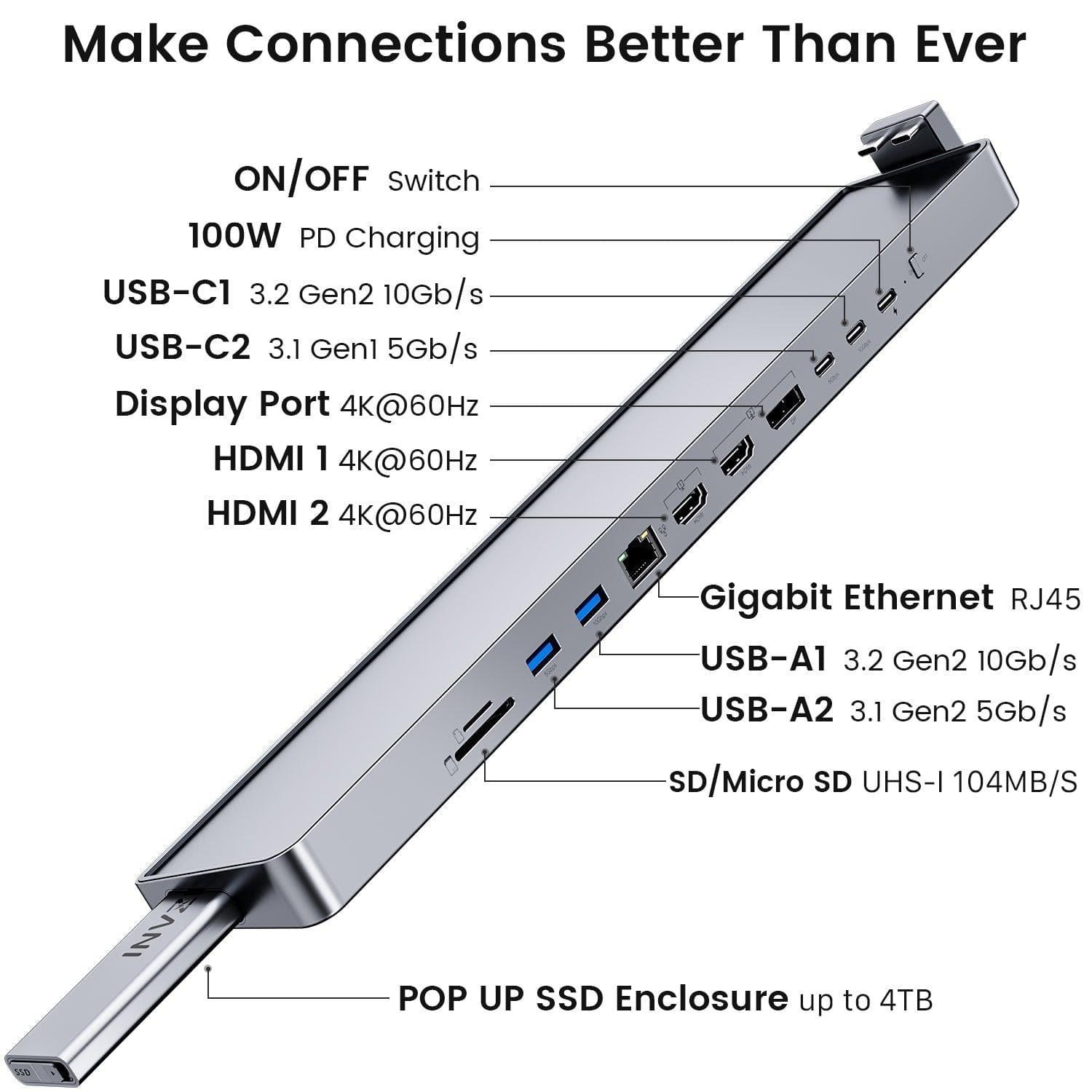
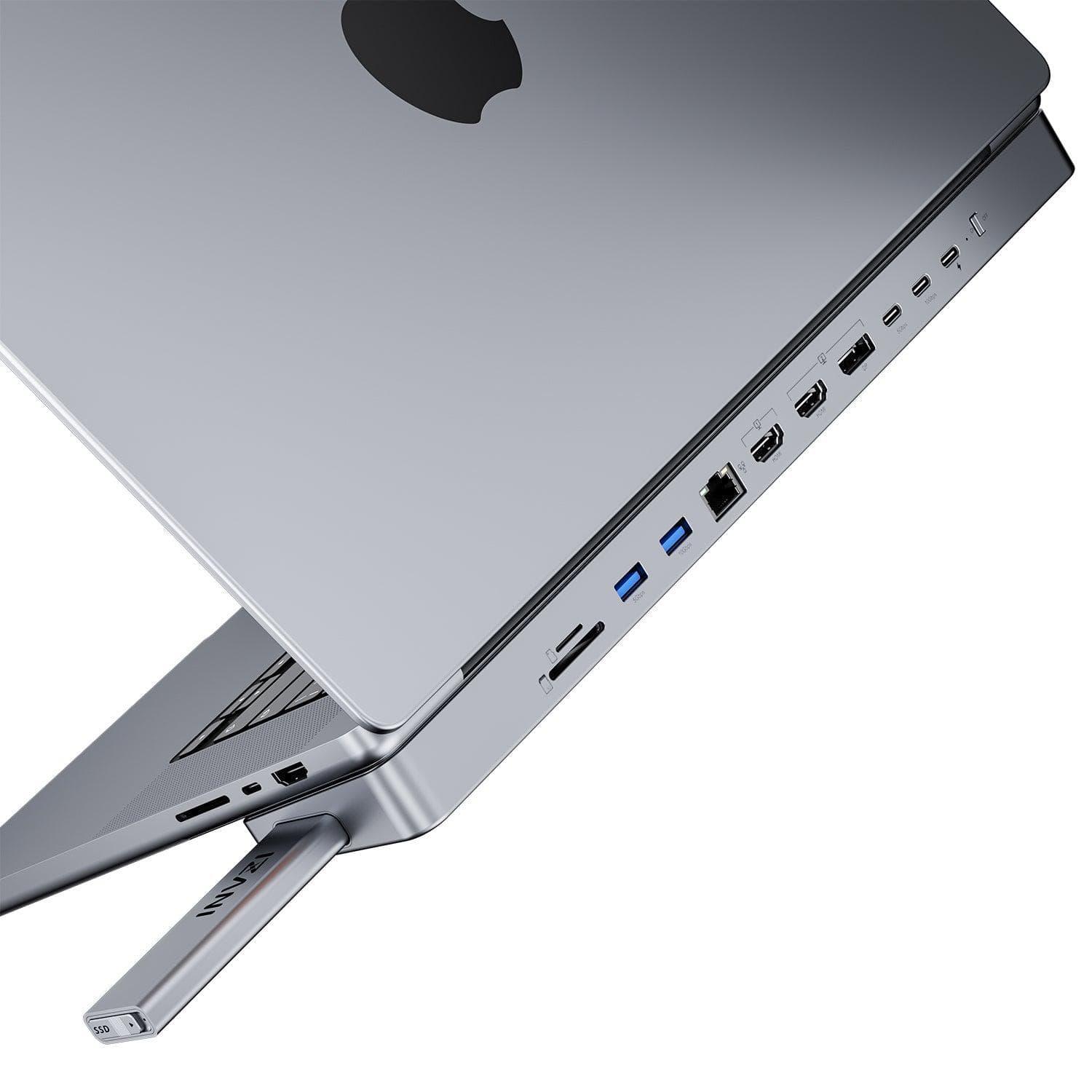
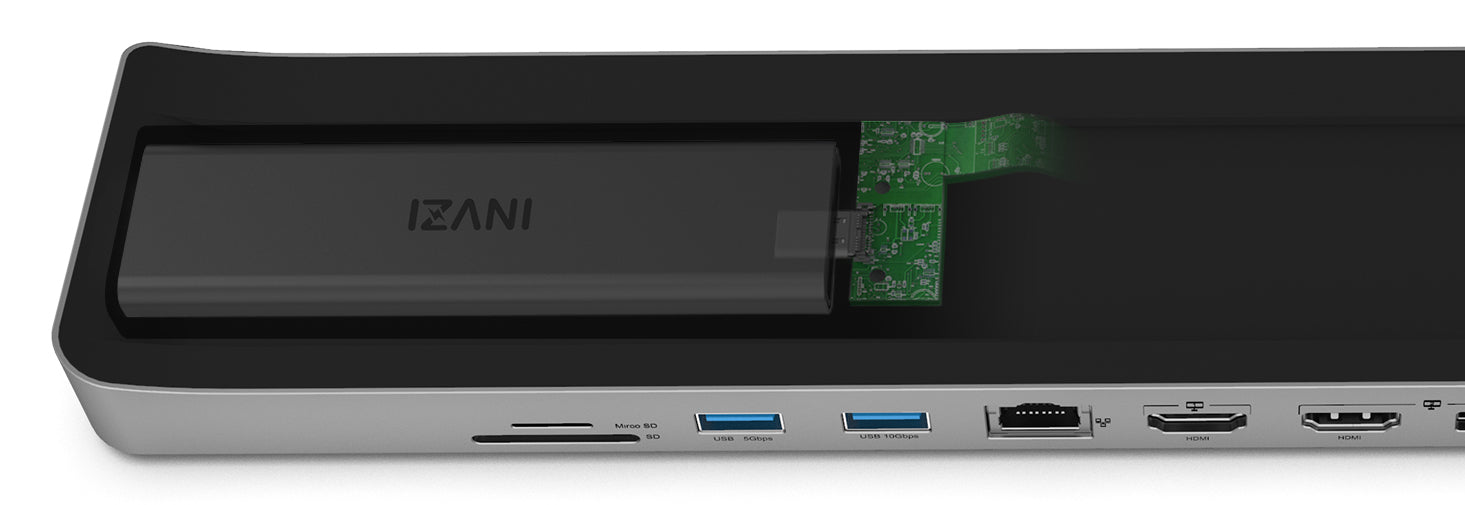
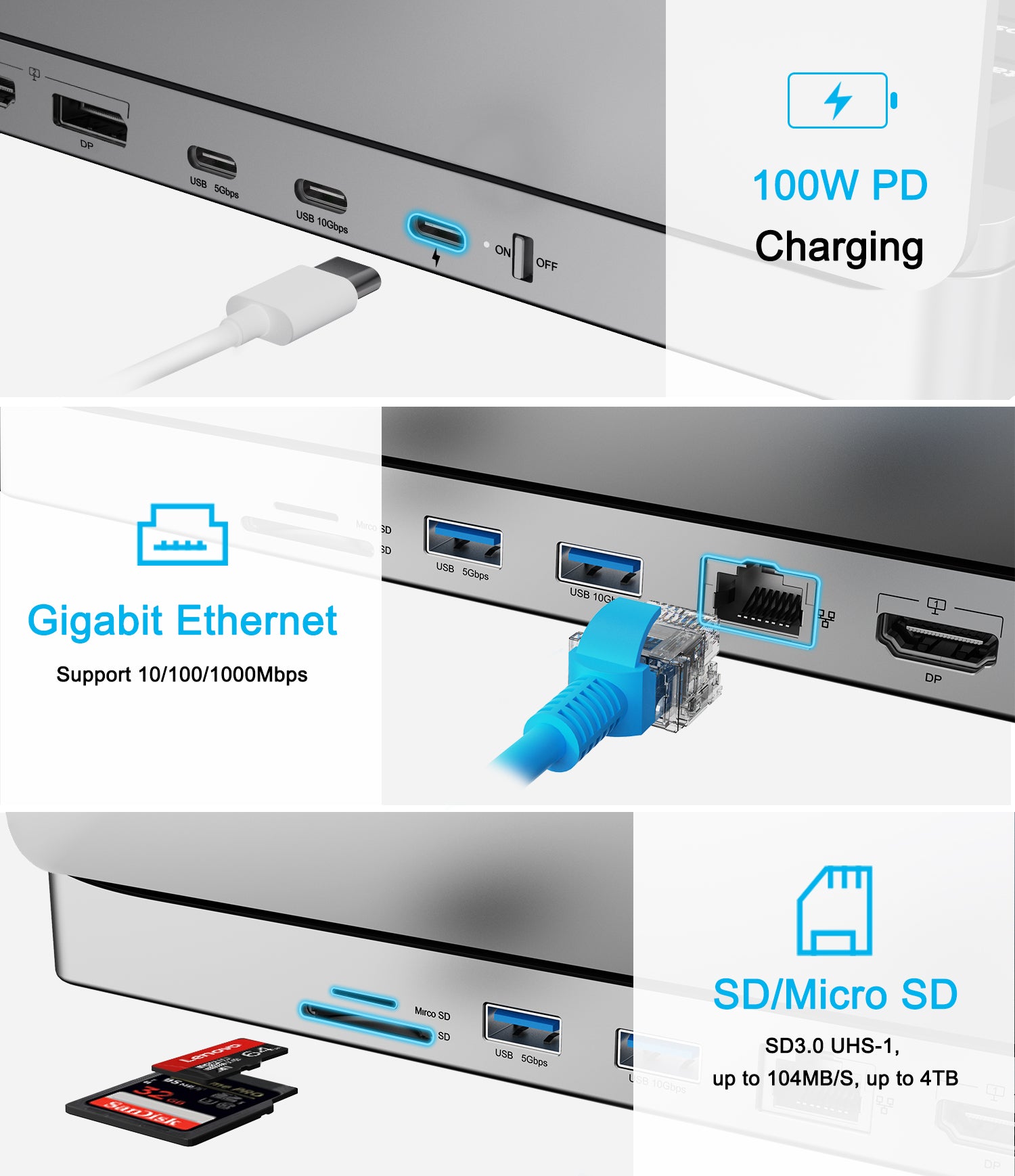
- Connect All Your Devices: With up to 12 ports, including RJ45, USB 3.2 10Gbps, SD/Micro SD slots, HDMI and more, the MagHub allows you to connect almost all devices at once.
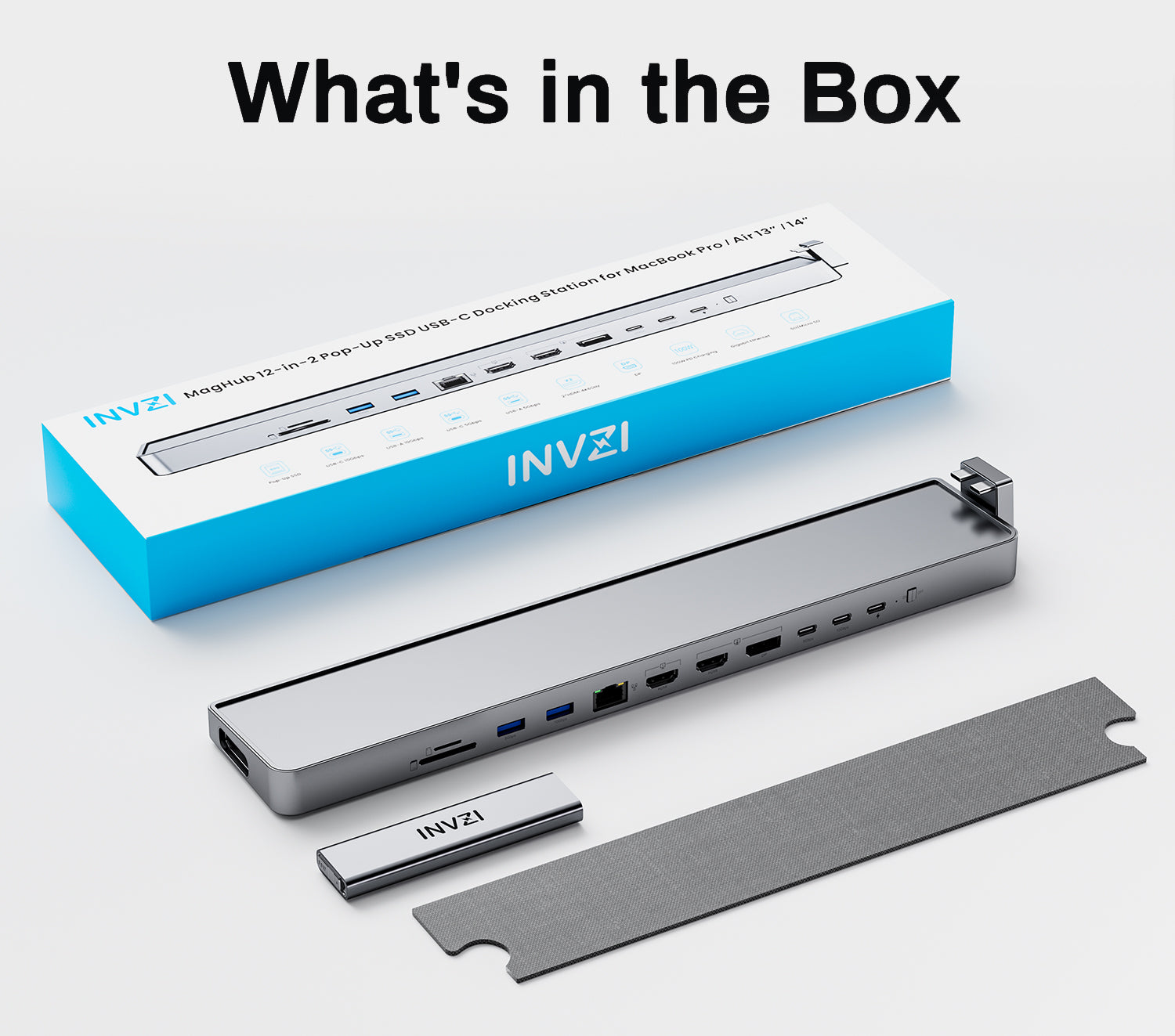
- What You Get: INVZI MagHub Pop-up SSD Docking Station, Magnetic Strip, SSD Enclosure, User Manual, 12-month warranty and trouble-free customer service by INVZI.
MagHub®️ 1 12-in-2 Docking Station with Pop-up SSD for MacBook
CES 2022 Innovation Awards
Maximize MacBook Productivity: Transforming Your MacBook into an Advanced Workstation
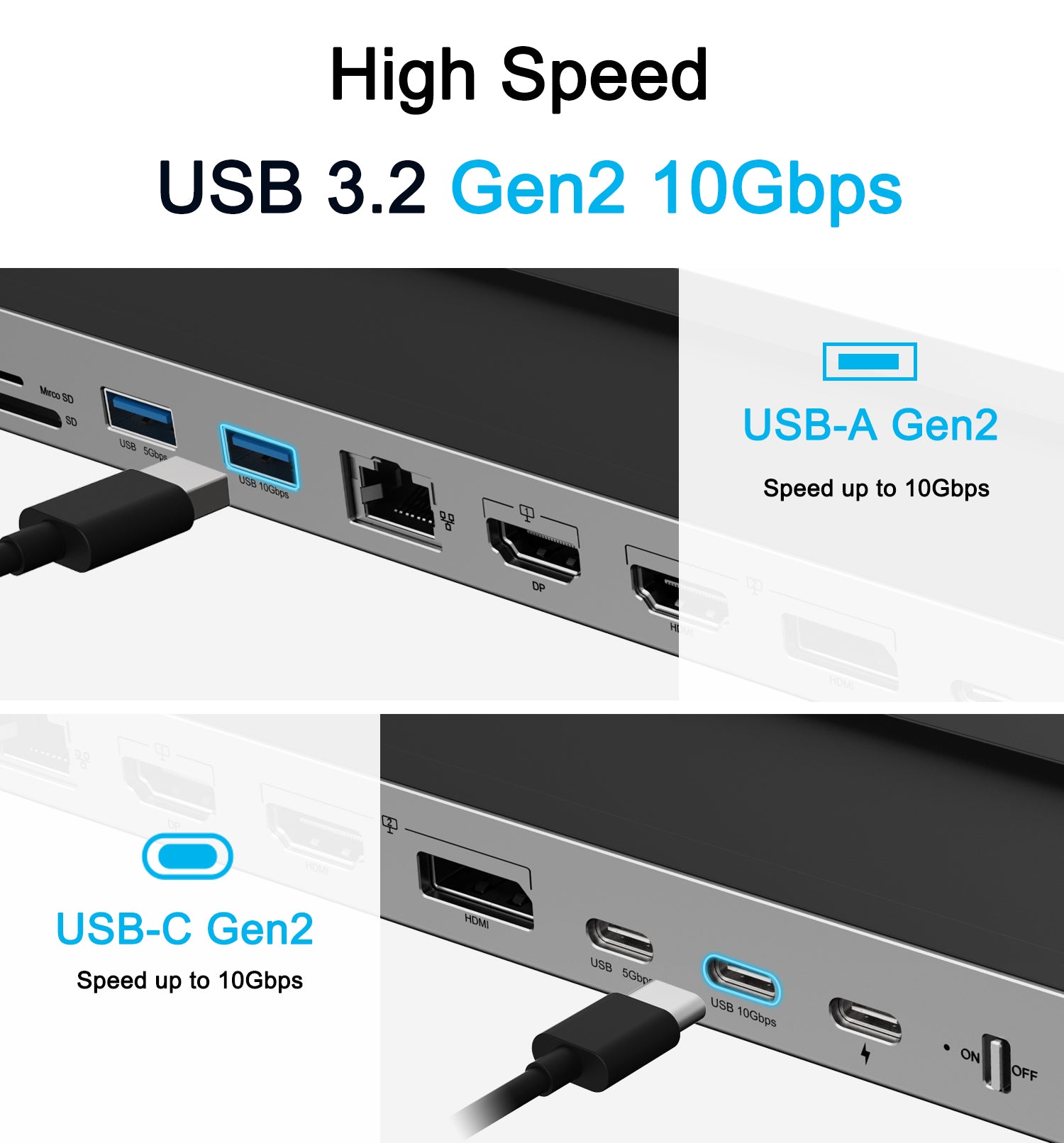
INVZI MagHub is the World‘s First Pop-Up SSD USB-C Docking Station for MacBook Pro and MacBook Air. MagHub won the CES2022 Innovation Awards Honoree at the Consumer Electronic Show (CES) in Les Vegas, USA. With 12-in-2 premium aluminum design, INVZI MagHub transforms the MacBook Pro and MacBook Air into a workstation. INVZI MagHub features everything you need to make the most of your MacBook: Built-in portable SSD Aluminum Enclosure up to 4TB with high speed 1000Mb/s, USB-C 3.2 Gen 2 10Gbps, USB-A 3.2 Gen 2 10Gbps, Dual Extend Display with 2 X HDMI and 1 X DP 4k@60Hz supporting MST, SD/Micro-SD card readers, and Gigabit Ethernet port. With Built-in magnets, it can be attached under the MacBook by magnetic tape with heat insulating materials. With innovated pop-up SSD, you can share data to all your devices.
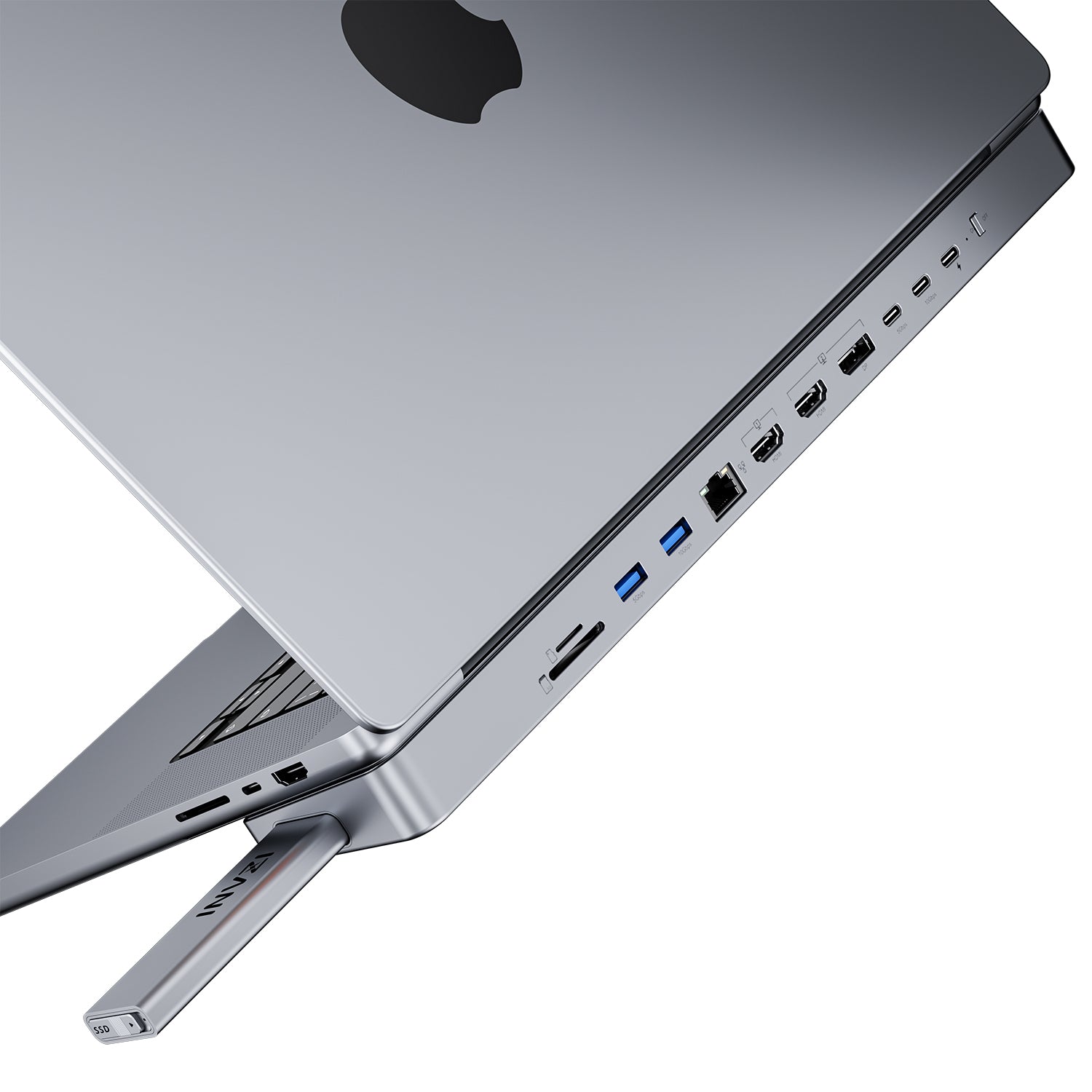
Revolutionary Design: Pop-Up SSD with Unique Feature
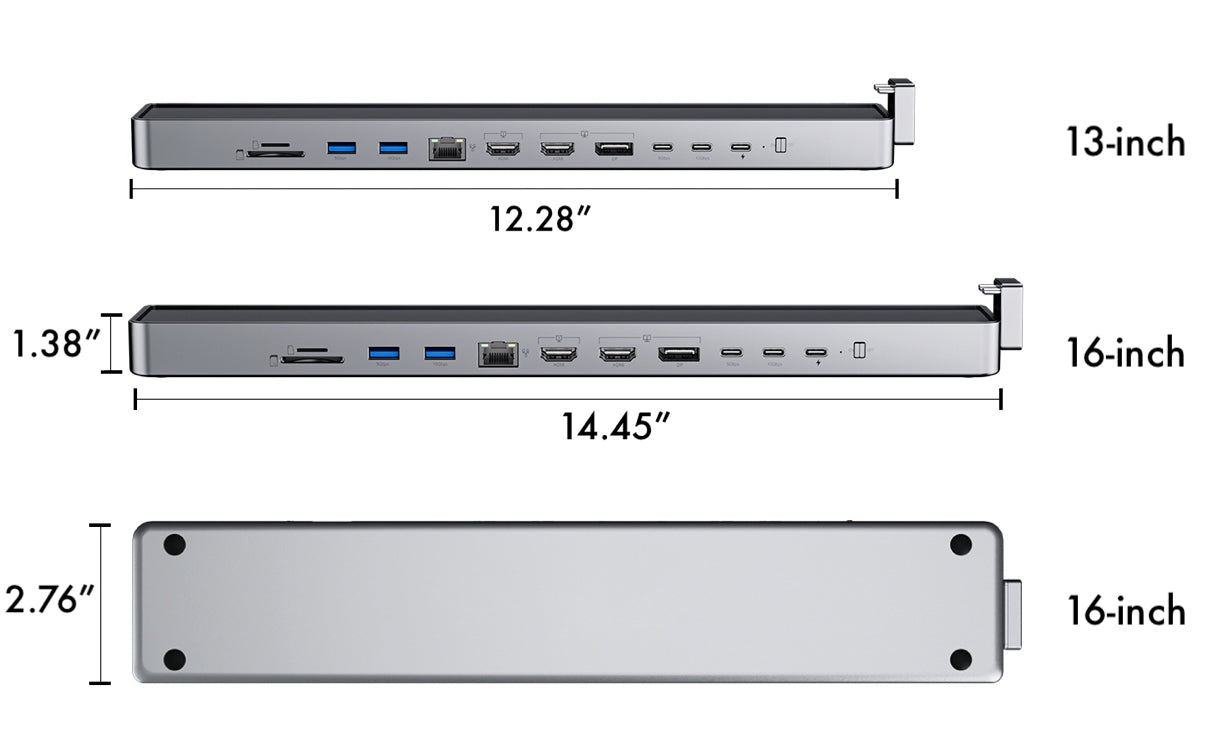
Product Specification
INVZI MagHub 12-in-2 Docking Station with Pop-up SSD for MacBook
MH01
2 X USB-C Ports
Pop Up SSD Enclosure: compatible with M.2 PCI-E NVMe & SATA up to 4TB, 1000Mbps high speed, SSD Memory Size: 22x42/22x60/22x80
USB-C1: 100W PD fast charging
USB-C2: USB-C 3.2 Gen2 10Gbps
USB-C3: USB-C 3.1 Gen1 5Gbps
HDMI 1+DP 1: Support HDMI 2.0, Max 4K@60Hz, HDCP1.4/2.2, MST mode for MacOS with Intel Chip/Windows (MacBook M1/M2 only supports ONE external display)
HDMI 2: Support HDMI2.0, Max 4K@60Hz, HDCP1.4/2.2, MST mode for MacOS with Intel Chip/Windows (MacBook M1 only supports ONE external display)
Gigabit Ethernet: Support 1Gbps, 100/10Mbps
USB-A1: USB-A 3.2 Gen2 10Gbps
USB-A2: USB-A 3.1 Gen1 5Gbps
SD/Micro SD: Support SD/SDHC/SDXC, SD3.0 UHS-I, up to 104MB/S, up to 4TB
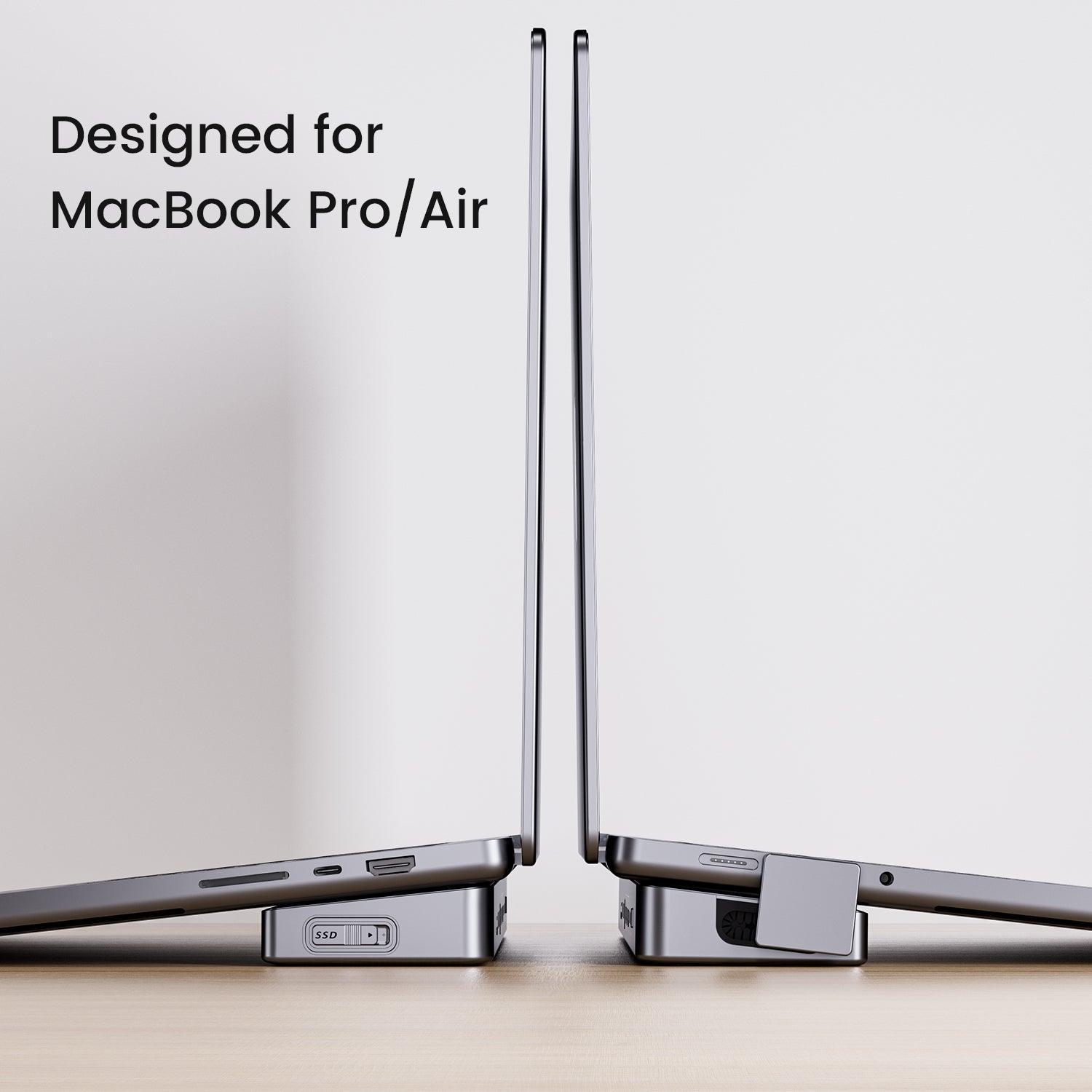
MagHub 13-inch: Compatible for MacBook Pro 14", MacBook Pro 13" 2016-2023 and MacBook Air, 2018-2022
MagHub 16-inch: Compatible for MacBook Pro 16", 2016-2023
Aluminum Alloy
Space Gray
10.5 ounces
This 12-in-2 docking station offers extensive connectivity with dual HDMI ports, USB-A/C ports, SD card slots, and a pop-up SSD enclosure for storage expansion up to 2TB. Customers praised its "sleek design" and seamless MacBook integration. However, some reported charging issues, drive disconnection when laptop sleeps, overheating concerns, and monitor compatibility problems.
- THIS IS BY FAR THE BEST MAC PRODUCT I USED
- seamlessly extends my storage by a whopping 2TB SSD
- Looks like it was made by Apple, fits my 13 inch MacBook Pro perfectly, works like a charm
This is what I was looking for! The docking station is very well built, feels sturdy and works great with my M1 MacBook Pro 16". All of the ports work well but are somewhat cumbersome to get to without turning the entire laptop around. I already had an extra NVME SSD and the install was simple. I do like that it has a power button on it but the one thing I dislike (may not be a feature of this product and more my MacBook) is that once you put the laptop to sleep, all connected drives get disconnected and you get the dreaded error message stating you didn't unmount the drive correctly. So I have to remember to unmount each connected device and turn off the power every time I put the laptop to sleep (very annoying). I do think it is a bit overpriced but it does work.
It affected my computer and made it stop charging or indicating the charger.
Matches pefekt - just the color option os Limited und does not fit to my mac
I have been using this hub with my M3 MacBook for couple of years. It provides convenient access to my additional SSD storage and monitors when I dock the laptop. Access to flash card slot behind the dock is difficult to access without turning dock and is rarely used since built-in flash card slot access is easier. Love the SSD module for additional storage; however, it occasionally hangs when removing SSD module from hub and requires additional force to remove.
I also was one of the early adopters and thinks this is a great device for how I use it. My only complaint is the same as O.D.'s, if I close the lid or put my MacBook to sleep, I get the dreaded disconnect error message. Unfortunately, even the auto disconnect and connect apps cannot remount the drive. I tried both Jettison and Auto Eject. Jettison does seem to disconnect the drive, so the error message has stopped, but it cannot remount the drive. I must reboot the dock to see the drive again.
Would be nice if a dock firmware update could fix this.
This limitation could be a showstopper for some users.
1/5 Stars - AVOID INVZI MagHub at All Costs!
I'm writing this review as a warning to others: stay far, far away from the INVZI MagHub for MacBook Pro M2. I thought I was getting a convenient and reliable hub to expand my laptop's ports, but what I got was a nightmare.
First of all, not all the ports work as advertised. I've had issues with the USB-A ports, the HDMI port, and even the SD card slot. But that's just the tip of the iceberg. The real problem is the hub's glitchy behavior. It constantly restarts, dropping my hard drives and internal SSD. I've lost count of how many times I've had to restart my laptop and go through 30-40 power cycles just to get the MagHub to work.
But the worst part is the damage it's caused to my external hard drives. The constant restarting and dropping of drives has erased and/or destroyed not one, not two, but THREE of my hard drives. I've lost irreplaceable data and files, and I'm still trying to recover from the loss.
And if all that wasn't enough, the customer support from INVZI has been absolutely atrocious. I've contacted them multiple times, and each time I've been treated like garbage. They've refused to fix or replace the unit, and they won't even offer a refund. It's clear that they don't care about their customers or the quality of their products.
I'm incredibly upset and frustrated with my experience with the INVZI MagHub. I would not recommend purchasing from this company to my worst enemy. Save your money, save your data, and avoid the INVZI MagHub at all costs.
UPDATE: I've tried to contact INVZI again, and they've continued to ignore my requests for help. I've also noticed that they've removed negative reviews from their website, which suggests that they're trying to hide the truth about their products. Don't trust this company, folks. They're not worth your time or money.
Nice idea and design, just too bad the USB A ports are installed upside down.
I was backer on the first launch. I was as happy as all people here, but due to a magnetic failure in the construction it wrecked my laptop. We received a free new magnetic pat that would do the trick. It probably does, but I don’t dare using it in my new laptop and only use it for max 15 minutes on my old, because of overheating. 2 of my USB-C stopped working after this as well. Still hope for a solution!
Nice design and utility, how hot it become, remains to be seen.
If you stick it to the laptop, it mised it's purpose. It should remain in the office connected to all the cables and power source.
It is annoyng to plug and unplug all the cables, every day or time when you reach office.
I've had this hub for a couple years. Shortly after getting my M1 MacBook Pro, I was trying to find a hub with an adequate number of ports, including two HDMI. The first hub was inexpensive, and it showed. Lots of problems. The next seemed to have a good build quality, but got alarmingly hot with steady use. And finally the INVZI came to the rescue. Very solid build quality. I got the 1TB SSD as well. It has cooling wells and does not get hot. I have both USBA and USBC hubs hanging off this one, for printers, scanners, DVD drives and so on.
I am surprised at some of the negative reviews here which makes me wonder about inconsistent build quality. As I say, I have not had any issues, and I believe I am one of the early purchasers of this hub.
THIS IS BY FAR THE BEST MAC PRODUCT I USED
Good morning your package has been blocked by the carrier sabs, find out why at the price of the material, I find it distressing, could you see why or make the refund
Have a MagHub1 for my 14" MBP m2, before i had an 13" MBA m1 but the MagHub1 did not fit that well, because of the somewhat round underside and missing Magsafe connector.
Now with the MBP m2 it fits perfectly, very happy also a 2TB NVME incl. drive.
Hope to enjoy the MagHub1 for many years.
Absolutely thrilled with this purchase for my MacBook Pro! It seamlessly extends my storage by a whopping 2TB SSD, ensuring I have all the space I need for my projects and media. Beyond its impressive functionality, the design is simply stunning—sleek, modern, and perfectly complements my setup. Highly recommend for anyone looking to upgrade their MacBook Pro's capabilities and aesthetics.
either for 13" or 16", best addition ever
either for 13" or 16", best addition ever
Just got delivery of this —exceeds my expectations in every way. Looks like it was made by Apple, fits my 13 inch MacBook Pro perfectly, works like a charm. Got it to make it easier to connect to my old Cinema Display, which is still going strong. Love the option to add a SSD for quick backup or data transfer. Highly recommended.
I’ve everything to get this dock to work with my 4k monitor. Nothing has worked. It doesn’t work HDMI to HDMI, USB-C to HDMI or display port to display port. I received the unit without the SSD enclosure, but INVZI customer support was great and sent one to me. I haven’t checked that it works yet as I’m waiting on a NVMe drive. 3 stars, one for very good customer service, one for form factor, it fits well on my M1 13” MacBook Pro, and one for working with the MacBook without external monitor.
Hi I hoped this would be the one! I have a few Inzi Gan chargers and they are fantastic. Firstly the stick on magnetic attachment puts the MacBook out of kilter when I don’t use the docking station. Design is a problem. So surprised. Secondly when I do attach the docking stand somehow the SSD and fan start to make a lot of noise - if I detach it settles. Have confirmed this on numerous occasions. Finally by using both USB C ports on the MacBook Air my Espresso Screen does not work as the USB C port on the dock does not allow the screen to run. Disappointed! I would ask for a refund but don’t know if it is offered. The Dock is not used now - not good because the company has been great before. Andrew
So far so good.
Must admit that I was a bit sceptical of this product, but it has delivered over my expectation! Works great and I’ve installed a 2 TB memory, to ease my Mac’s capacity
Broke in 2 days and support is not giving any response
This device is so compact, works great, would be best if USBCs would support Display.
I would love to see Thunderbolt 4 in newer versions.
Shipped as stated within timeframe and it functions great without issues.
Great product!
But I would like to see a pop-up ssd enclosure sold as an option.
This is the dock you want. Excellent design, perfect color match, everything works flawlessly with multiple displays, built in ssd takes some of the stress of your internal ssd. The only downside is that it does tend to run hot, but so all other docks.
Im glad somebody took the time to design a proper dock for a range of MacBooks.
I’ve everything to get this dock to work with my 4k monitor. Nothing has worked. It doesn’t work HDMI to HDMI, USB-C to HDMI or display port to display port. I received the unit without the SSD enclosure, but INVZI customer support was great and sent one to me. I haven’t checked that it works yet as I’m waiting on a NVMe drive. 3 stars, one for very good customer service, one for form factor, it fits well on my M1 13” MacBook Pro, and one for working with the MacBook without external monitor.