

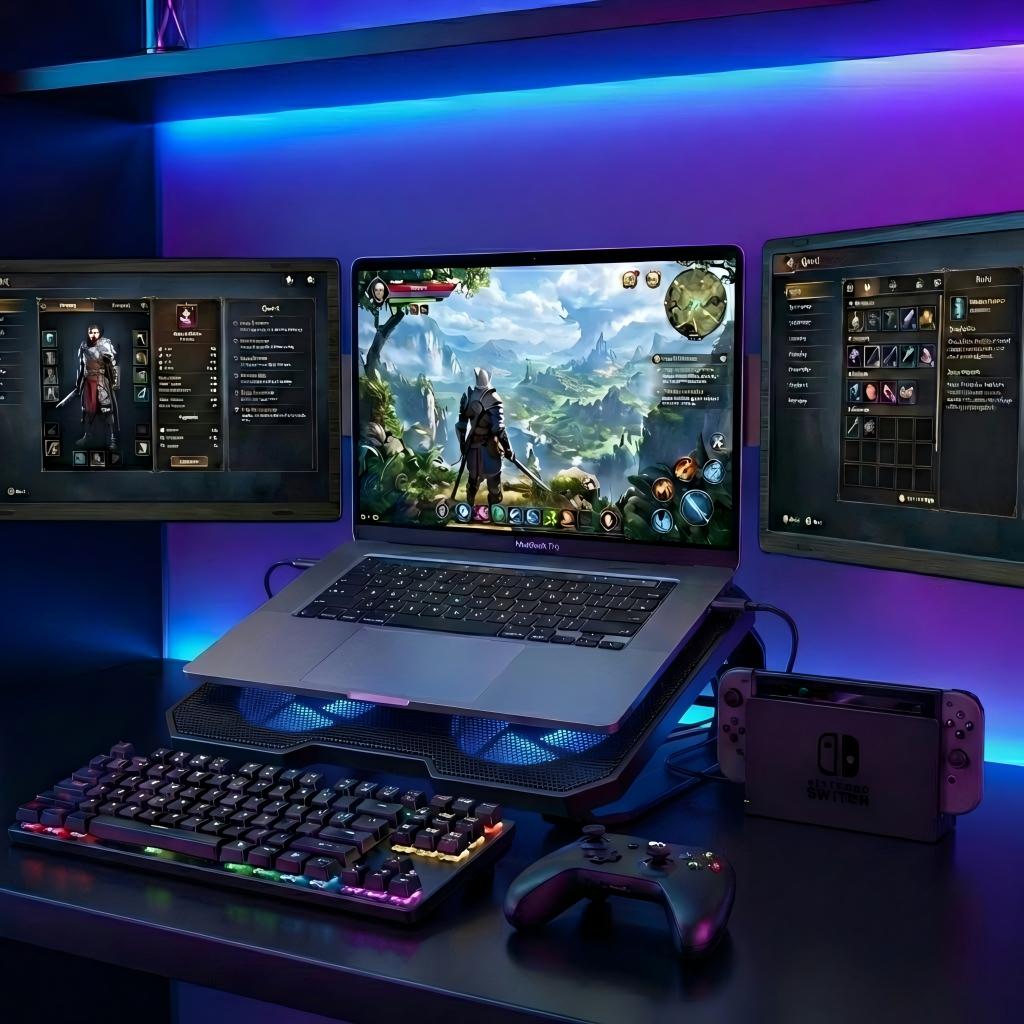

MagHub Dual Lite 16"Portable Screen Extender
Dual 16" Workspace Expansion:
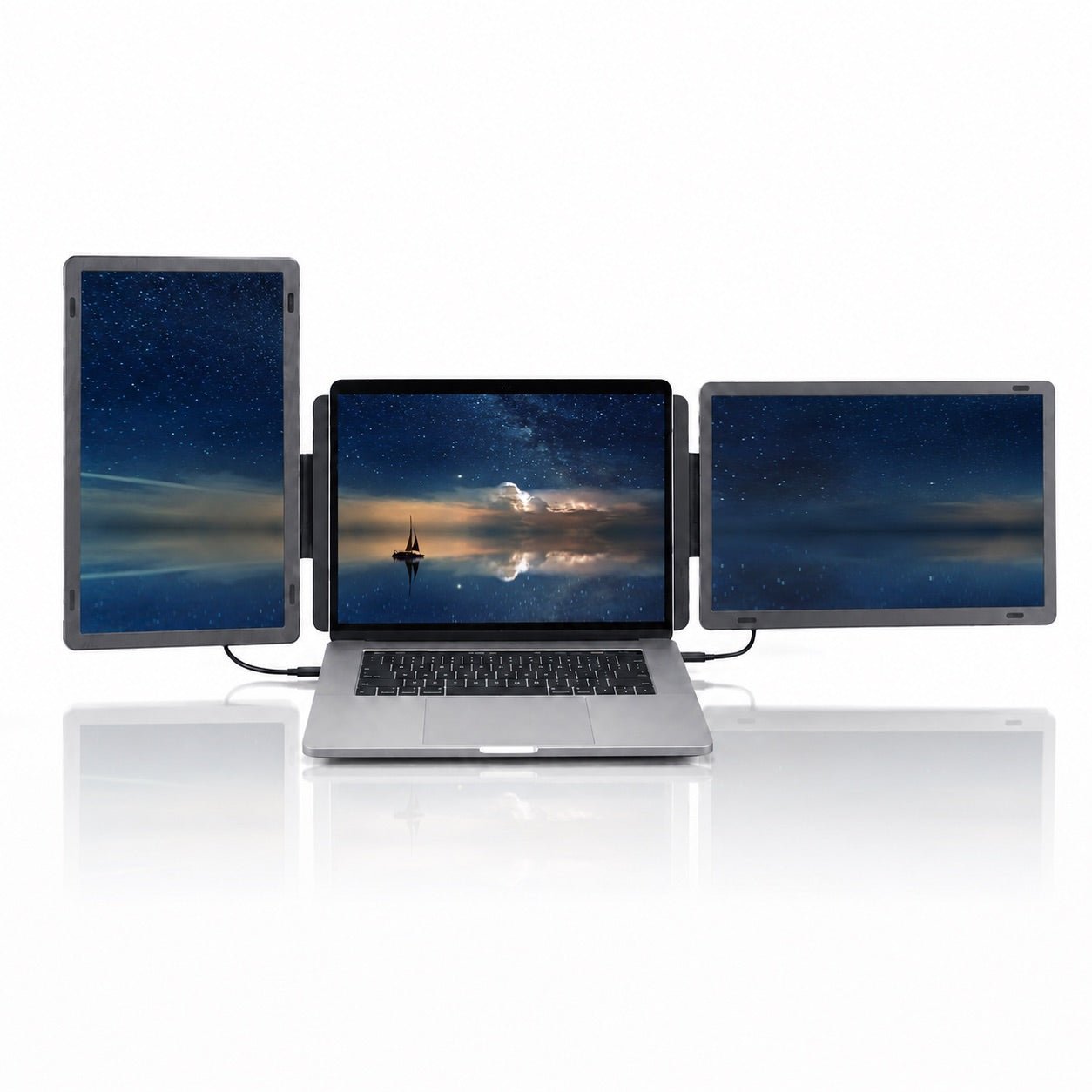
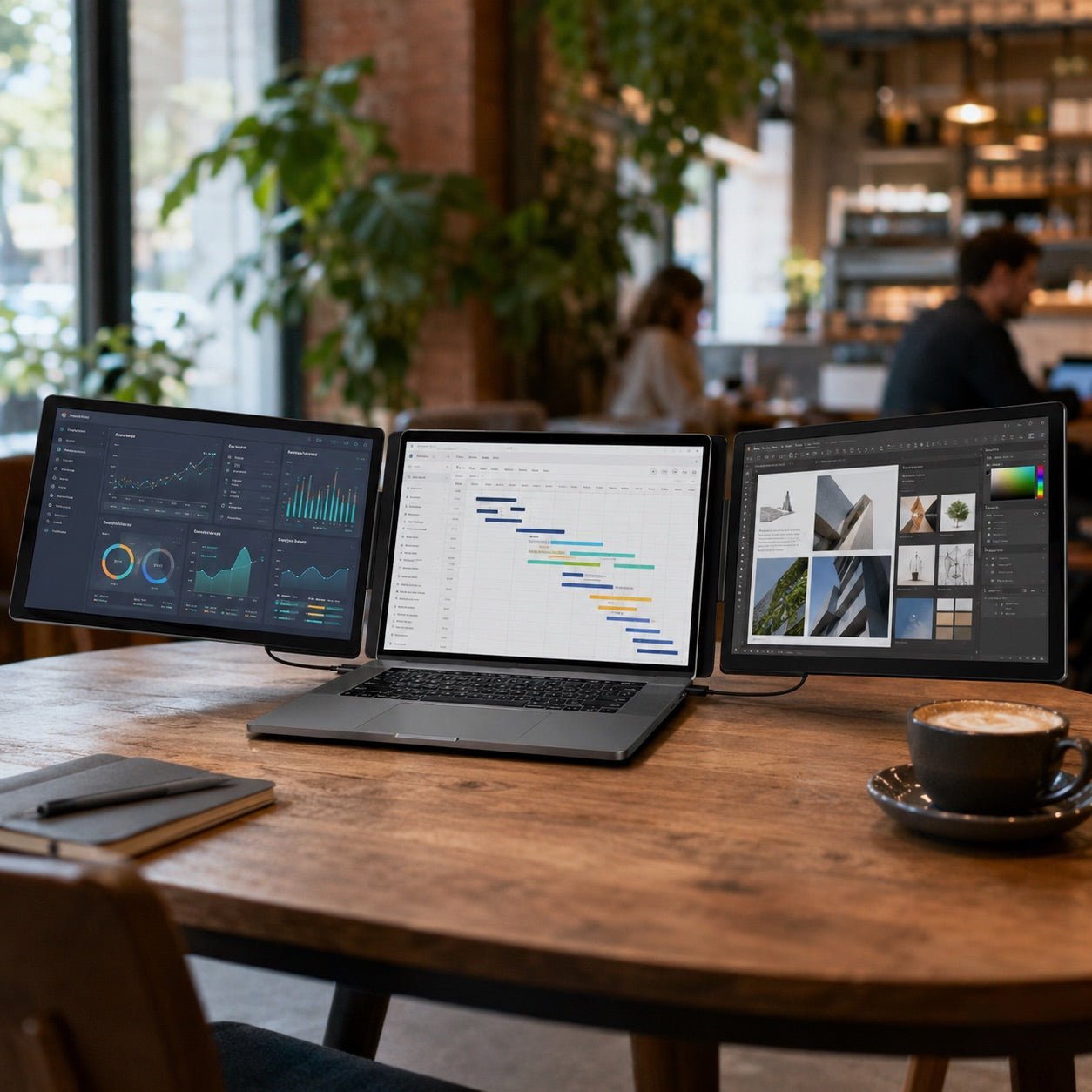
Add two 16-inch 1920 × 1200 IPS displays to your laptop and turn one screen into a focused triple-screen workstation. The 16:10 format gives you more vertical room for documents, dashboards, timelines, and daily multitasking.
Detachable, Flexible Screens:
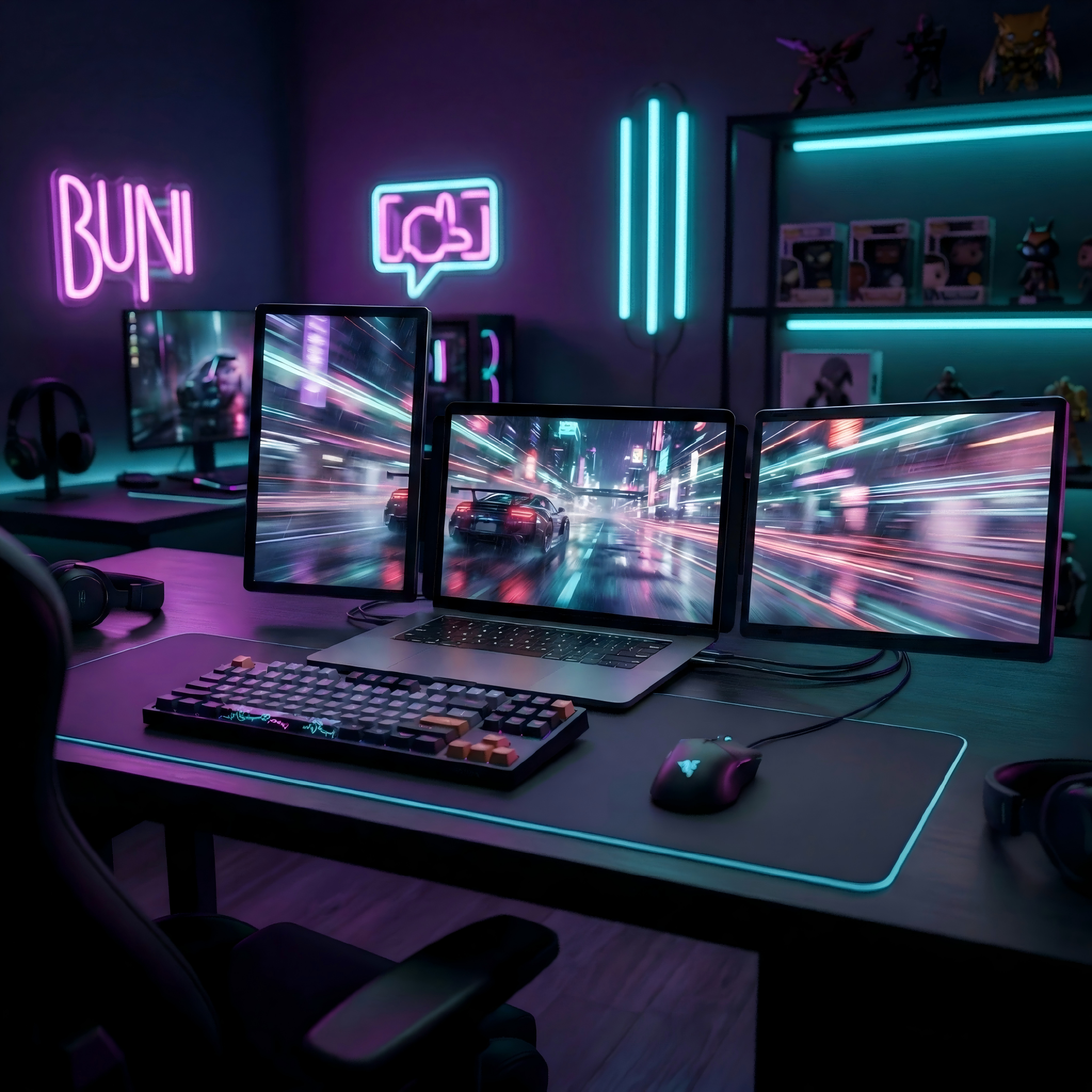
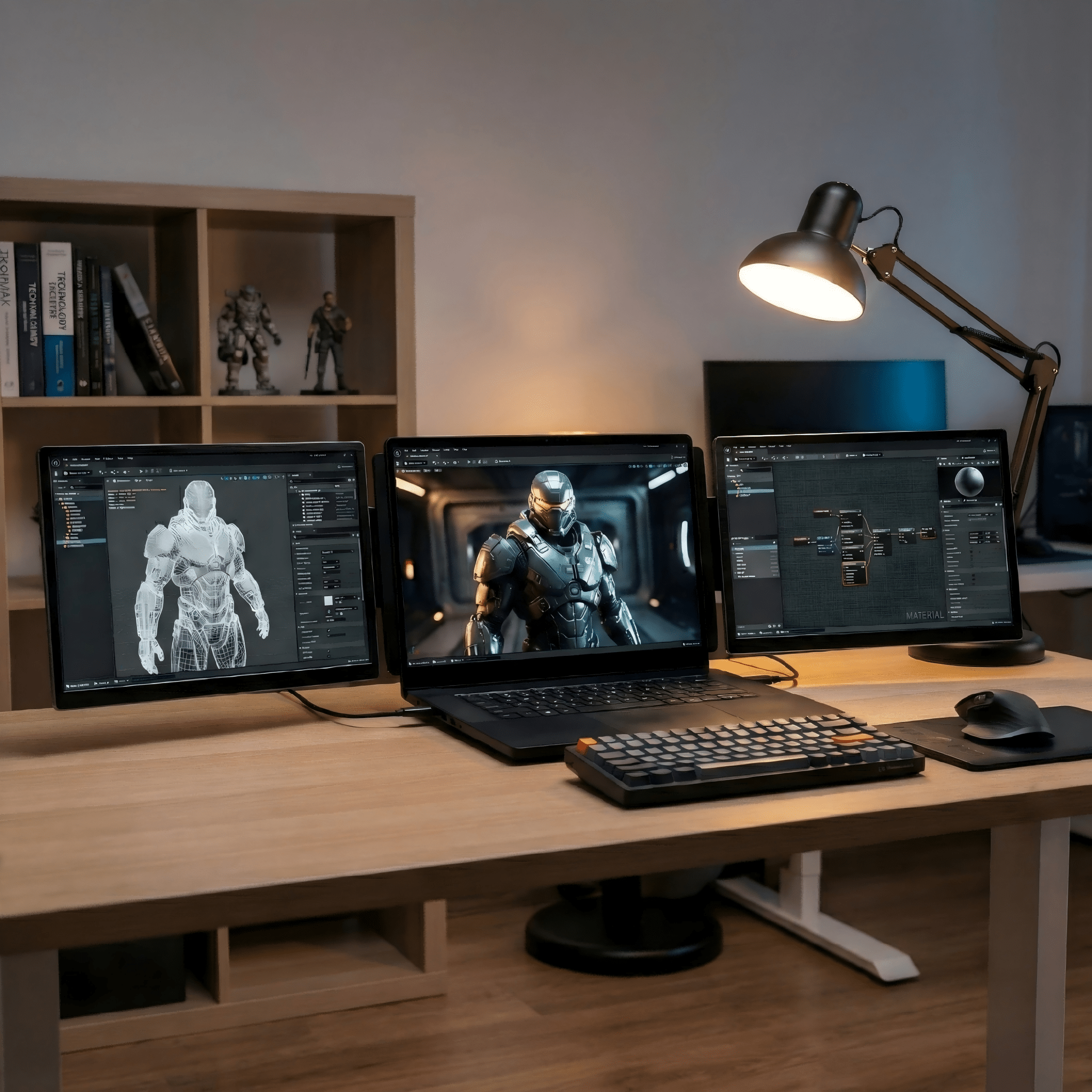
Use both screens beside your laptop, rotate them for portrait workflows, or detach one screen when you need a separate display angle. Built for trading, coding, meetings, creative work, and travel setups.
Driver-Free Plug & Play:
Connect through full-function USB-C for video and power, or use Mini HDMI for video input. No driver installation is required for supported setups, making daily setup faster and cleaner.
Compatibility Note:
Works with supported Windows and macOS laptops. For best results, use a laptop with USB-C display output or HDMI output. Some devices may require the included cables or a compatible adapter.


 Display
 Display
- Screen size: 2 x 16-inch displays
- Panel type: IPS with W-LED backlight
- Resolution: 1920 x 1200 Full HD+
- Aspect ratio: 16:10
- Brightness: 250 cd/m²
- Contrast: 1000:1
- Color gamut: 45%
- Refresh rate: 60Hz
- Viewing angle: H 89 degrees / V 89 degrees
Designed for 12-inch to 18.5-inch mainstream laptops.
 Connectivity & Compatibility
 Connectivity & Compatibility
No driver installation required. MagHub Dual Lite 16 works as a plug-and-play dual-screen extender for supported laptops, so you can start with fewer setup steps and no extra software.
Hardware & Connection:
- USB-C full function: Each Type-C port supports 1920 x 1200 video and power.
- Mini HDMI: Supports 1920 x 1200 video input.
- Power input: DC 5V/2A, with normal operating power at 10W or below.
OS Compatibility:
- macOS: Supported according to supplier specification.
- Windows: Supported according to supplier specification.
 Product Resources & Setup
 Product Resources & Setup
Access setup guidance for MagHub Dual Lite 16". Connect through USB-C or Mini HDMI, adjust the detachable displays, and start working without driver installation.
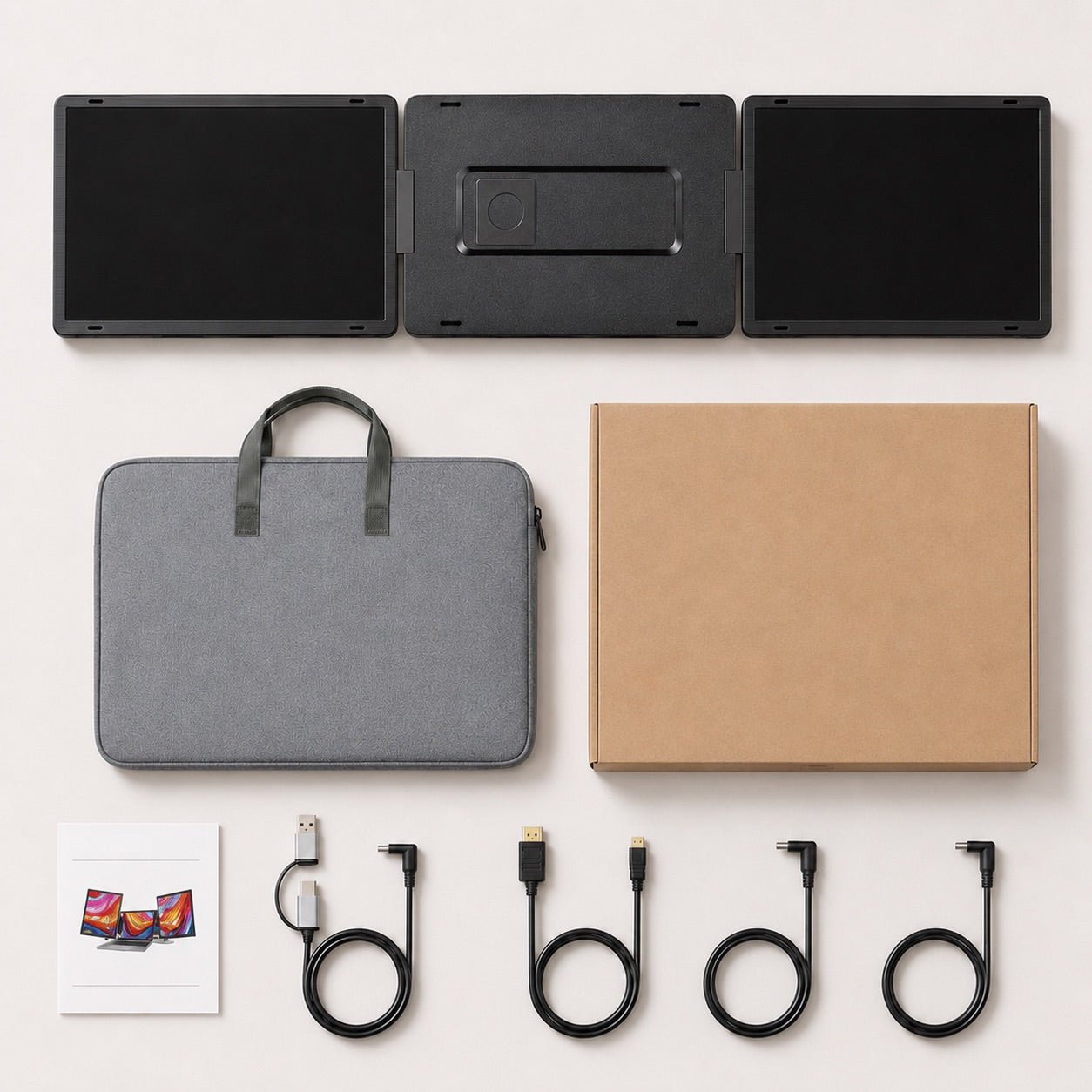
Included Setup Items
- USB-C to USB-C cable x 2
- USB-C cable with USB-A adapter x 1
- Mini HDMI cable x 1
- Carry bag x 1
- User manual x 1
Support & Policies
Customer Support
Have questions? The INVZI support team is ready to assist you. Contact us anytime, and we’ll respond promptly. Live chat is available weekdays, 9:00 AM to 5:00 PM PST.
Need help finding the right setup? Reach out to us via the email contact form on our website or chat directly with one of our support agents.
Shipping Information
We proudly ship INVZI products worldwide to over 100 countries. Enjoy free shipping on all orders over $39 during our current promotion.
Standard delivery typically takes 6-10 business days. We partner with trusted global carriers like DHL, FedEx, YunExpress,and UPS to ensure a secure, fully tracked delivery experience for your monitors and gear.
Track Your Order
Once your INVZI order is dispatched, you’ll receive a confirmation email containing your tracking number and a direct link. You can track your package directly on the courier's website. We’ll also notify you once your shipment is out for delivery.
(If you don’t see tracking details in your inbox, please double-check your spam folder.)
Returns & Refunds
For purchases made directly through the official INVZI website, we offer a 14-day return policy from the date of delivery. Accessories included in the box with your INVZI portable monitor are covered under this policy; however, accessories purchased separately are not eligible. If you purchased your INVZI gear through an authorized third-party retailer, please contact them directly for return instructions.
If you decide the product isn't the right fit, we will provide a full refund within 14 days, provided the item is unopened and is returned with all original packaging and components. Refunds are processed to the original payment method.
Warranty
Every INVZI product is backed by a comprehensive one-year warranty covering any manufacturing defects. If you experience any issues within this period, simply reach out to our customer support team, and we’ll gladly assist you with a repair or replacement.
One Laptop. Two Detachable Screens. More Ways to Work.
MagHub Dual Lite 16 adds two detachable 16-inch displays to your laptop. Arrange them in landscape or portrait, or use them separately when your workflow needs more flexibility.

Detachable Display
Remove either screen from the setup and place it where it works best for your task, review, presentation, or collaboration.
Portrait Mode
Turn either side screen vertically for code, long documents, messages, market charts, and dashboards.
Your Main Workspace
Keep your meeting, document, presentation, or primary task centered on your laptop while the two side displays handle everything around it.
Keep Context Visible
Use an extended screen for research, notes, live data, or project references while your main task stays in focus.
Detachable Display
Remove either screen from the setup and place it where it works best for your task, review, presentation, or collaboration.
Portrait Mode
Turn either side screen vertically for code, long documents, messages, market charts, and dashboards.
Your Main Workspace
Keep your meeting, document, presentation, or primary task centered on your laptop while the two side displays handle everything around it.
Keep Context Visible
Use an extended screen for research, notes, live data, or project references while your main task stays in focus.
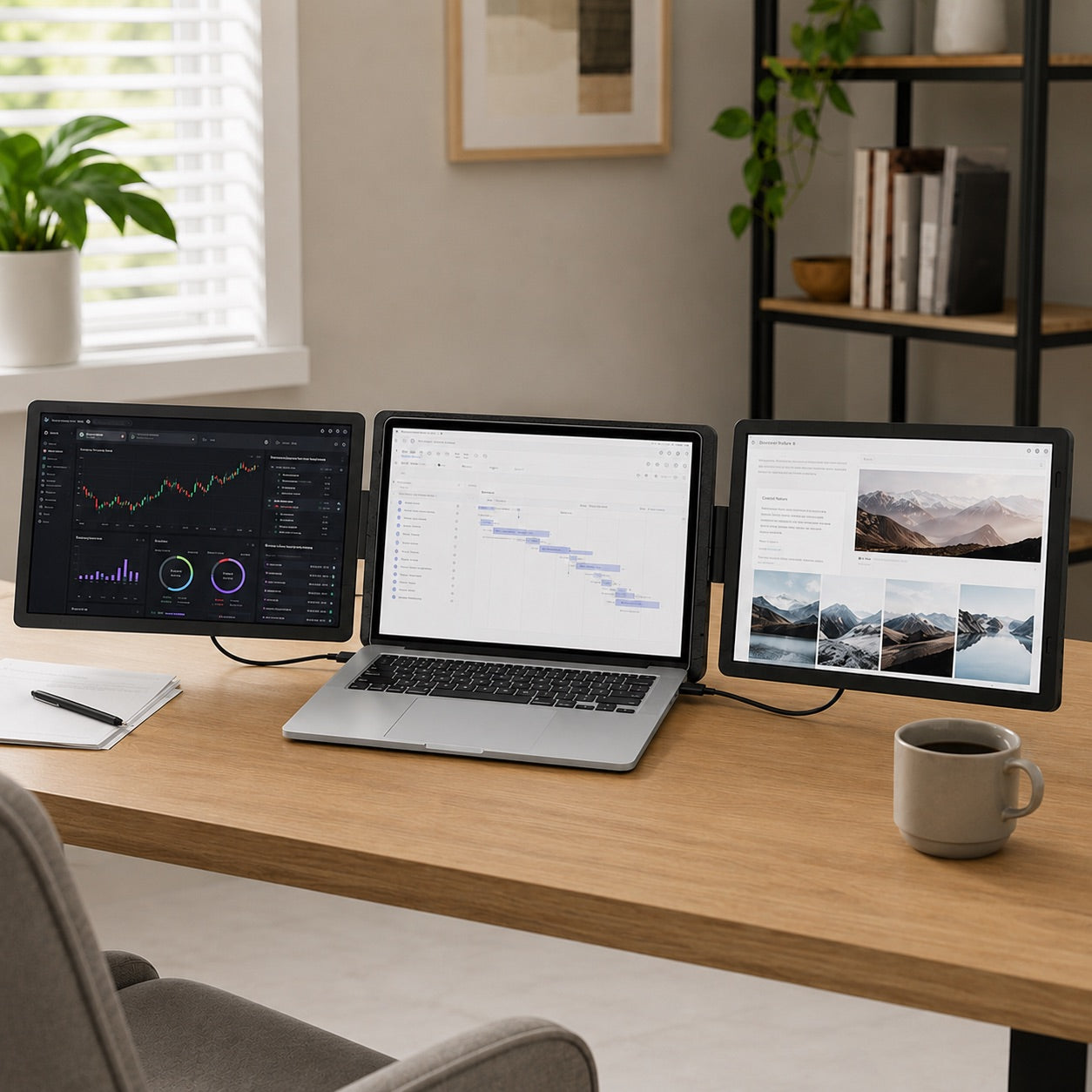
Fits Your Laptop. Expands Your Workspace.
Built for 12-inch to 18.5-inch mainstream laptops, MagHub Dual Lite 16 adds two detachable 16-inch displays to create a more capable workspace wherever you work.
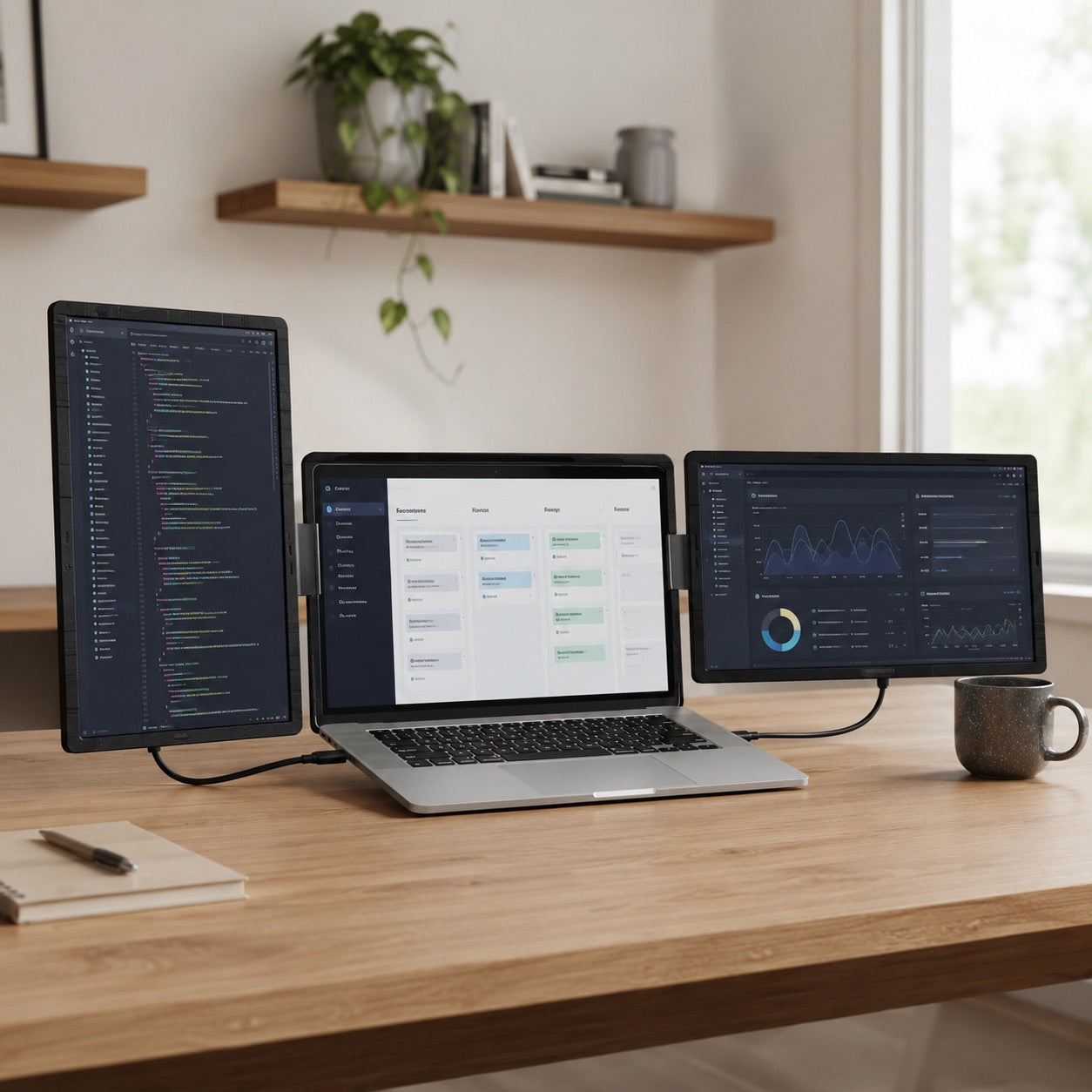
Set Your Best Viewing Angle.
Adjust each side display independently to suit your desk, posture, and task. Keep both screens in landscape for broad multitasking, or use portrait orientation when you need more room for code, documents, dashboards, and chat.
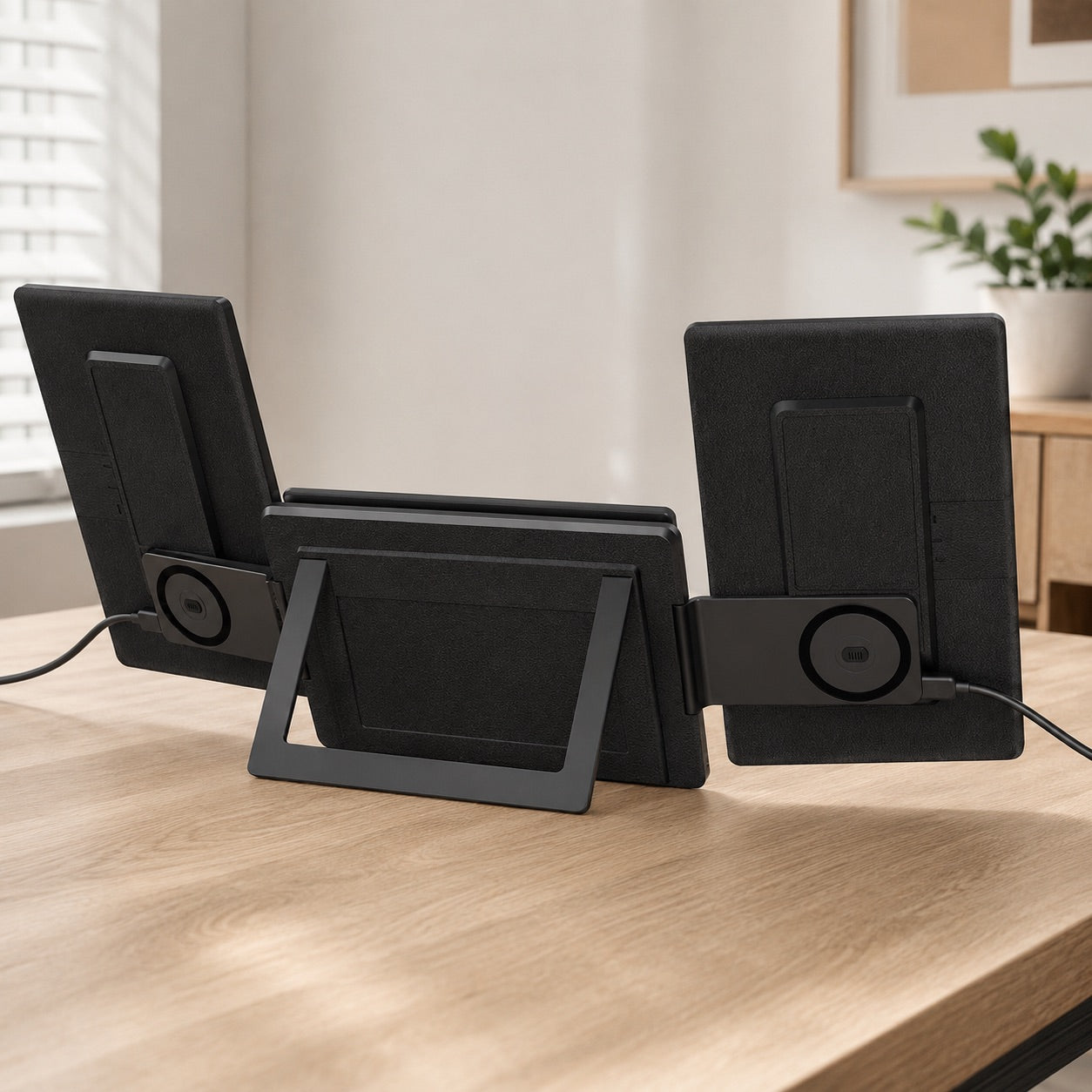
Reconfigure Your Screen Layout.
Detach and reattach each side display to switch between portrait and landscape layouts. The integrated rear support keeps the complete three-screen setup stable on your desk.
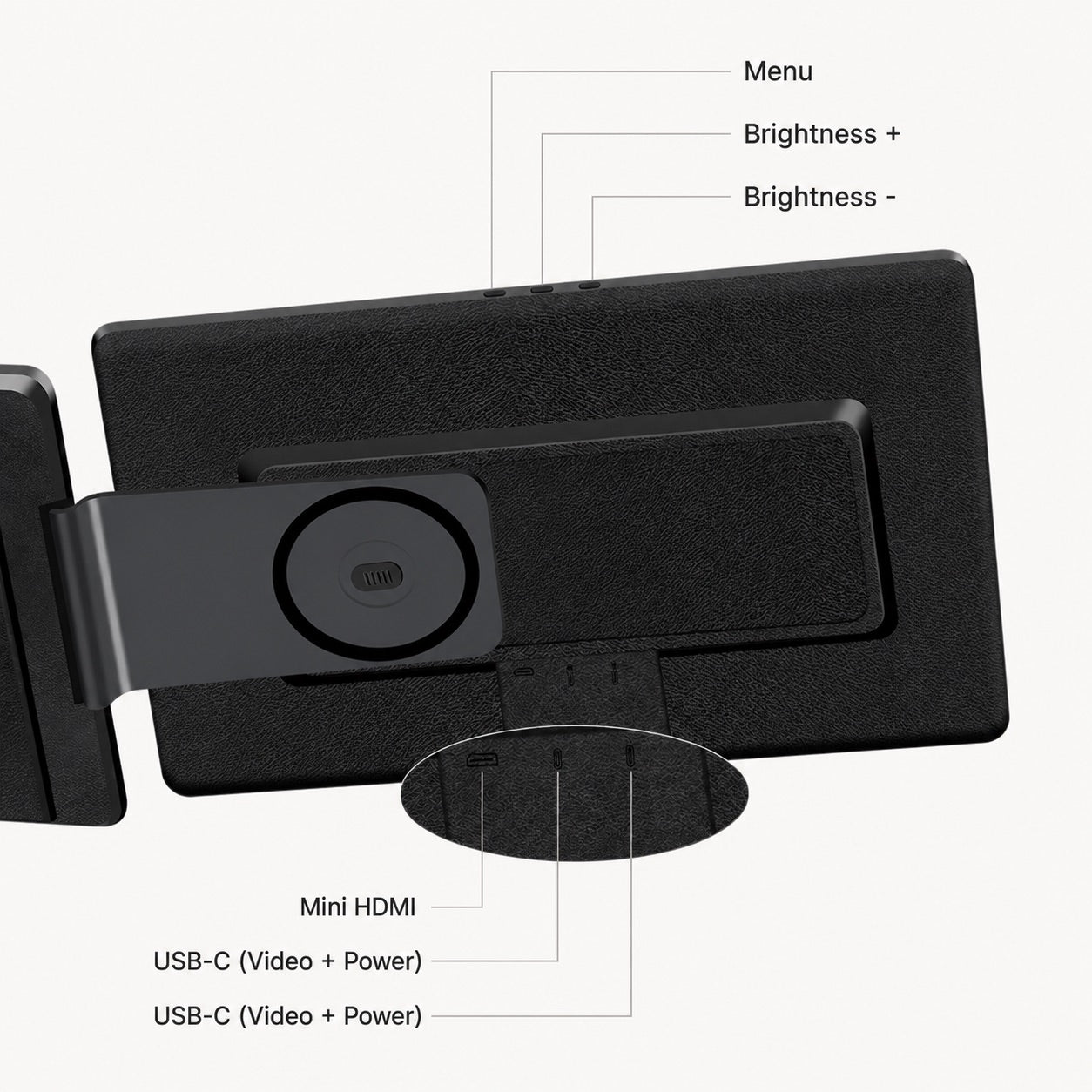
Plug In. Get to Work.
Each full-function USB-C port carries video and power for a clean, plug-and-play setup with no driver installation required. Mini HDMI also supports video input at up to 1920 × 1200; use USB-C power as needed for HDMI connections.
Take Your Workspace With You.
At about 5.29 lb, MagHub Dual Lite 16 folds into a carry-ready setup. The included carry bag, USB-C cables, Mini HDMI cable, and user manual help you move between home, office, and travel without rebuilding your workflow.
Fits Your Laptop. Expands Your Workspace.
Built for 12-inch to 18.5-inch mainstream laptops, MagHub Dual Lite 16 adds two detachable 16-inch displays to create a more capable workspace wherever you work.
Set Your Best Viewing Angle.
Adjust each side display independently to suit your desk, posture, and task. Keep both screens in landscape for broad multitasking, or use portrait orientation when you need more room for code, documents, dashboards, and chat.
Reconfigure Your Screen Layout.
Detach and reattach each side display to switch between portrait and landscape layouts. The integrated rear support keeps the complete three-screen setup stable on your desk.
Plug In. Get to Work.
Each full-function USB-C port carries video and power for a clean, plug-and-play setup with no driver installation required. Mini HDMI also supports video input at up to 1920 × 1200; use USB-C power as needed for HDMI connections.
Take Your Workspace With You.
At about 5.29 lb, MagHub Dual Lite 16 folds into a carry-ready setup. The included carry bag, USB-C cables, Mini HDMI cable, and user manual help you move between home, office, and travel without rebuilding your workflow.
Plug In and Build a Bigger Workspace.
- Set the integrated stand on your desk
- Attach the two side screens to the support system
- Connect through USB-C or Mini HDMI
- Choose landscape or portrait orientation
- Start working. No driver required.
BUILT FOR FLEXIBLE WORKFLOWS

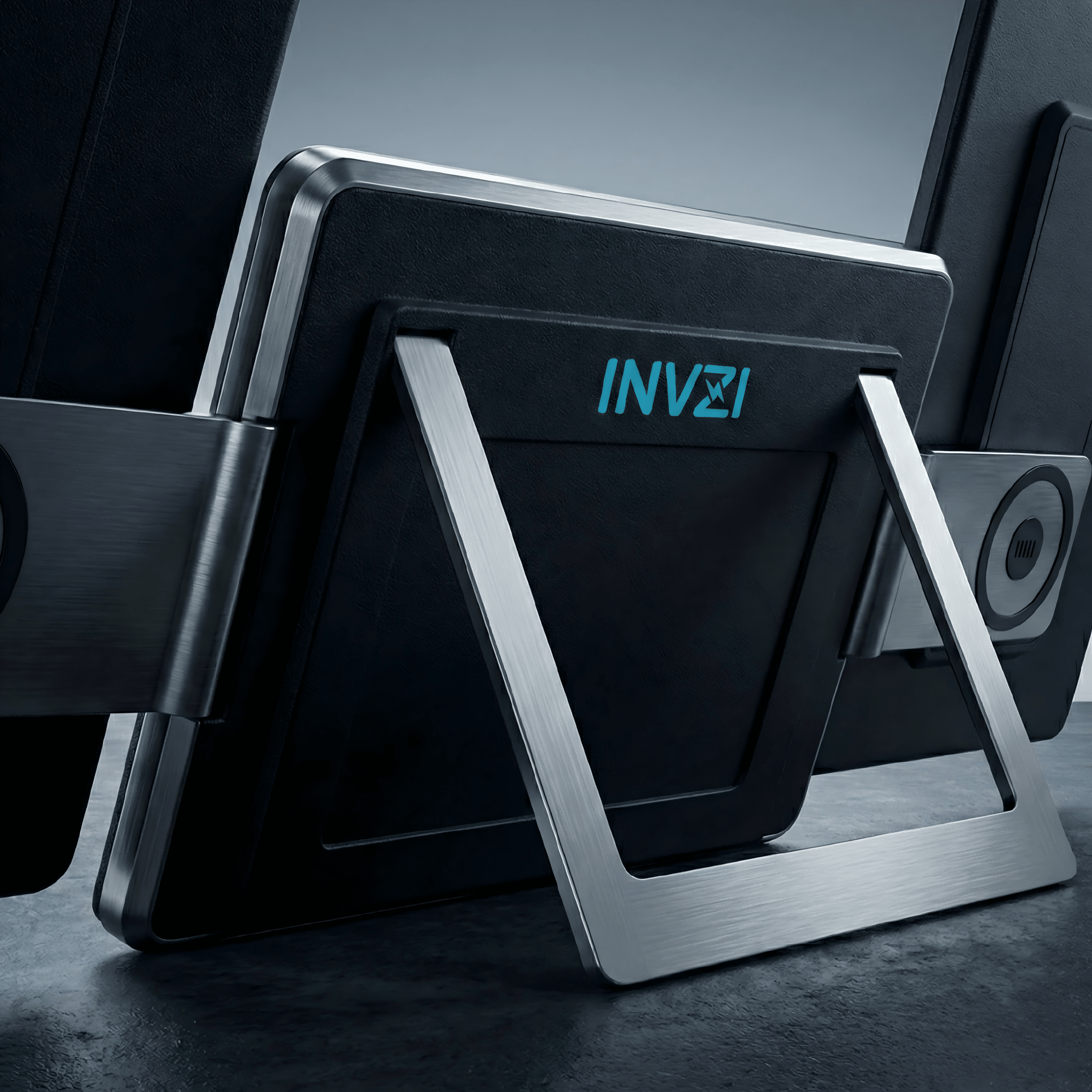
Adjustable Metal Stand
Open the integrated metal stand to create stable support for your complete three-screen workspace.

Landscape or Portrait Layouts
Switch each side display between landscape and portrait orientation to suit documents, code, dashboards, and communication.

Detachable Screen Modules
Detach and reattach each side display to reconfigure your layout. The integrated support system keeps the full setup stable on your desk.

USB-C + Mini HDMI
Connect through full-function USB-C for video and power, or use Mini HDMI for video input. No driver installation is required for supported setups.
Turn One Laptop Into a** Bigger Workspace.
16:10 Displays. More Room to Work.
Two 16-inch IPS displays add focused workspace for documents, dashboards, timelines, meetings, and daily multitasking. Each screen delivers 1920 × 1200 resolution in a taller 16:10 format, giving you more vertical room than a standard 16:9 display.


Plug and Play Across More Setups.

macOS
Works with supported Mac laptop workflows through USB-C or compatible display output.

Windows
Compatible with mainstream Windows laptops for flexible multi-screen productivity.

12"-18.5" Laptops
Designed for mainstream 12-inch to 18.5-inch laptops with a desk-supported back case.
Seamless Connectivity
Connect with full-function USB-C for video and power, or use Mini HDMI for video input. No driver installation is required.


Designed for Every Workflow.


Built for Focused Work and Flexible Layouts.
Keep your main task, references, dashboards, and communication in view across three screens. When your workflow changes, switch the side displays between landscape and portrait layouts.


Everything You Need, Included.
MagHub Dual Lite 16 includes the complete display system, carry bag, connection cables, and user manual for a ready-to-use multi-screen setup.

MagHub Dual Lite 16 Display System

Carry Bag

USB-C to USB-C Cable x 2

USB-C Cable with USB-A Adapter

Mini HDMI Cable

User Manual

Packing Box
PRODUCT DETAILS
Designed for Everyday Setup.


Technical Specifications
 Highlights

- Triple-screen workspace: Laptop display + 2 extended 16-inch screens
- Plug and play: No driver installation required for supported USB-C and Mini HDMI setups
- Dual 16-inch IPS displays: 1920 × 1200 resolution
- 16:10 workspace: More vertical room for documents, dashboards, and multitasking
- Flexible layouts: Side screens can switch between landscape and portrait
- Connection options: USB-C, Mini HDMI, and USB 3.0 alternative connection
 Product Information

- Product: MagHub Dual Lite 16
- Model: S9G
- Type: Detachable portable laptop screen extender
- Laptop fit: 12-inch to 18.5-inch mainstream laptops
- Device size: 370 × 220 × 51.4 mm
- Weight: About 5.29 lb
 Display

- Screen size: 2 × 16-inch displays
- Panel type: IPS
- Backlight: W-LED
- Resolution: 1920 × 1200
- Aspect ratio: 16:10
- Brightness: 250 cd/m²
- Contrast: 1000:1
- Color gamut: 45%
- Refresh rate: 60Hz
- Response time: 20ms
- Viewing angle: H 89° / V 89°
 Connectivity & Power

- USB-C 1: 1920 × 1200 video and power
- USB-C 2: 1920 × 1200 video and power
- Mini HDMI: 1920 × 1200 video input
- USB 3.0: Alternative connection option for compatible laptop setups
- Power input: DC 5V/2A
- Normal power: 10W or below
- Standby power: 0.5W or below
- Supported USB-C and Mini HDMI setups: Plug and play; no driver required
 Compatibility & Environment

- Operating systems: Windows and macOS, according to supplier specification
- Laptop fit: 12-inch to 18.5-inch mainstream laptops
- Operating temperature: 5°C to 40°C
- Operating humidity: 10% to 70%
- Package size: 440 × 295 × 133 mm
 Package & Accessories

- USB-C to USB-C cable: × 2
- USB-C cable with USB-A adapter: × 1
- HDMI to Mini HDMI cable: × 1
- Carry bag: × 1
- User manual: × 1

Trusted by Real Users in Real Workspaces.
Questions Before You Buy?
Here are the essentials about compatibility, plug-and-play setup, power, and what is included.